60
www.teejet.com
MATRIX
®
Pro 570GS
•
MATRIX
®
Pro 840GS
HOME SETUPFULL SCREEN IMPLEMENTINTRODUCTION GNSS RATE CONTROL APPENDIXGUIDANCE
Azimuth degree – establishes a straight
guideline measured by degrees clockwise from
a north-south baseline. North = 0, East = 90,
South = 180, West = 270.
A+ nudge – shifts the existing guideline to the
vehicle’s current position.
Next straight guideline – shows the next
straight AB or Azimuth degree guideline saved
in the current job.
Next curved AB guideline – shows the next
Curved AB guideline saved in the current job.
Next circle pivot guideline – shows the next
Circle pivot AB guideline saved in the current job.
Next adaptive curve guideline – shows the
next Adaptive curve AB guideline saved in the
current job.
Return to point
Mark point – establishes a point at
the vehicle location. Greyed = GNSS is
unavailable.
Return to point guidance – provides distance
and guidance back to an established point.
Delete point – deletes the Marked Point.
Cancel guidance – hides the distance and
guidance back to the Marked Point.
BoomPilot
Toggles the Automatic sprayer control (ASC) on
or off. Greyed = GNSS is unavailable.
Curved lookahead
Indicates where the current steering will take
the vehicle using a ‘pointer’ as guidance.
Refresh GNSS position
Resets the ClearPath lter in the OEMStar
receiver.
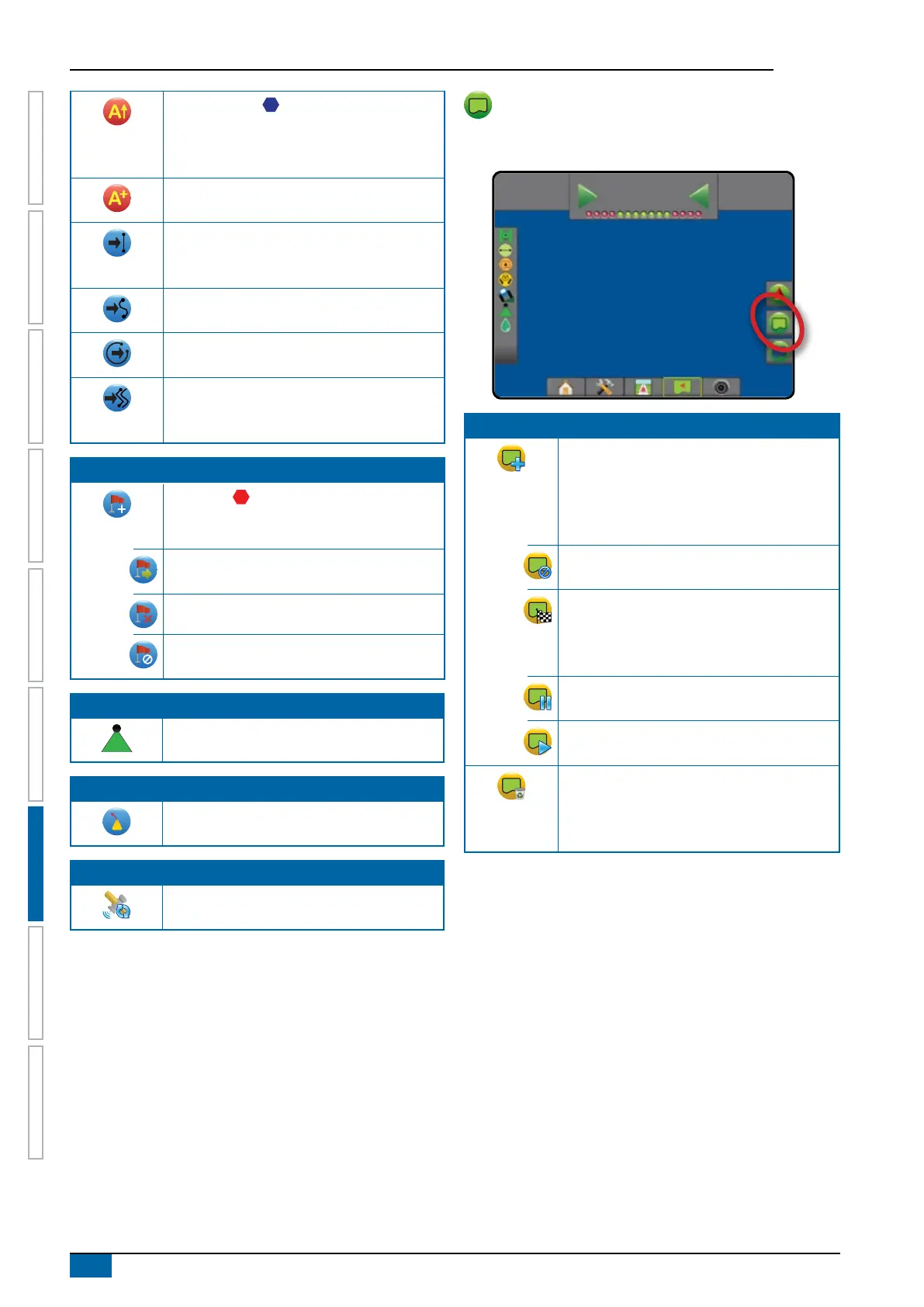
Boundary and polygon options
On any guidance screen, displays exterior boundary, interior
boundary and polygon options.
12
deg
-13
0.0
Exterior boundaries
Mark exterior boundary – establishes
application area and determines no-apply
zones. While creating an exterior boundary, the
boundary line will be to the exterior of the outer-
most section. Greyed = GNSS is unavailable.
Cancel exterior boundary – cancels mark
exterior boundary process
Finish exterior boundary – nalizes current
mark exterior boundary process. Boundaries
can also be closed by travelling to within a
swath width of the starting point.
Pause exterior boundary – pauses the mark
exterior boundary process
Resume exterior boundary – resumes the mark
exterior boundary process
Delete last marked boundary – deletes the last
marked boundary (interior or exterior) from the
current job. Press again to remove additional
boundaries in order from last to rst created



 To Next Page