Chapter 7 - Working With Measurements Measuring Cardiac Exams
Terason t3000 / Echo Ultrasound System User Guide 185
Modifying Cardiac Measurement Groups
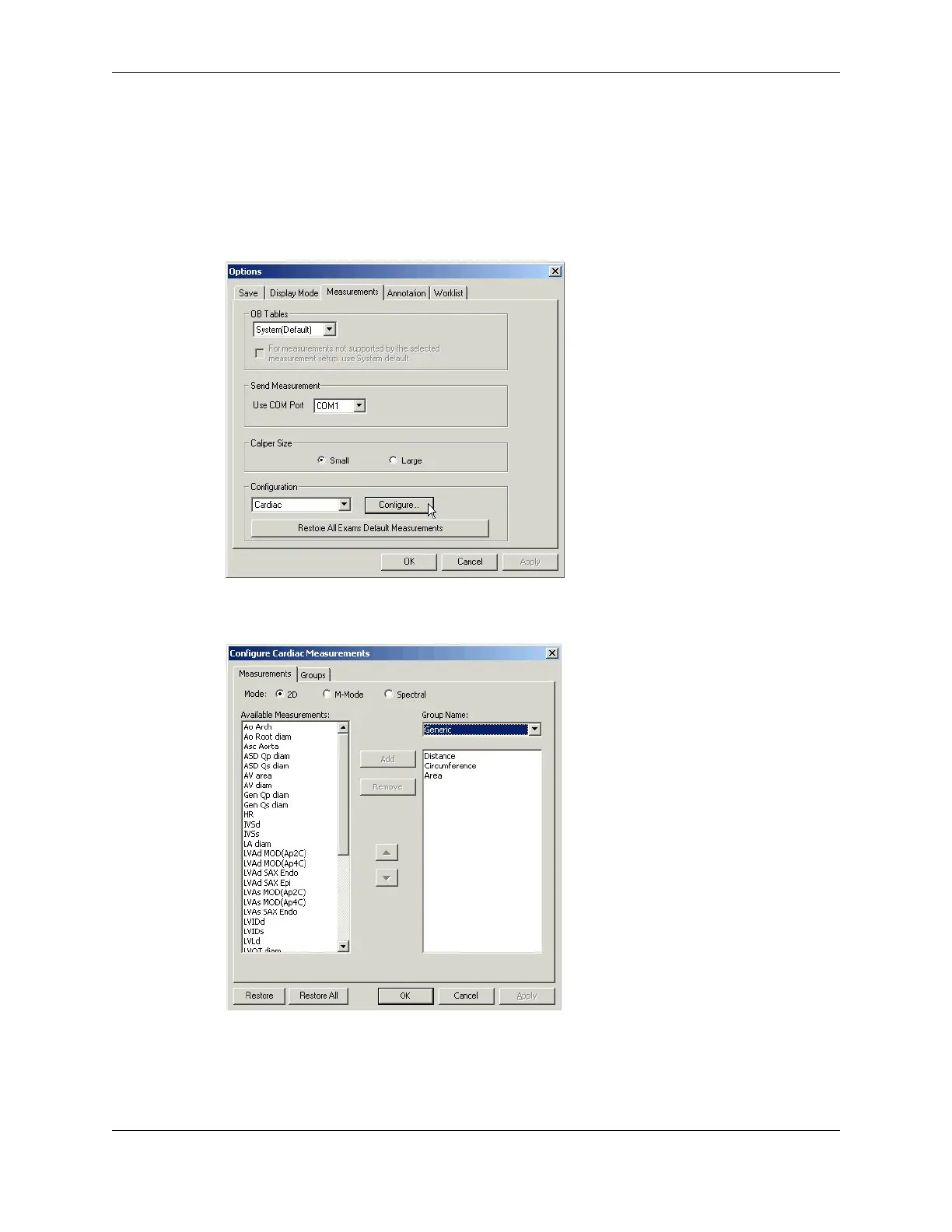
To add or remove measurements in a group:
1. Open the Options/Measurements window (
Tools > Options > Measurements).
2. In the Configuration pull-down menu, select
Cardiac.
3. Click
Configure....
Options/Measurements Window
The Configure Cardiac Measurements window opens.
Configure Cardiac Measurements Window
4. Click the radio button (2D, M-Mode, or Spectral) that corresponds to the scan mode
you want to modify a group for.
5. To choose a group for modification, select it in the Group Name: pull-down menu.



 To Next Page