3.5 Operation Procedure (Measurement/Measurement2)
52
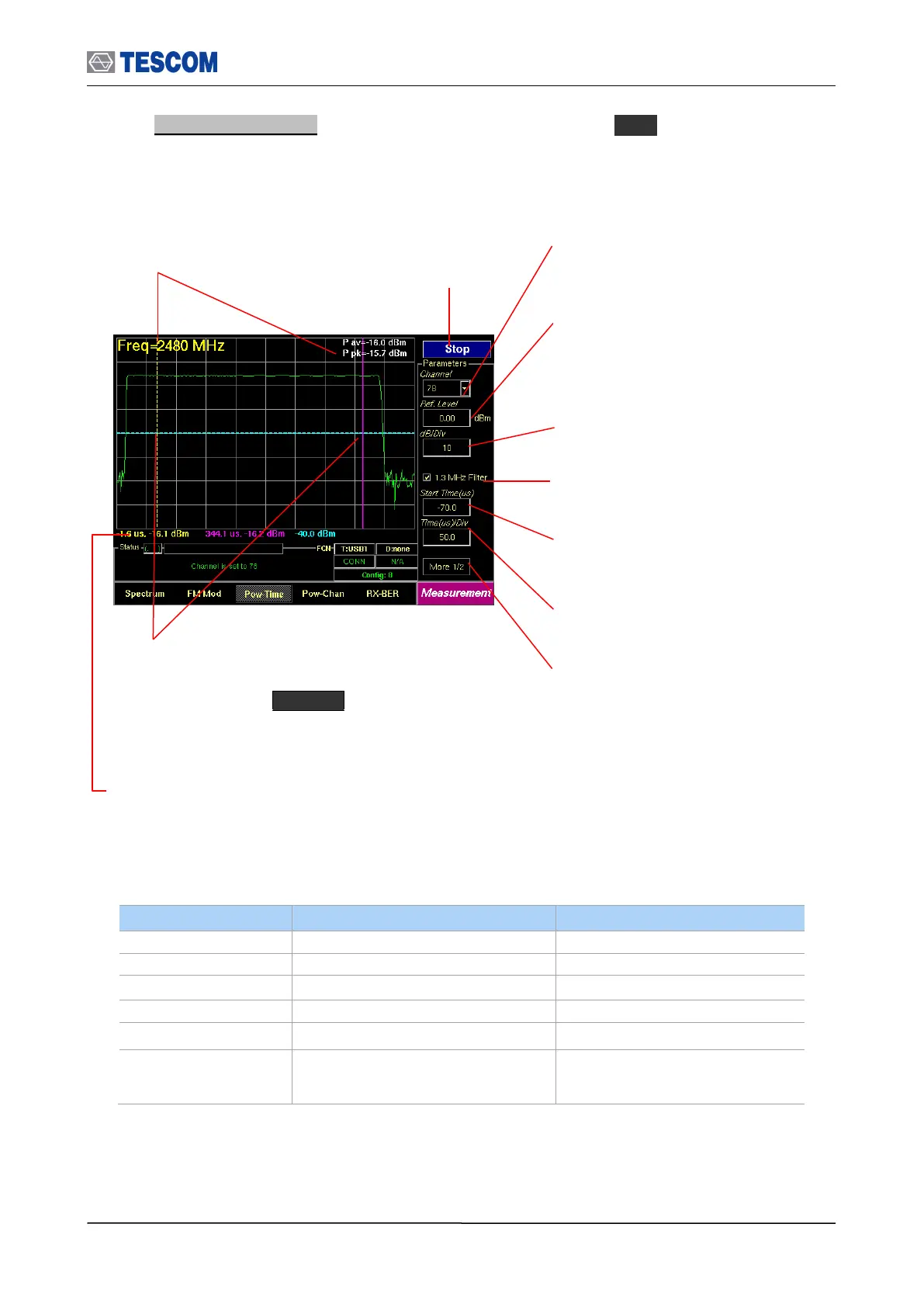
3. Power versus Time: To access Pow-Time screen, press M3 soft key. This screen
shows the channel power measure of a channel in single channel or hopping mode.
-80 + Path Loss ~ 40 + Path Loss
0.1 ~ 180 @ 3 slots packet
0.1 ~ 300 @ 5 slots pakcet
Channel Frequency
Average Power
Peak
P
o
w
e
r
Start/Stop: When this menu is
pressed the tests will run once.
When the menu is pressed again
while the tests are running, the tests
will stop.
Channel: Selects the channel, one of 79
channels or Hopping mode. (Channel 0-78 :
2.402 – 2.480GHz)
1.3 MHz Filter: Enables 1.3 MHz Low
Pass Filter
Line Markers: You can place line-shaped markers on the
screen to find the signal’s amplitude and time. To activate
a maker, press the Marker key in sequence. An
activated marker changes to a solid line. Turn the knob to
place the marker at the signal.
Readouts of cursors time and frequency: The marker
readouts have the same color as the marker respectively.
dB/Div: Sets the vertical amplitude per
division
Test mode: Configures Bluetooth test
Mode connection with DUT
Time(us)/div: Sets the horizontal time
per division
Start Time: Specifies the start point to
display the measured signals. “0” means
the start point of a slot time (625 us).
Ref. Level: Specifies the amplitude reference
level. The top line of the display is the
reference level. All signals displayed are
reference to this line.



 To Next Page