3.5 Operation Procedure (Measurement/Measurement2)
54
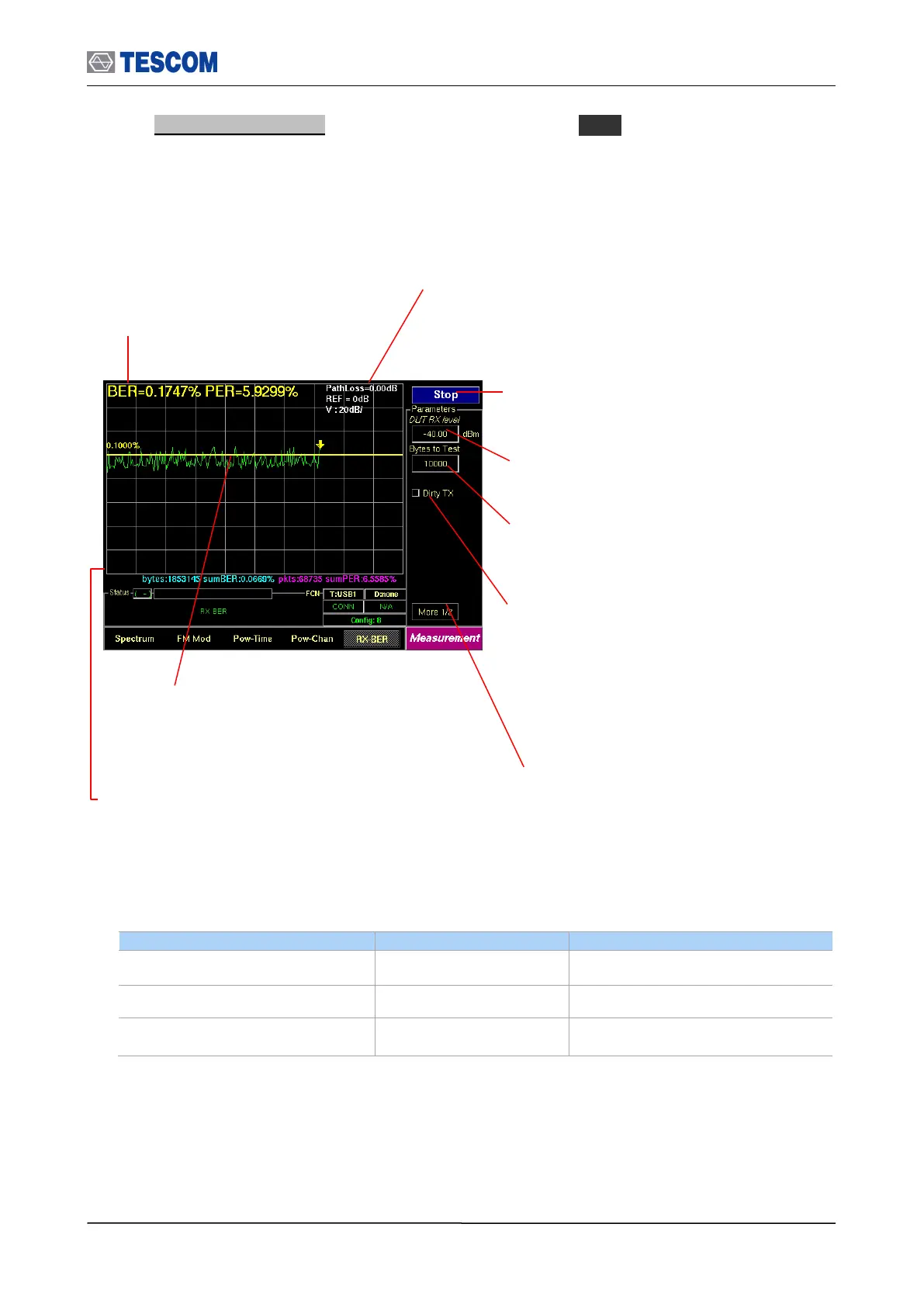
5. BER (Bit Error Rate): To access BER screen, press M5 soft key. The DUT
sensitivity is determined by using a Bit Error Rate (BER). This screen shows the BER
measurements that are carried out by comparing data in the payload fields transmitted
by the TC-3000C with data in the payload fields received from the DUT. This test is
performed in Loopback test mode without regard to the preset test mode.
BER: Displays the BER measure to the
sent bytes that are specified in “Length”
menu.
Start/Stop: When this menu is pressed the tests
will run once. When pressed again while the
tests are running, the testing will stop.
DUT RX level: Sets expected value of DUT Rx
Power.
Dirty TX: Enables “Dirty Transmission
mode” TC-3000C transmits the dirty
transmitter signal in accordance to the
Bluetooth Test Specification.
Line Markers: You can place line-shaped marker on
the screen to set reference BER. Turn the knob to
place the marker at the screen.
Readouts of marker BER and bit stream information:
The cursor BER, the total sent bytes, the Error bits, and
the cumulated BER are displayed. The cumBER
(cumulated BER) displays BER measure to total sent
bytes.
Test mode: Configures Bluetooth Test
Mode connection with DUT
Bytes to Test: Specifies the length of
data to measure.
The top line of the display is the reference
level 100%. The vertical percent per division
go down by one tenth.



 To Next Page