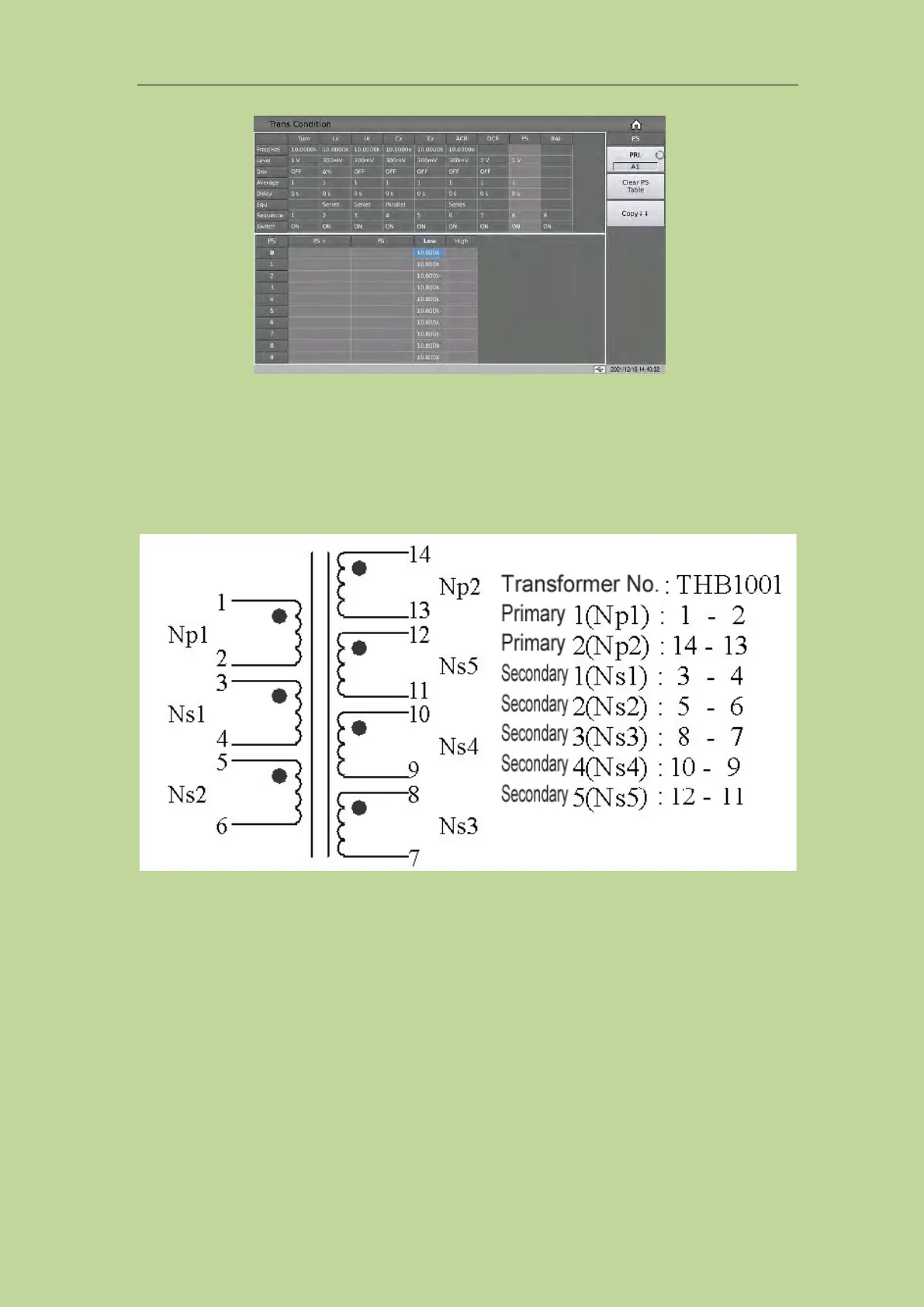
7.11.9.2 PS Test Pin Setup
This page is used to set the shorted pins. In the process of auto scanning test, the instrument will test
DCR of each set pin and make comparison with the PS low limit set on PS limit setup page.
The following figure shows the example transformer and its setup page of pin short test.
When setting the positive and negative pins of PS, you can use the soft key﹒and ~ to input multiple
pins, where a maximum of 12 pins can be saved.
Example:
1: Input a segment of discontinuous numbers "1, 3, 5, 7, 9", use the soft key﹒to separate each
number, press the ENTER key to confirm, the final data displayed in the table is (1, 3, 5, 7, 9).
2: Input a continuous number "1, 2, 3, 4, 5, 6, 7, 8, 9", first input the number "1", then press the soft
key ~, and finally input "9", press the ENTER key to confirm. After that, the data finally displayed
in the table is (1~9).
Note: The maximum number of PS positive and negative pins supported is 12, and the excess pins
will be ignored.
3: Input part of continuous numbers and non-consecutive numbers "1, 2, 3, 4, 5, 7, 9", the
continuous part is the same as step 2, the non-continuous part is the same as step 1, press ENTER
key to confirm, and data finally displayed in the table is (1~5, 7, 9).



 To Next Page