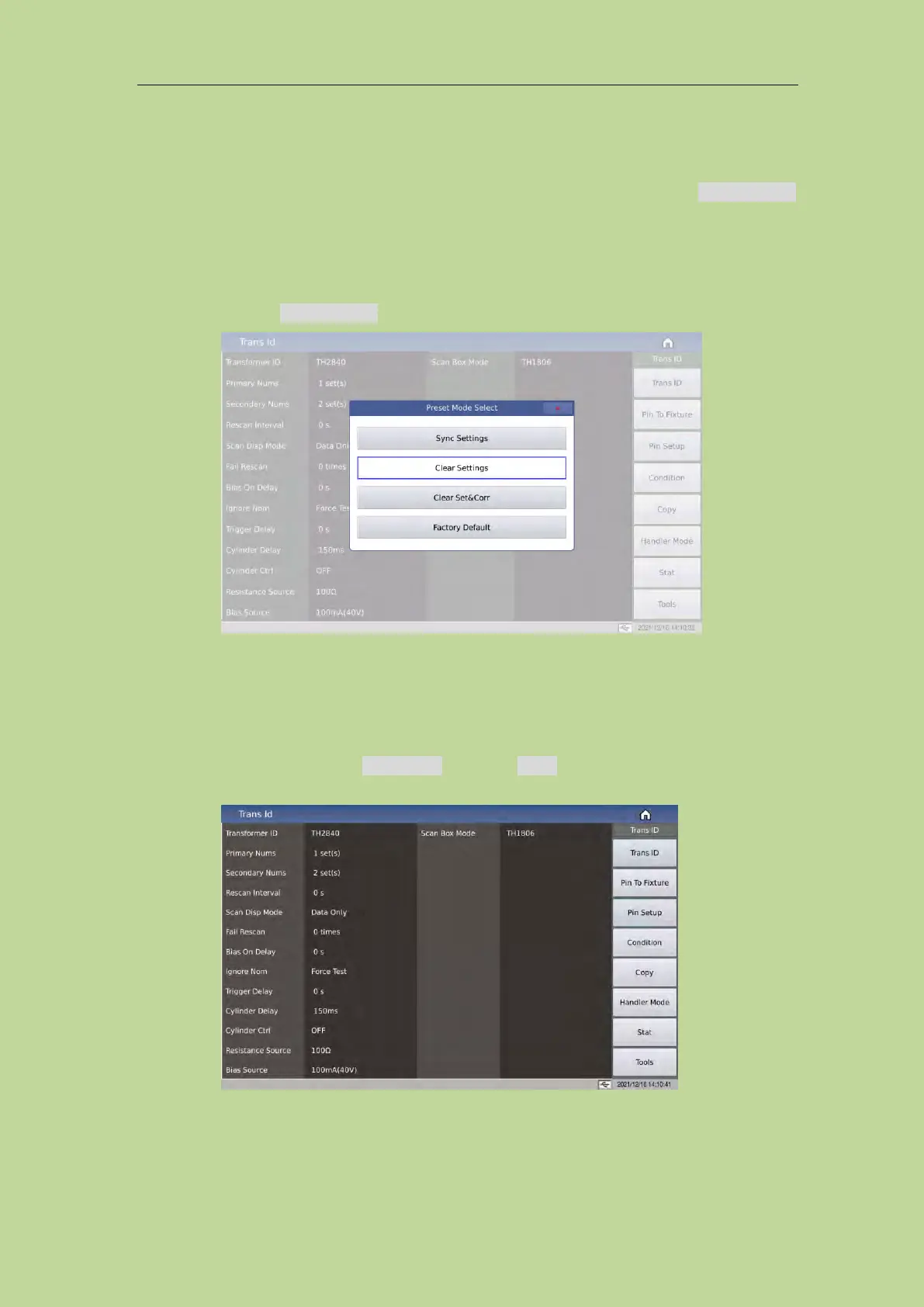
7.7 Clear Settings
Before starting a new transformer ID test condition setting, the user must execute the Clear Settings
to clear the unpredictable data that may exist in the memory of the instrument and prevent
unpredictable errors during the test of the newly set test condition.
The execution method is as follows:
On any transformer sweep function page, press the button Preset on the left side of the front panel
to select the function Clear Settings.
The user can also reset the transformer setting parameters by restarting the instrument.
7.8 <Transformer ID>
When the instrument function is Trans Scan, press the Setup button above the knob to enter the
<Trans ID> page. As shown below:



 To Next Page