6) LAN interface
LAN interface is used to realize the control and the communication of network system.
7) USB Device interface
The tester can communicate with PC through the USB Device interface.
8) Trans Handler interface
The Handler interface of the transformer scan to realize the sorting output of the transformer
scan results.
9) TRIGGER interface
External trigger devices such as foot control can be connected.
10) Trans Controller interface
The Handler extension interface of transformer scanning. When the number of sorting signals
of the transformer scanning Handler interface is insufficient, this interface can be used to
expand the sorting signal and realize the sorting output of the transformer scanning result.
11) LCR HANDLER interface
The Handler interface can realize the sorting output of the test results. This interface is used for
the sorting of the single-group test of the bridge and the transformer.
12) Scanning cable interface
Scanning cable interface uses FRC-50P horn socket.
13) RS232C serial interface
The serial communication interface can realize the online communication with the computer.
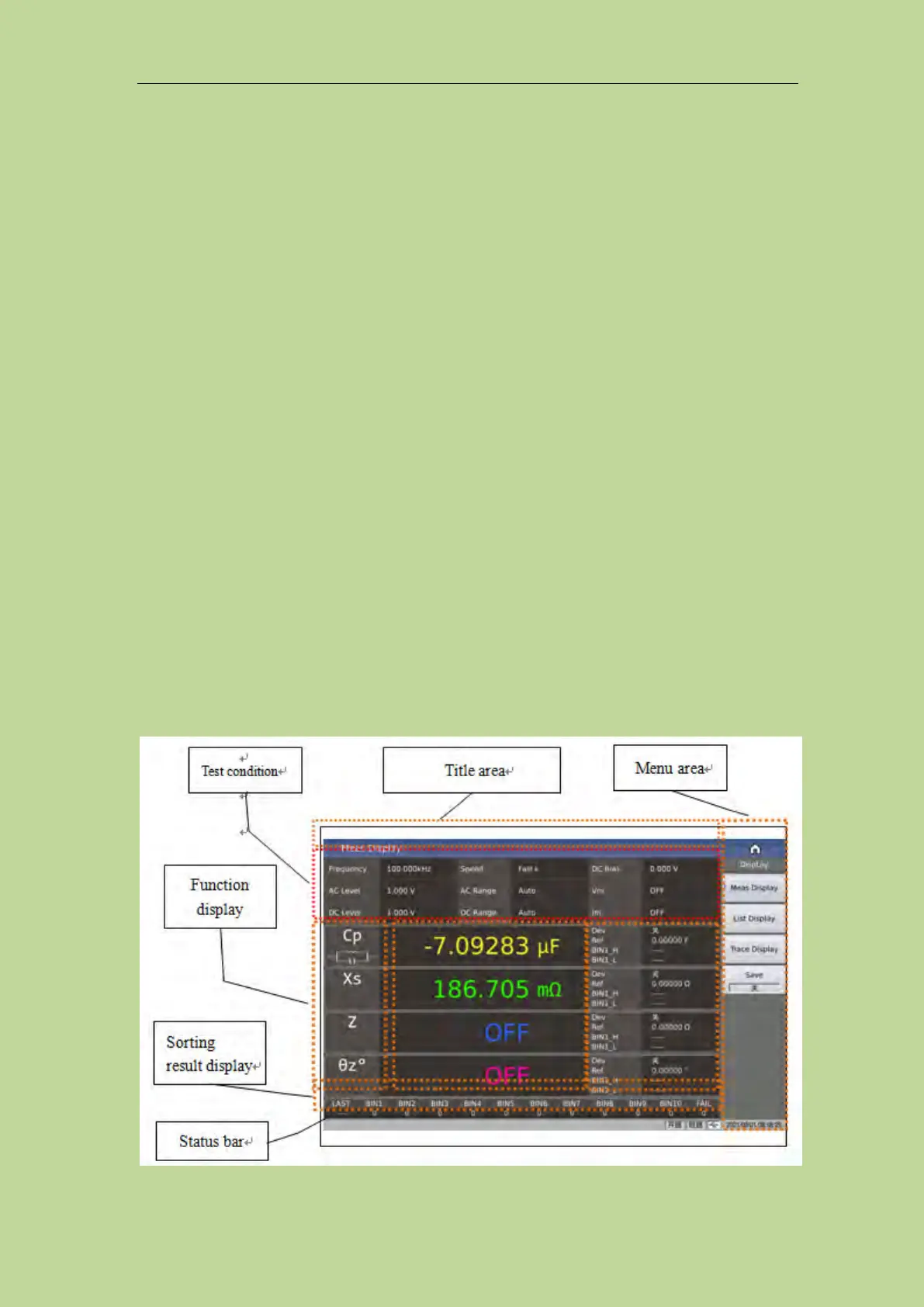
2.3 Introduction to display zone
TH2840 uses a 10.1-inch capacitive touch screen, and the content displayed on the screen is divided
into the following display areas, as shown in Figure 2-4.



 To Next Page