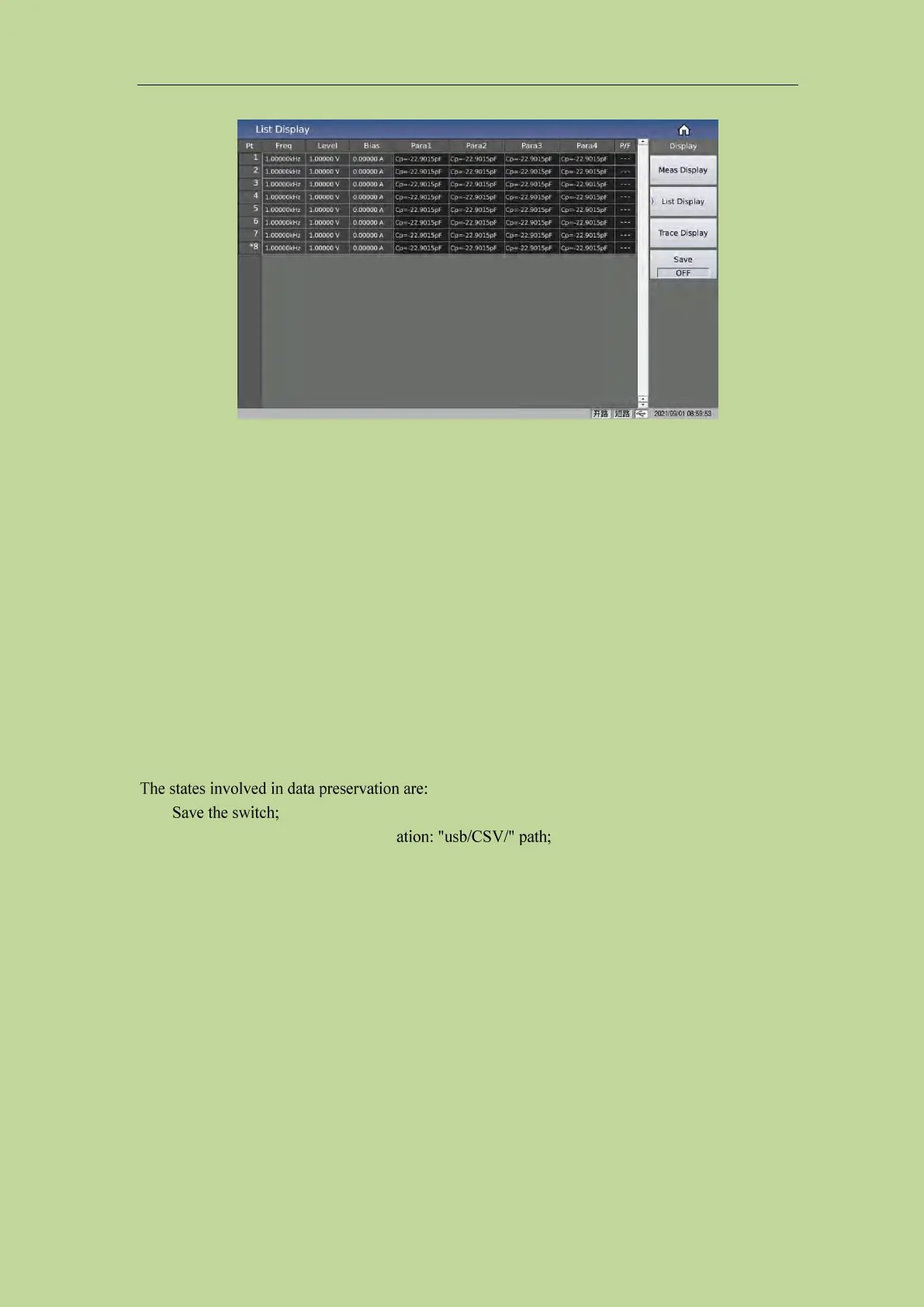
Figure 3-2-1 List display
The P/F on the far right (representing PASS/FAIL) is used to indicate the comparison result of the
current point:
No comparison display: "---"
PASS display: PASS (green)
FAIL display: FAIL (red)
3.2.1 USB flash drive data save
Use the USB flash drive to save the test results. The test results and formats that can be saved are as
follows:
Time, pt, para1-4, P1,P2, P3, P4, COMP
----Respectively correspond to test time, point index, 4 parameter function, parameter 1~4 result,
comparison result.
Save path prompt, default path loc
The naming rule of the file name is list+machine number+date,
such as: list-SN12345678-20210811.csv,
3.3 <Trace Display>
Press the menu key [Display], and then press the soft key Trace Display to enter the <Trace
Display> page. As shown in Figure 3-3-1:



 To Next Page