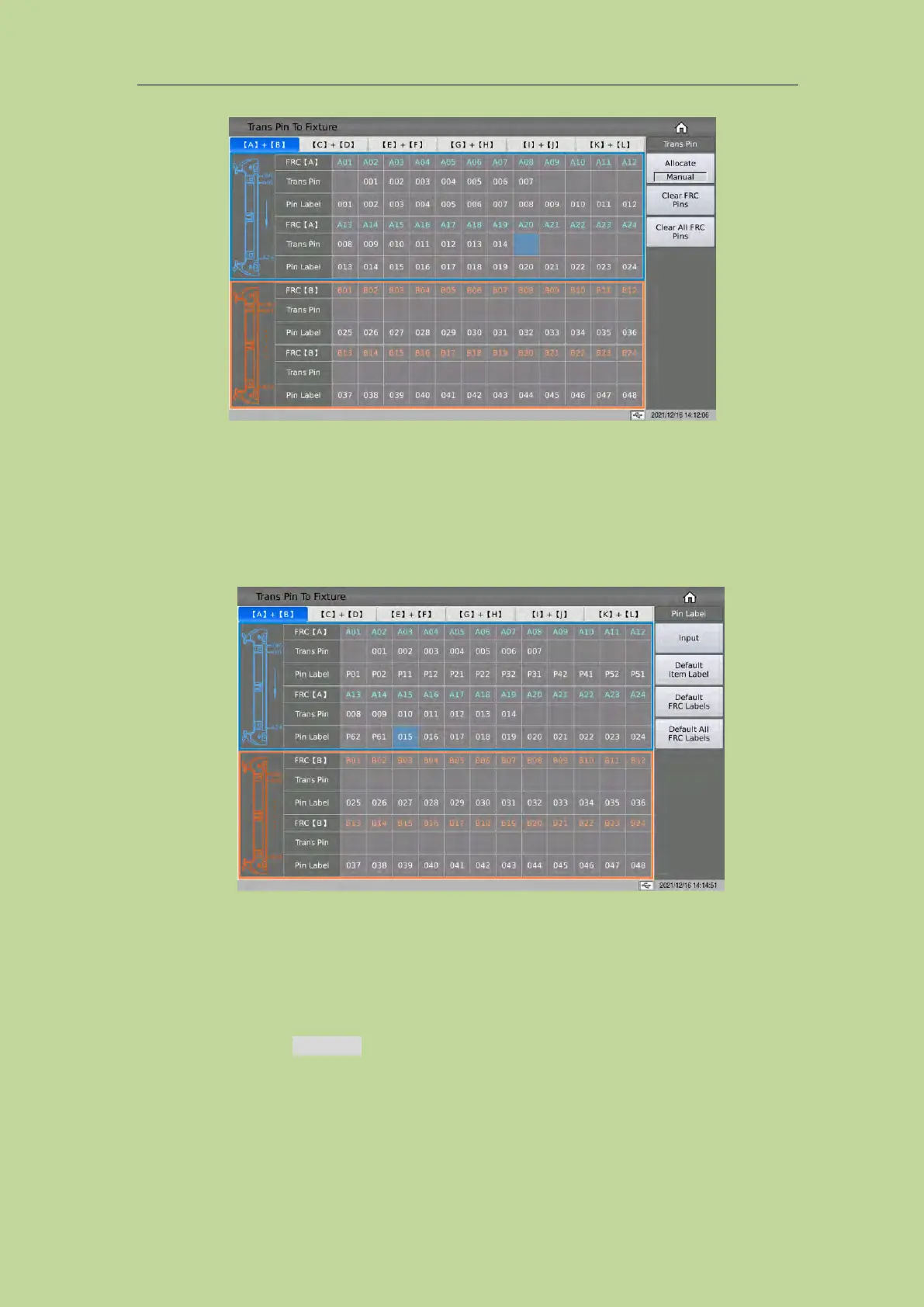
7.9.2 Pin Label Setup
The transformer pin label function can convert the transformer pin that was originally only
represented by numbers into the transformer pin represented by custom numbers or letters. As
shown below:
After setting the transformer pin label and related test conditions, it can be displayed in the PIN (pin)
column in the transformer test interface as a custom transformer pin label (to be updated).
7.10 Pin Setup
Press the function key Pin Setup on the <Trans ID> page, and it will go to the <Trans Pin> page.
This page is used to set the pins of each winding of the transformer, connect the pins in series, and
connect in parallel. Please see the following example transformer and its pin setting screen:



 To Next Page