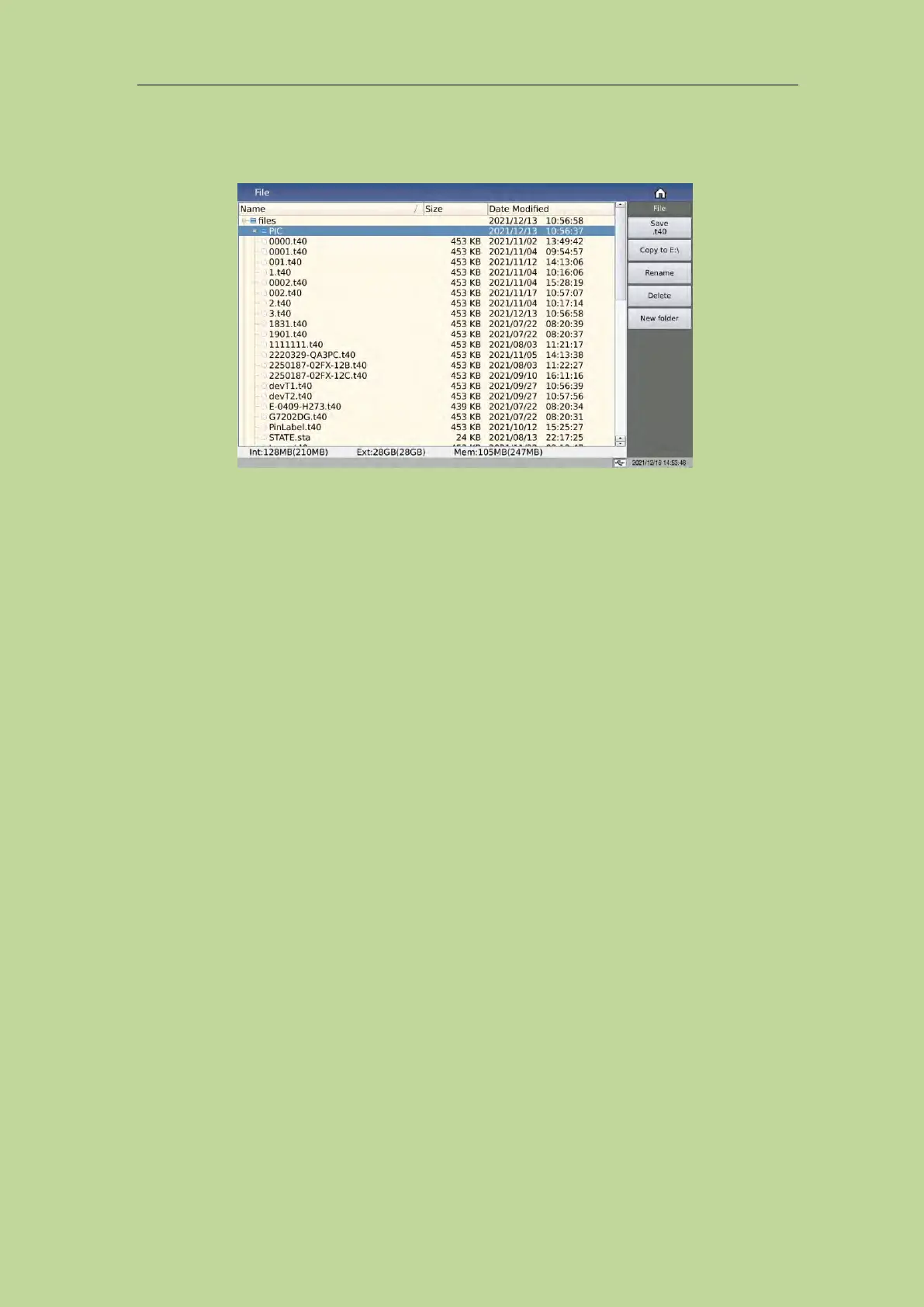
7.13 <File> page of Transformer Scan
7.13.1 Transformer scan setup file (*.t40)
The internal space of the instrument can save a certain number of scan setting files (*.t40 files), the
number is determined by the remaining internal storage space, and the scan setting files can also be
displayed/operated through an external storage USB flash drive, and supports large-capacity USB
flash drives (FAT32 format) read and write functions.
All setting data on the following pages will be saved or loaded in the form of files, called *.t40 files.
<Trans ID>
<Pin to Fixture>
<Pin Setup>
<Trans Condition>
<Trans Deviation>
< Handler Mode>
Some menu functions in <Trans Scan Test>
7.13.1.1 U-disk manage performance
As mentioned above, the TH2840X is equipped with a USB HOST interface as standard, which can
use an external USB flash drive as a storage medium, thus breaking through the storage limitation of
the internal setting files of the instrument, and can also copy these files to an IBM PC with a USB
interface or a compatible desktop, computer, notebook computer, so as to achieve unlimited
expansion.
TH2840X supports the following USB mass storage devices (USB flash drives):
Compliant with USB 2.0 standard
Capacity: 2GB/4GB/8G/16G/32G
File format: FAT32 (formatted with Microsoft Windows operating system)



 To Next Page