Two correction methods are provided:
The following measurement control parameter setting domains can be set on the <User Corr> page.
Open circuit correction (Open), short circuit correction (Short), load correction (Load), cable length
selection (Cable), Load type, point frequency correction switch, reference value, etc.
3.8.1 Open
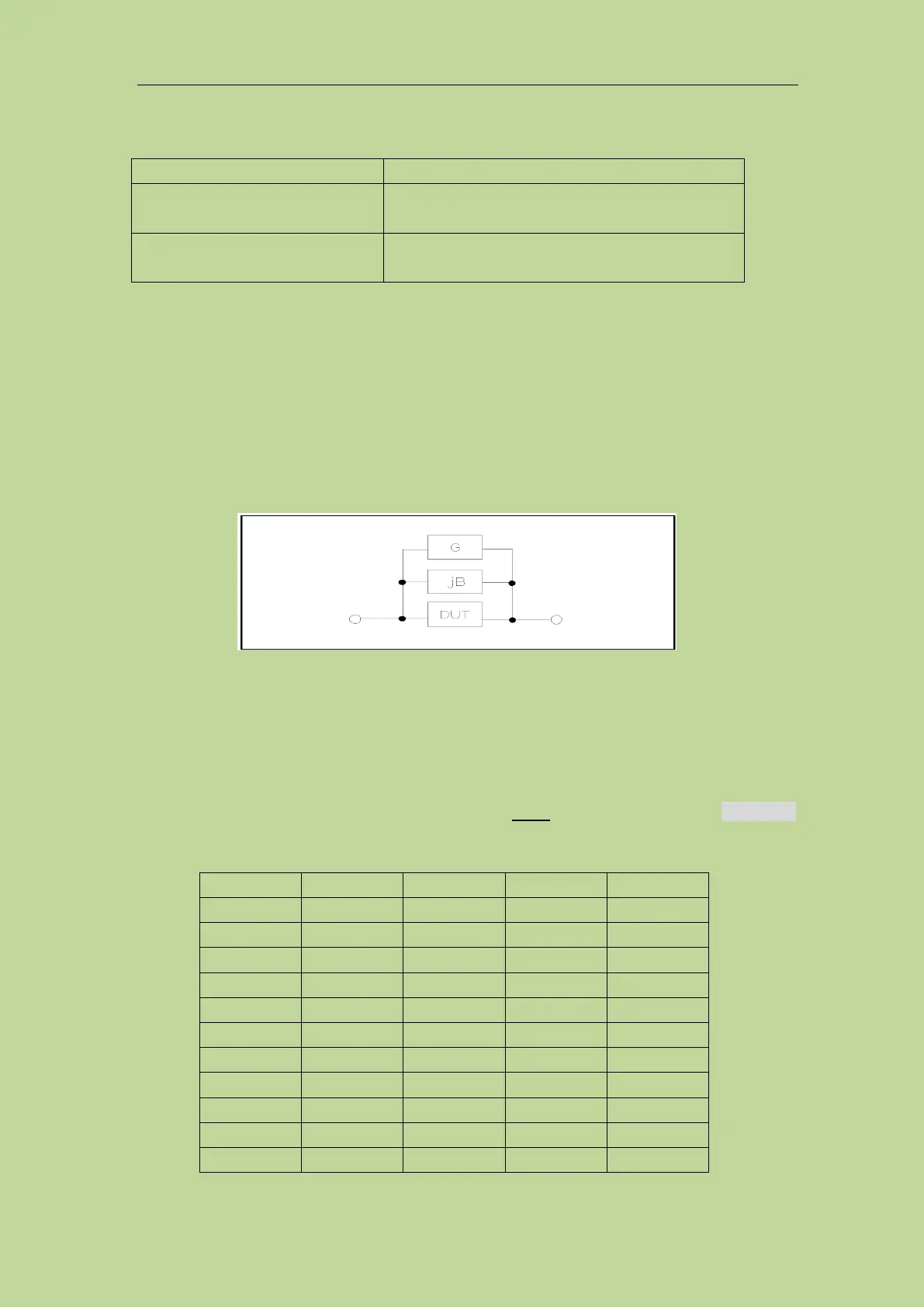
The open correction function can eliminate the error caused by the stray admittance (G, B)
connected in parallel with the component under test. As shown in Figure 3-8-2.
Figure 3-8-2 Stray admittance
The following two open-circuit correction data are used:
Regardless of the frequency you currently set, perform an open-circuit correction test on all the
following fixed frequency points. In addition to the following frequency points, based on the
open-circuit correction data at the following frequency points, the instrument can calculate all open
correction data of different test ranges which corresponds to all test frequencies by using the
interpolation calculation method. Move the cursor to the Open field, and use the softkey Meas Open
to execute the full frequency open correction. The fixed frequency points are as follows (some
models will be limited due to different frequency ranges).
Full frequency correction
Use insertion method to execute open and short
correction of all frequency points
Point frequency correction
Execute open, short and load correction of the
current set frequency point



 To Next Page