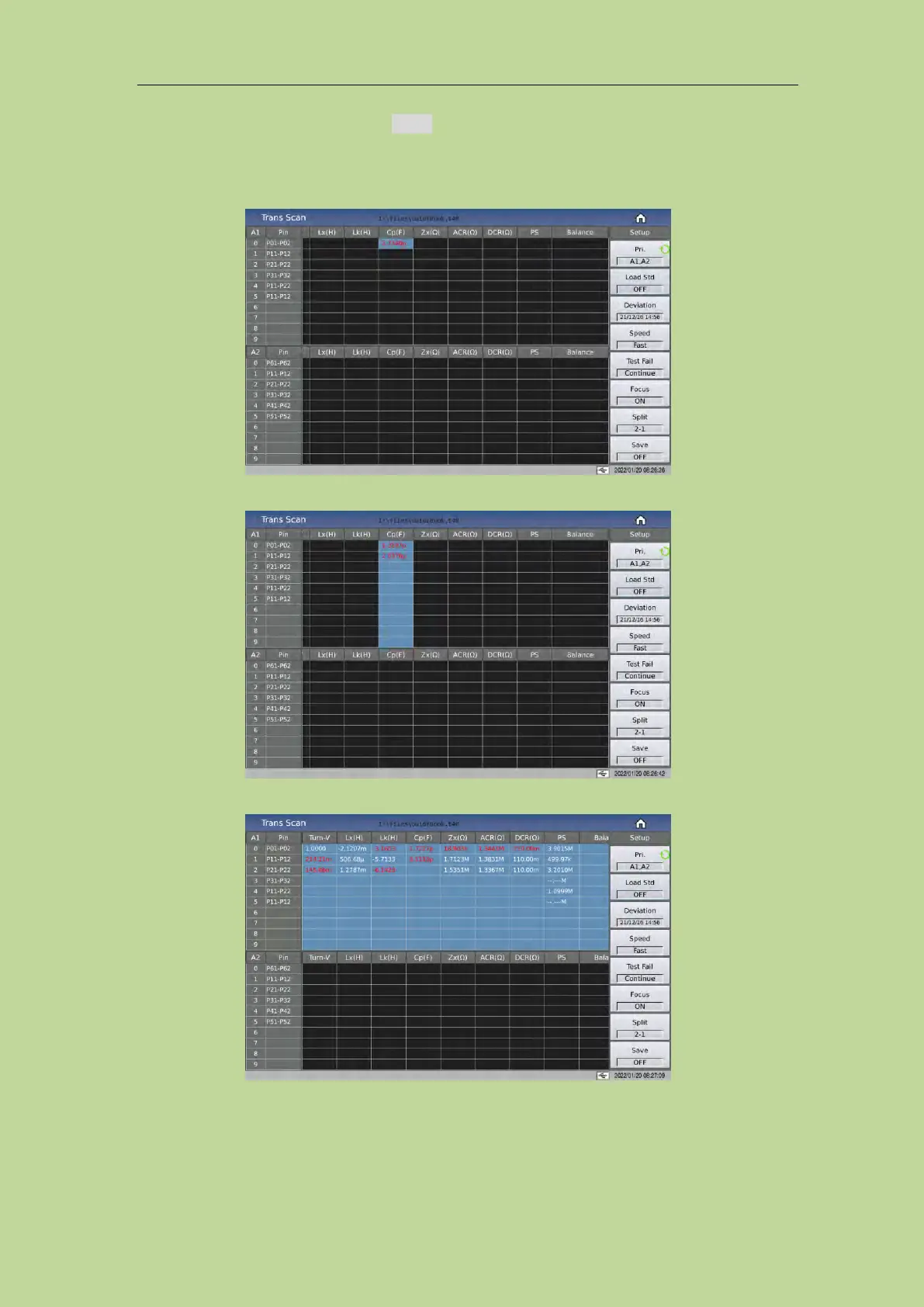
On the Trans Scan page, turn on the Focus switch, and then click the parameter you want to test
repeatedly.
Click on the cell, when its background turns blue, it is in the selected state, at this time, press the
Trigger key to measure the data of this cell;
Click the parameter title to focus scan the parameter selected;
Click Pin to focus scan all the data to be tested on a page.
7.15 Split
When there are few transformer test parameters, and multiple transformers need to be tested at the



 To Next Page