Chapter 2 Introduction
In this chapter, the basic operation features of TH2840 series are described. Please read the content
carefully before using TH2840X series instruments.
2.1 Introduction to front panel
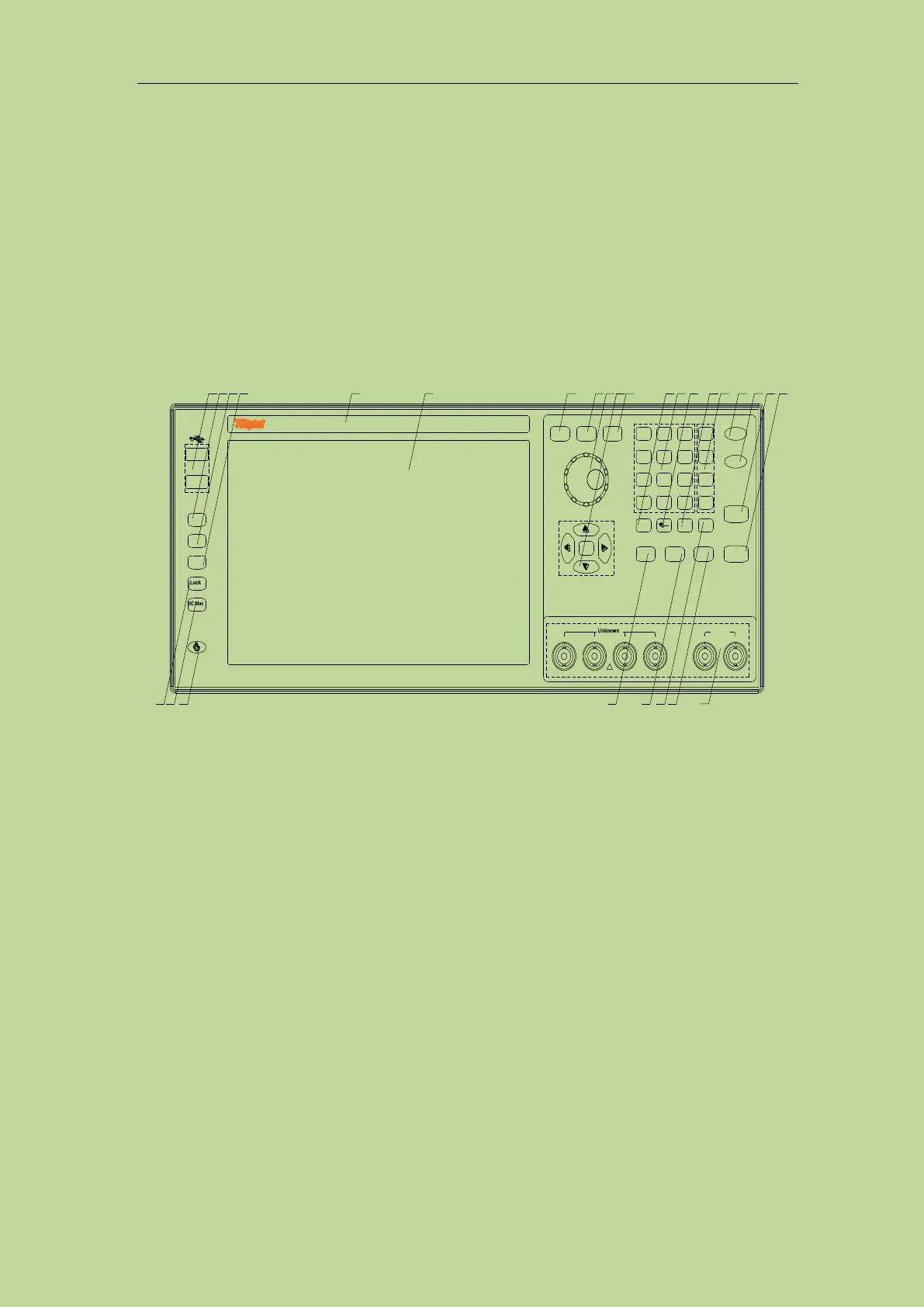
Figure 2-1 shows the front panel of TH2840 Series.
PrtScn
Help
Preset
0 +
7 8
9
4
5
6
1 2
3
PASS
FAIL
M/p
k/n
Reset
Trigger
Display
Setup System
Esc
File
Enter
Cal
OK
/
.
-
/
,
~
m
μ
Home
~
~
LCUR LPOT HPOT HCUR
!
POWER
±42
MaxVdc
(-) (+)
Turns
TH2840NX Automatic Transformer Test System
-Hz20
Hz
500k
1 2 3 4 5 6 7 8 9
10
21
11 12 13 14 15 16 17 18 19
20
22232425262728
Figure 2-1 Front panel
1) USB HOST interface
TH2840 is equipped with two USB HOST interfaces, which are used to connect U disk storage
for file saving and recall, and it can also connect to devices such as mouse, keyboard, and
scanner. Note that only one U disk storage can be inserted at the same time.
2) [Preset] key
Reset button, press [Preset] to restore the instrument to the factory default settings.
3) [Help] key
Help key. Press the [Help] key, the [Help] key will be lit, and the display will pop up the
function meaning and operation instructions where the cursor is located. Press the [Help]
button again, the [Help] button will go out, and the operation instruction window will
disappear.
4) [PrtScn] key
Screenshot button, save the picture of the current interface to the USB storage.
5) Brand and model
Brand and model
6) LCD liquid crystal display
1280x800 color LCD capacitive touch screen, showing the measurement results and
conditions.



 To Next Page