1. According to the set method, enter <Trans Scan> page after setting parameter.
2. Put standard transformer to test fixture and lock it, press [START] in scan box for several
times to get a stable test value;
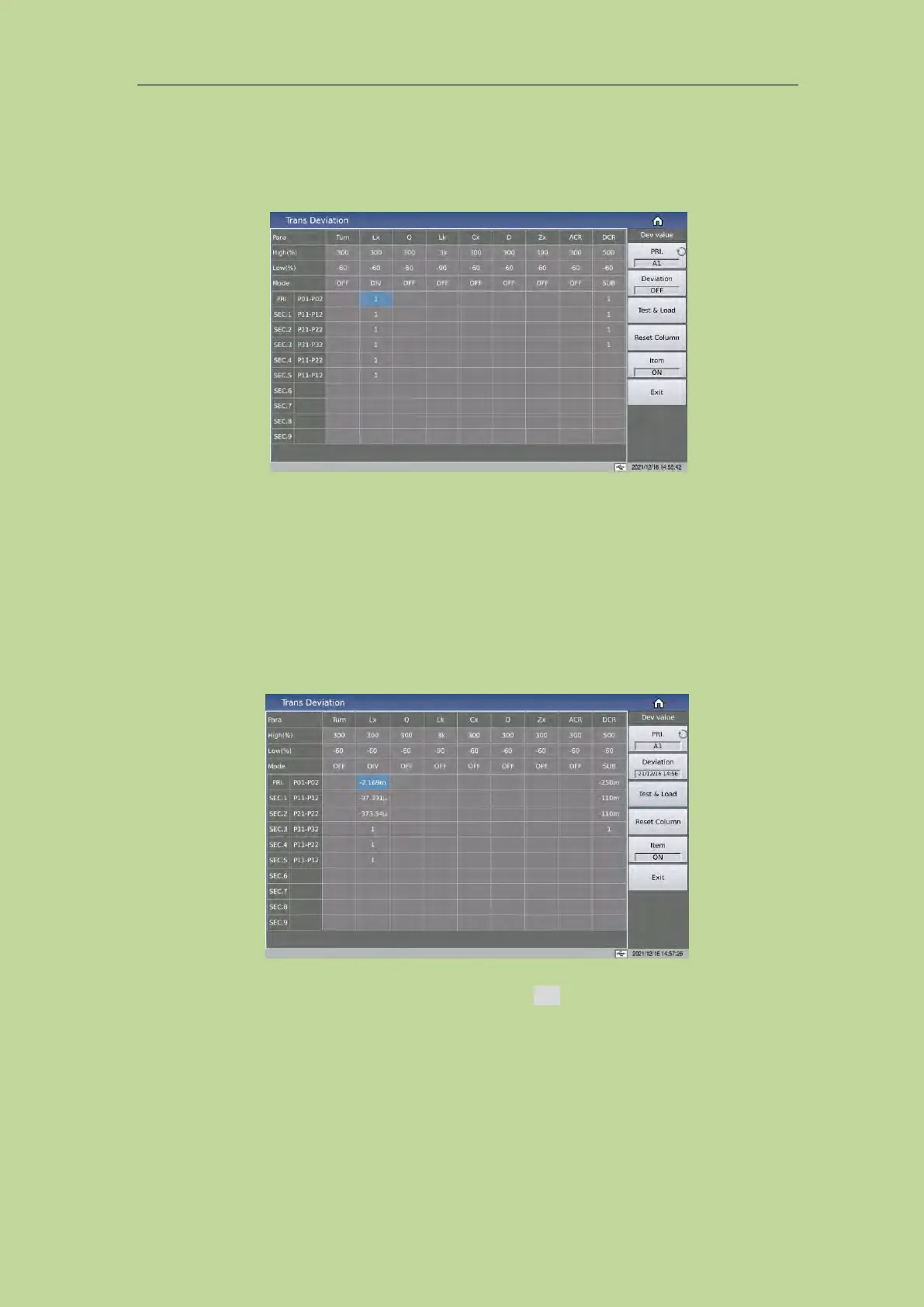
3. Press [Deviation] to enter <Trans Deviation> page; the figure is as below:
4. Set [Deviation] as ON ;
5. Set the correction parameter switch as DIV or SUB ;
6. Set the high and low limits allowed for deduction of each parameter;
7. Press [Deviation] to perform correction, and back to <Trans Scan> page.
8. After the deduction is successful, if the user triggers the test again, the measured value
displayed by the instrument will be the same as the value of the standard product.
9. If you need to check the deviation value used by each parameter at this time, just return to
the <Trans Deviation > page to check.
NOTE: When modifying the DIV value, it can not be be revised as 0.
If you need to save the deduction value, press the soft key File to enter the file management page,
and follow the on-screen prompts to save the file so that the same transformer can be measured after
the next restart.
7.14 Focus
The focus function makes it easier to repeat the test between the specified windings or between the
specified parameters.



 To Next Page