Chapter 3 Description of LCR Function
Module
3.1 <Meas Display>
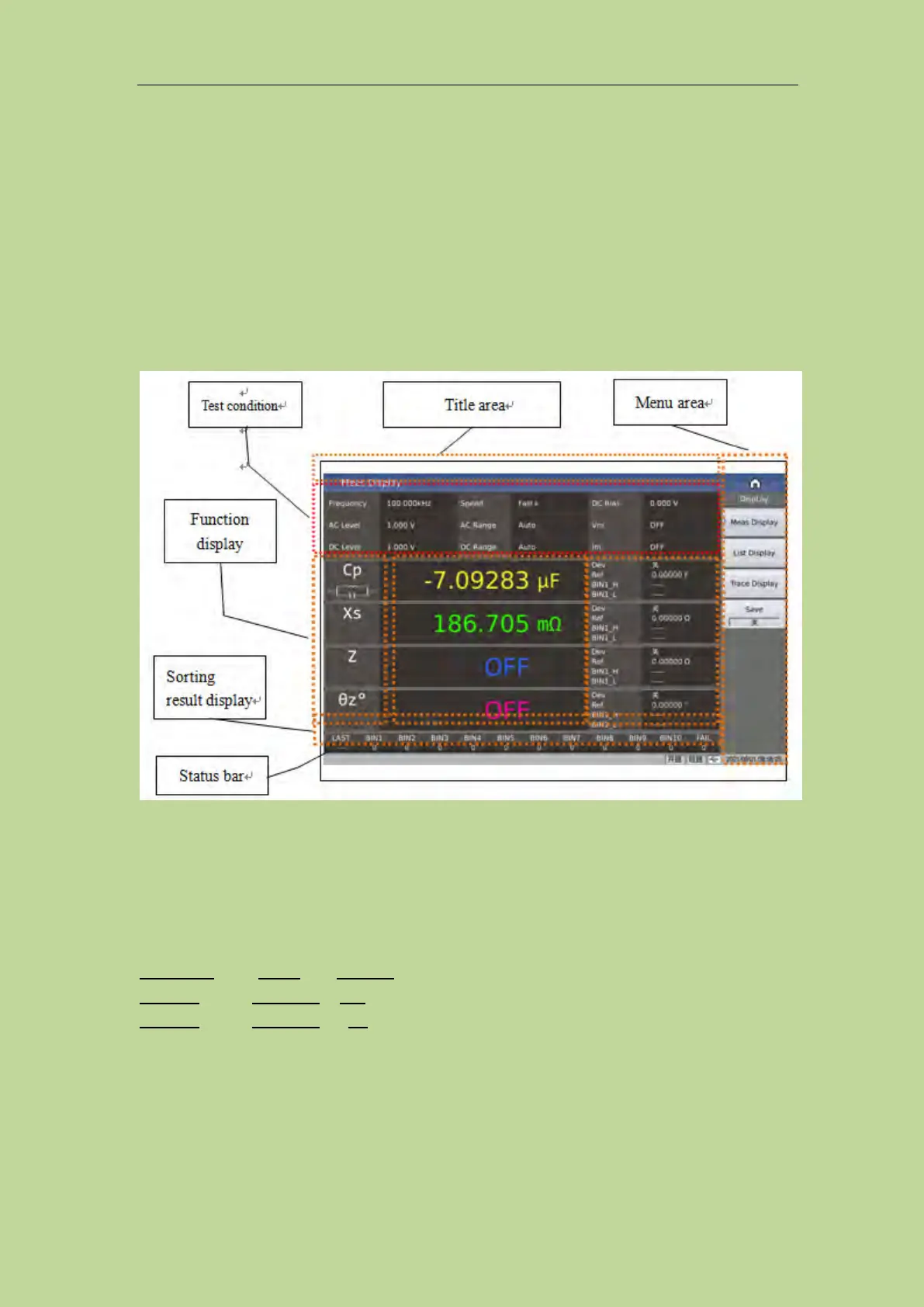
When the LCR function is applied, press [DISP], the <Meas Display> page will be displayed on
screen as shown in the following figure.
The element composition of this page includes: title area, test condition area, 4 parameter result
display area, sorting result display area, menu area, title area, status bar.
3.1.1 Common test conditions
There are 9 cursor fields in the measurement condition area of this display page, they are:
Frequency, Speed, DC Bias,
AC level, AC range, Vm,
DC level, DC range, Im.
Each control function domain will be described in detail on the <Meas Setup> page.
3.1.2 Test function
Touch the position of the parameter name in the test result area, and you can see the selection menu
of the corresponding test function in the right menu area. Touch the corresponding selection area of



 To Next Page