3.5.3 Comparison function limit mode
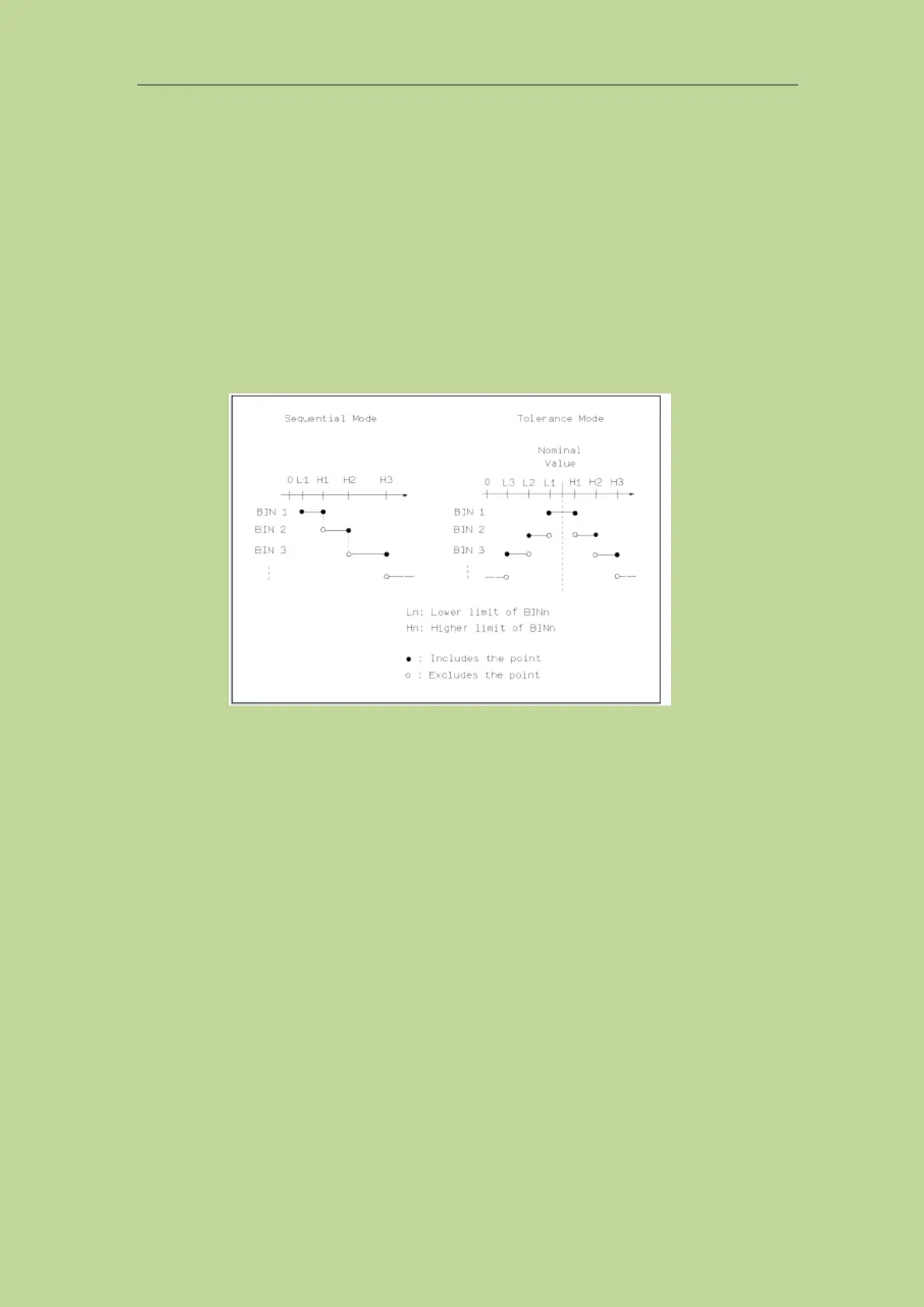
The comparison function provides the following two parameter limit setting modes. As shown in
Figure 3-3.
1) Tolerance mode
In tolerance mode, set the deviation value from the nominal value (the nominal value is set in the
nominal field) as the comparison limit value. There are two ways of deviation: one is the percentage
deviation, and the other is the absolute deviation.
2) Sequential mode
In sequential mode, the test value range is used as the comparison limit value. The comparison limit
value must be set in ascending order.
Figure 3-5-2 Tolerance mode and continuous mode
Note: When setting the limit value of the tolerance mode, the error range must be set from small to
large. If the error range set by BIN1 is the largest, then all the tested parts will be sorted into BIN1
file.
In tolerance mode, the lower limit does not have to be less than the nominal value, and the upper
limit does not have to be greater than the nominal value. The limits of each BIN can be
discontinuous or overlapped.
3.5.4 Compare parameters
The comparison parameters adopt the 4 measurement parameters, which are consistent with the 4
measurement parameters; the sorting parameters can be modified on the measurement display page
or the measurement setting page.
3.5.5 Deviations and references
Refer to the setting of the deviation and reference on the measurement setting page, the meaning of
the parameter here is exactly the same as the meaning of the measurement setting.



 To Next Page