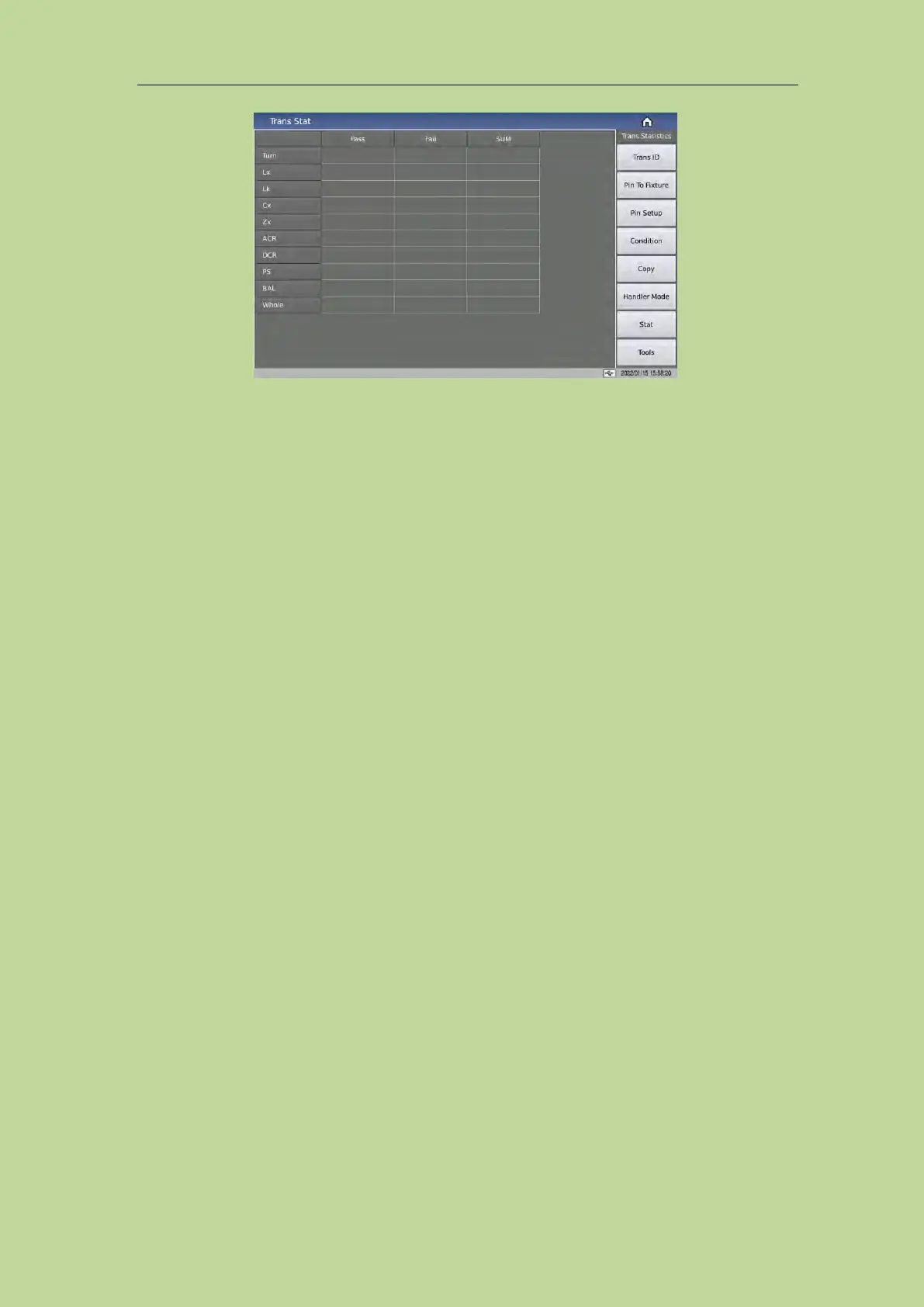
The page states the following:
[Pass] indicates the pass times of each parameter of L.K.~DCR.
[Pass]+[Whole]: In one measurement, all parameters that need to be measured in L.K.~DCR are
qualified, then [Pass] corresponds to the value of [Whole] (total qualified column) plus 1.
[Fail] Indicates the fail times of each parameter of L.K.~DCR.
[Fail]+[Whole]: In one measurement, if one or more parameters to be measured in L.K.~DCR are
unqualified, then [Fail] corresponds to the value of [Whole] (total unqualified column) plus 1.
[SUM] indicates the total measurement times of a measurement parameter;
[Whole]+[SUM] indicates the total number of measurements, which is equal to the total number of
pass times and the total number of fail times.
7.12 <Trans Scan>
After all settings are completed, directly press the [Display] key to enter the <Trans Scan> page.
Before starting the test, it is best for users to press the [File] key to enter the <File Management>
page, and save the settings for calling of next boot. For details, see the description on the <File
Management> page.
After saving the file, enter the <Trans Scan > page. If the user only uses the internal scanning board,
just press the [TRIGGER] key on the front panel to trigger the test; If the user is using a scan box,
make sure that the host and scan box are installed and connected correctly, at this time, you can
place the transformer to be tested on the test fixture and press the [START] button on the scan box
to start the scan test. The test value will be displayed on the screen. When the test is defective, the
test value is displayed in red.
The instrument will display the scan data and the final PASS/FAIL according to the settings of the
scan result display on the <Trans ID> page.
During scanning, if a certain pin of Lx or Zx is set to add DC bias current, the instrument will
automatically add the corresponding DC bias current and light the [BIAS] button.



 To Next Page