frequency, level, other, deviation, nominal value, lower limit, upper limit, delay, average, and
measurement.
The parameter column is to select the parameter that needs to be measured. Move the cursor to the
parameter column in each row. There are 16 measurement parameters for selection, namely Ls, Lp,
Lk, Cs, Cp, Zx, Rs, Rp, Rd, D, Q, dZ, Ns, Ns:Np, Np, Np:Ns. In the menu bar on the right, in
addition to the 16 parameters that can be selected, there are Move up, Move down and Help options.
The frequency column is to set the measurement frequency corresponding to each measurement
parameter. Rd is the DC test, so the frequency column corresponding to this parameter is empty.
The level bar is the measurement level corresponding to each measurement parameter.
The Other column is the unique test items for some measurement parameters.
The four columns of deviation, nominal value, lower limit and upper limit constitute the sorting
settings of the parameters. The three options of deviation mode, Δ, Δ%, which respectively represent
data read-only mode, absolute deviation mode, and percentage deviation mode.
The delay column sets the delay time of the corresponding parameter, this delay time is added
before the measurement.
The average column sets the average times of the corresponding parameters. Increasing the average
times can increase the stability of the parameter test.
The measurement column is the measurement switch of the corresponding parameter. "ON" means
that the parameter is measured during measurement, and "OFF" means that the parameter
corresponding to the row will not be tested.
6.3 <Single Display>
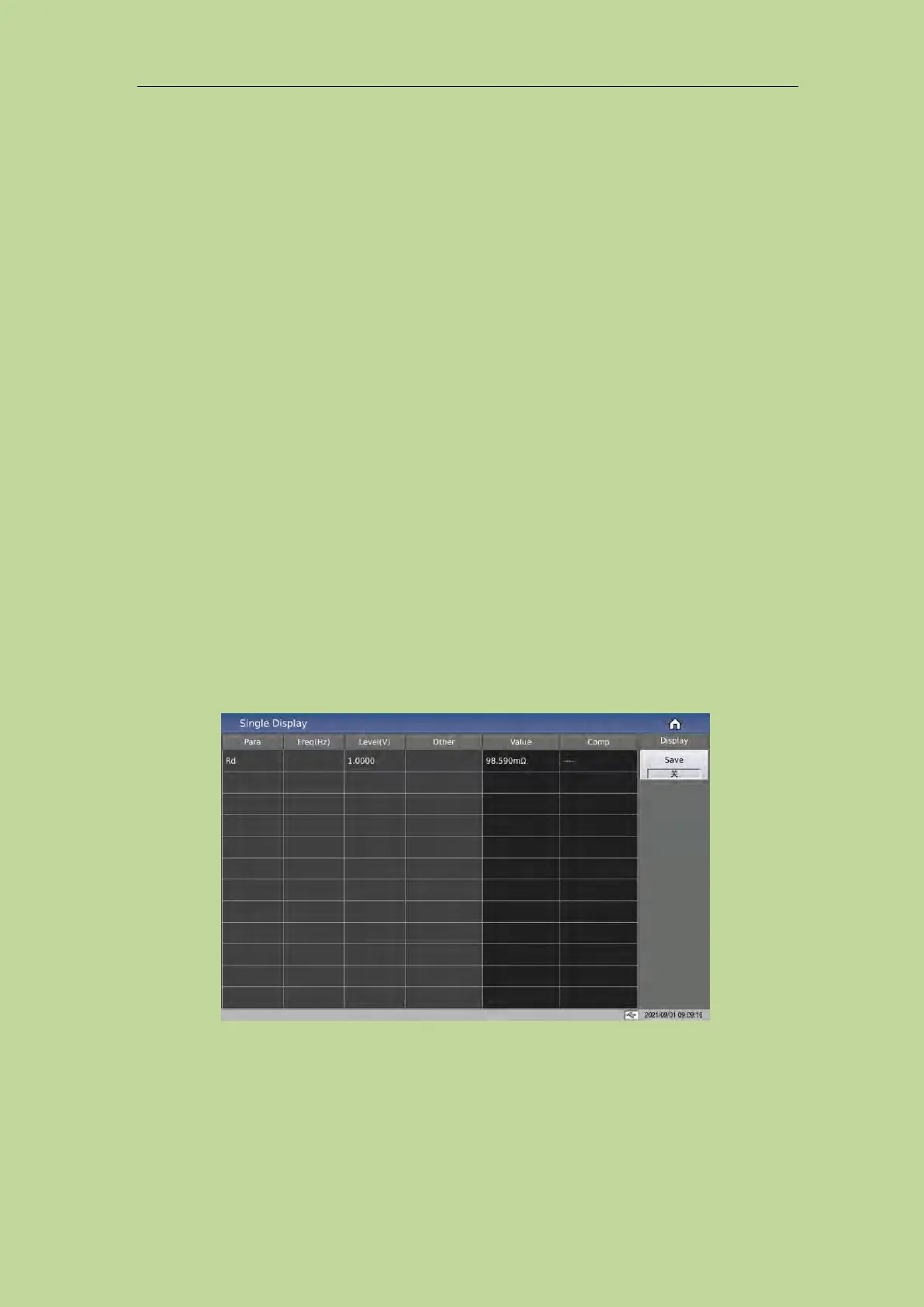
Press the menu key [Display] to enter the <Single Display> page. As shown below:
Each row of this page shows the level, frequency, measurement result, sorting result of each
parameter of the transformer. The menu bar on the right side of the screen has display and save
options. Click Save to save the test results to the USB flash drive.



 To Next Page