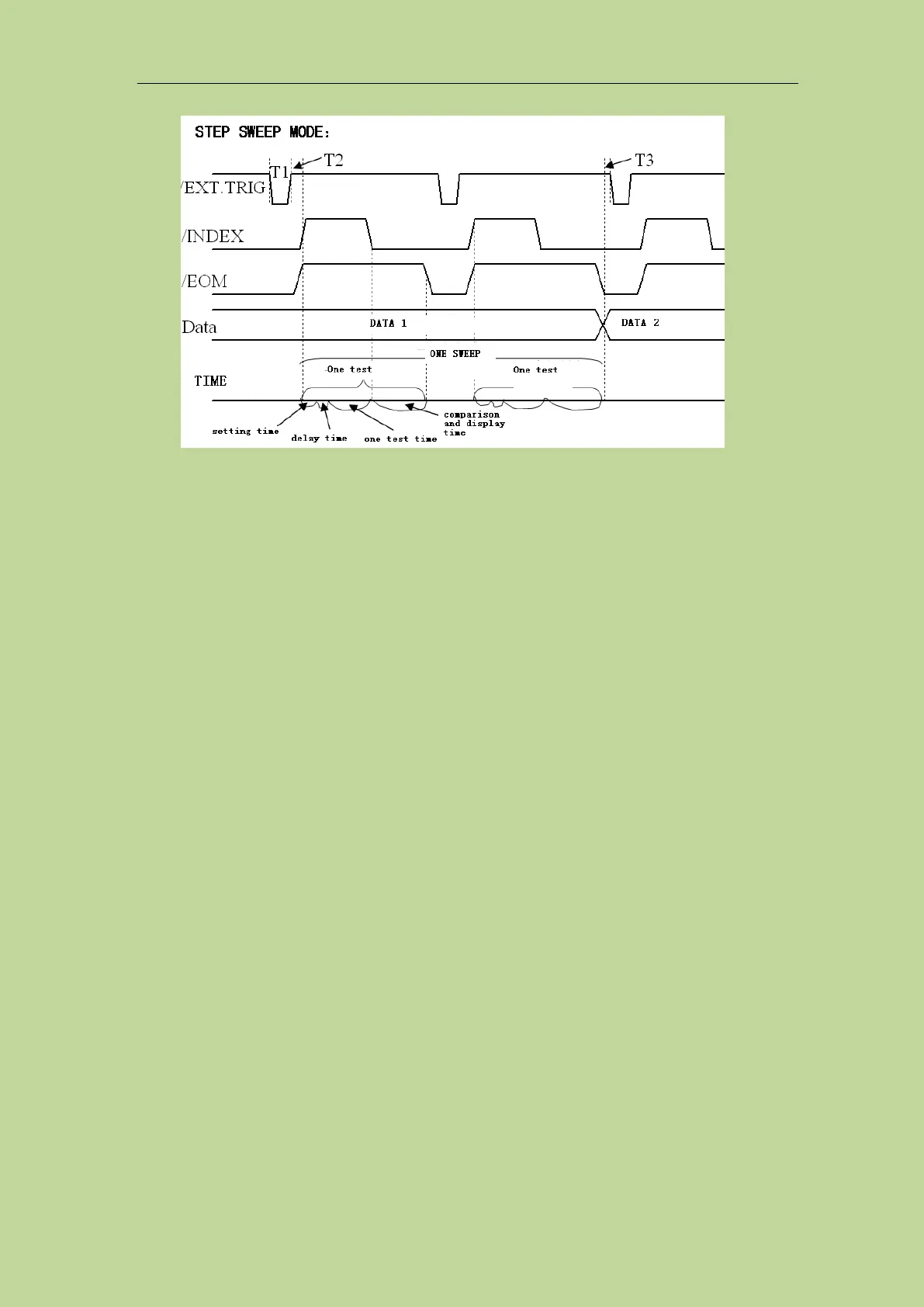
Figure 10-10 the timing chart
Note :(1)The setting time includes the correction ON/OFF time.
(2)The comparison and display time is 4.5ms approximately.
10.2.3 Electrical Feature
The meanings of some signals in the list sweep comparison function and the bin sorting function are
different. However, the electrical characteristics of these signals are the same in both operations, so
refer to 10.1.2 for a description of the electrical characteristics of the list sweep sorting function.
10.2.4 List sweep sorting wiring operation instructions
List sweep and bin sorting share the same HANDLER interface in the hardware circuit, and the
electrical properties corresponding to the same pin numbers are exactly the same. It is basically the
same as the PLC wiring diagram. Therefore, the wiring diagrams refer to 10.1.3.
10.2.5 Using operation
Using the HANDLER interface, set the high and low limits in the list sweep to use the comparison
function. Then set the HANDLER interface so that it can OUTPUT/INPUT (output / input) signal.
The following operation process is the steps to use the HANDLER interface list sweep compare
function.
List sweep compare function setting steps:
1. Press the [Setup] button and click "List Setup" in the menu on the right side of the screen to enter
the <List Sweep Setup> page.
2. In the <List Sweep Setup> menu, set the sweep method, sweep frequency point, reference value,
upper and lower limits, etc.
3. Press [Display] to enter the <List Display> page. For the description of this page, please refer to
the description of the [Display] menu key.



 To Next Page