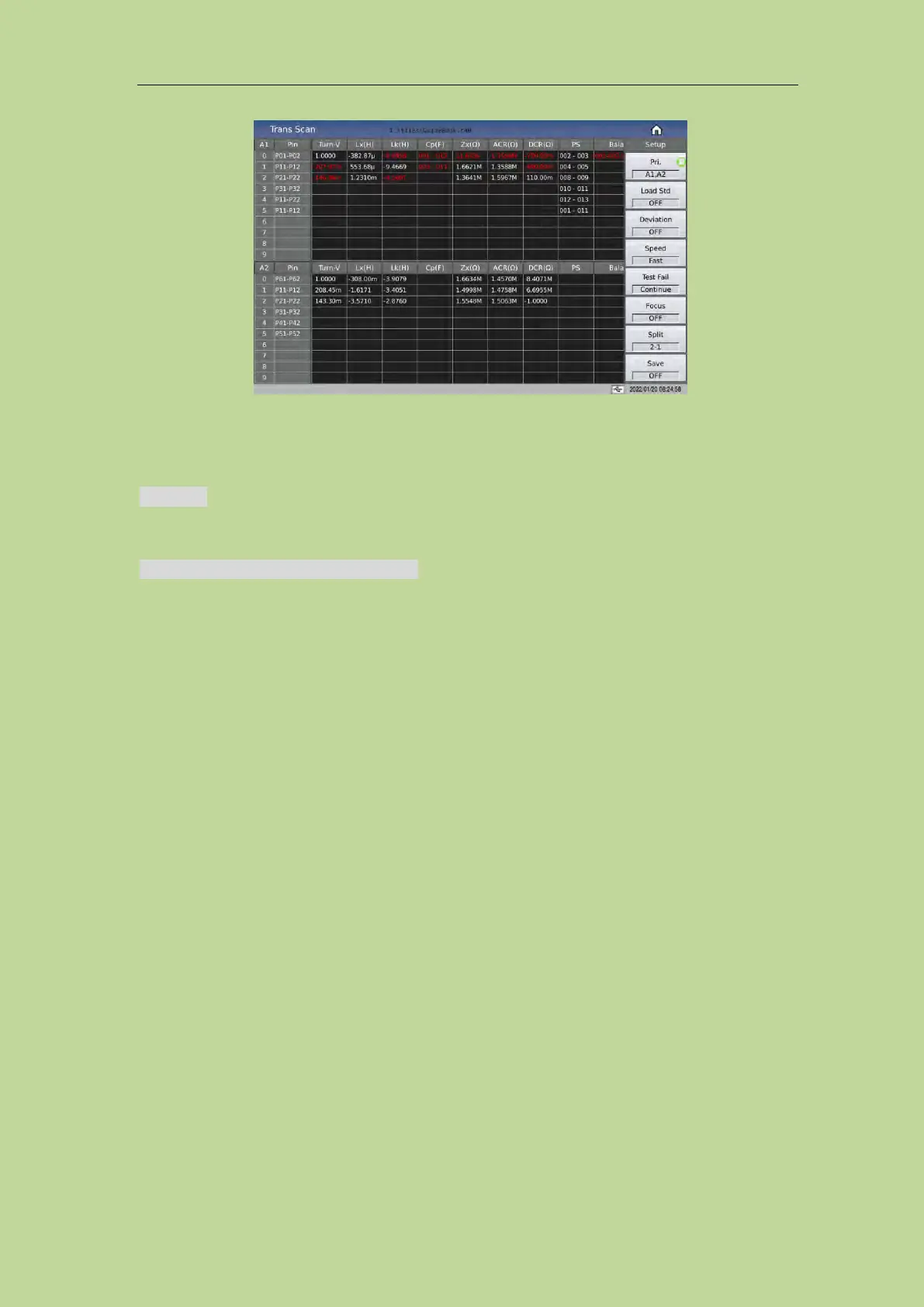
7.12.1 Each Display Zone under this page
PIN Area: the area below the column displays the pins of each winding, but the pins of Cx are not
displayed in this area. When you need to check, you can press the [DISPLAY] key, and the pins will
be displayed in the cell of the test result (Only the 1st of the positive and negative pins is displayed).
Each parameter test result display area (TURN, Lx, Q, LK, Cx, D, ZX, ACR, DCR, PS, BAL):
when all parameters are turned on, you can press the left and right keys or touch left and right to
slide to view the not all displayed parameter.
7.12.2 Function Keys under this page
[TRIGGER] is used to start the instrument for scan testing.
[RESET] is used to interrupt an ongoing scan test.
[KEYLOCK] locks the keyboard. After locking the keyboard, the user can also perform other
operations such as scan test, but the parameter settings cannot be modified. This function can be
used to prevent testers from changing or deleting the set test conditions by mistake. Shut down after
locking the keyboard, the current test file will be called automatically next time it is turned on.
[FILE] is used to enter the file management page.
[CAL] is used to tuen on the open-circuit test fixture scanning correction function, as shown in the
figure below:



 To Next Page