RS-232C LCR Handler Trans Controller
Trigger Trans Handler
Device
Trans Scanner
LAN
3 245678910
1
1112
Rating
Fuse
110V/60Hz 100VA
220V/50Hz 100VA
T2AL 250V
~
~
T4AL 250V
Disconnect input power before replacing fuse
for continued fire protection,
use manual specified type rating fuse only.
WARNING:
※
※
This instrument contains no operator
serviceable parts inside;
refer servicing to service trained personnel only.
!
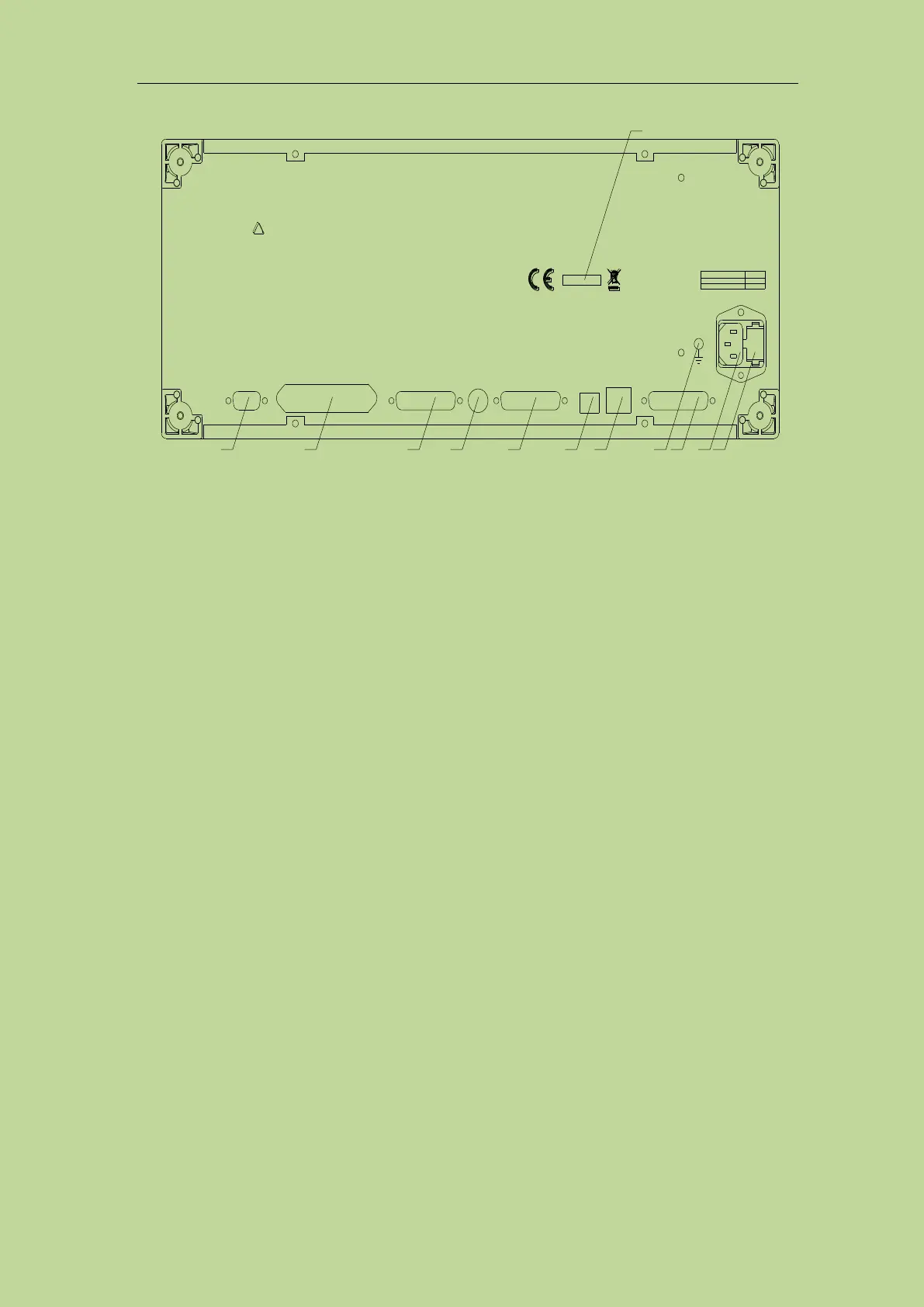
Figure 2-2 Rear panel
1) Nameplate
Indicate production date, instrument number, manufacturer and other information.
2) Fuse base
Being used to install power fuse, protect instrument, and switch 110V/220V by changing the
direction of core.
3) Power socket
Input AC power.
Warning: Before powering on, pay attention to whether your fuse position is consistent
with the supply voltage range.
4) TransScanner interface
To control the transformer scanning box through the Trans Scanner interface. It is compatible
with TH1901 and TH1831 scanning boxes, but different scanning boxes require different
connection cables.
Tip: TH2840A and TH2840B have no transformer scan function, so this interface cannot be
used.
5) Ground terminal
This terminal is connected to the chassis of the instrument. It can be used to protect or shield
ground connections.
6) LAN interface
LAN interface is used to realize the control and the communication of network system.
7) USB Device interface
The tester can communicate with PC through the USB Device interface.
8) Trans Handler interface
The Handler interface of the transformer scan to realize the sorting output of the transformer
scan results.
9) TRIGGER interface
External trigger devices such as foot control can be connected.
10) Trans Controller interface



 To Next Page