37
OPUS Projektor Manual
User Interface
·
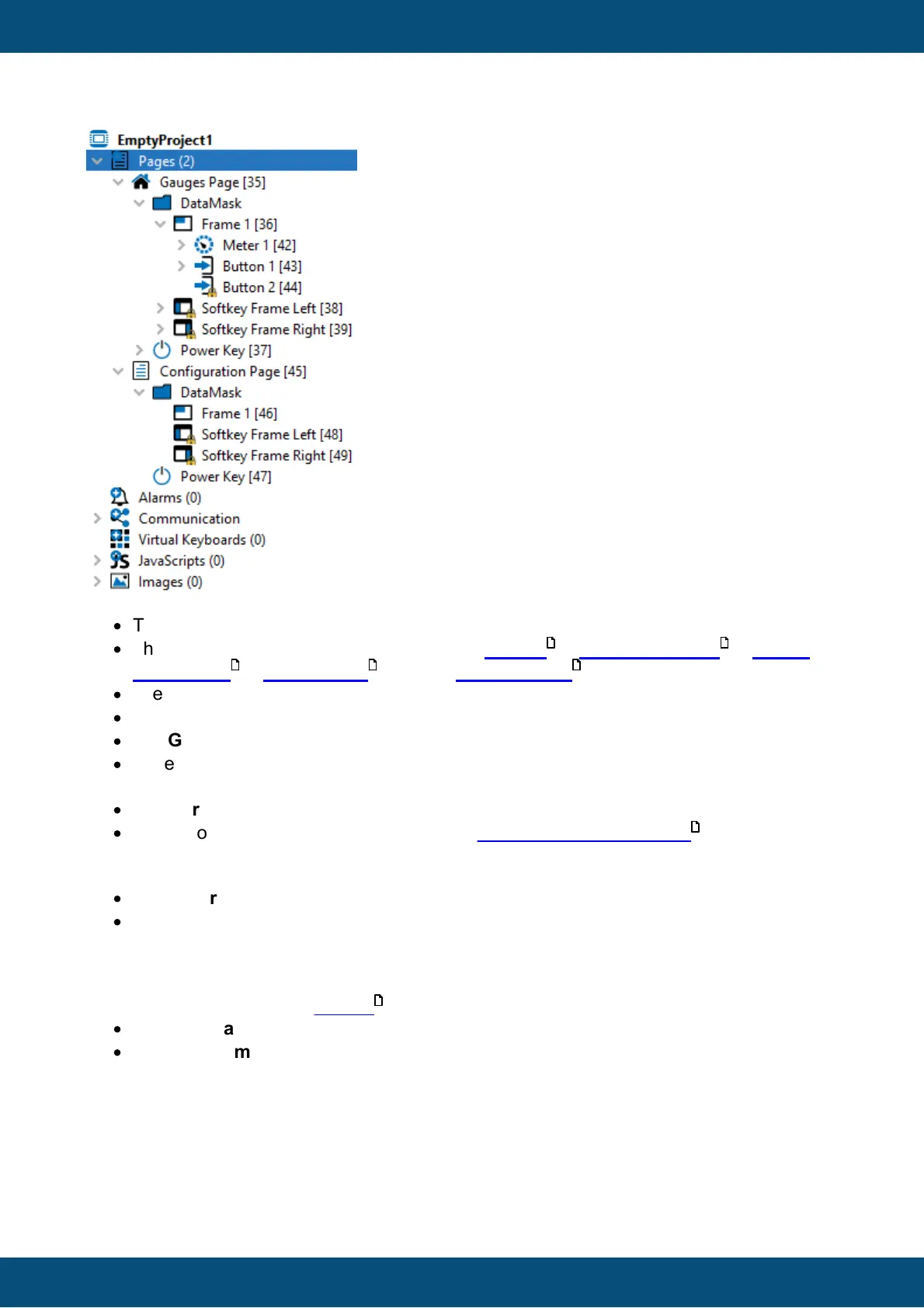
The project name is EmptyProject1
·
The project contains the categories Pages, Alarms , Communication , Virtual
Keyboards , JavaScripts and an Images Node
·
The project has two pages: Gauges Page and Configuration Page.
·
The Gauges Page is the home page of the project (home icon).
·
The Gauges Page has a DataMask (i.e. an empty drawing area) and a Power Key.
·
In the DataMask (i.e. drawing area) there is a Frame 1 and a Left and Right Softkey
Frame.
·
A Meter 1 and two Button objects are located in the Frame 1.
·
The second button object (ID 44) has been locked in position and size .
The tree shows a parent-child relationship. Example:
·
The Meter 1 is a child of the Frame 1.
·
The Frame 1 is the parent of the Meter 1.
The parent-child relationship defines how objects that are visible on screen are drawn. On the
one hand, a child can never be drawn outside of its parent. I.e. the child is clipped at the
parent borders. On the other hand, the order of children defines which object is in front of
another object (this is called Z-order ). For example:
·
Softkey Frame Right is drawn in front of Softkey Frame Left.
·
Softkey Frame Left is drawn in front of Frame 1.
We also provide additional information through colors and icons:
568
307
446
514
54
75
151



 To Next Page