5-22 Expansion Modules
Operator Interfaces
Trio Motion Technology
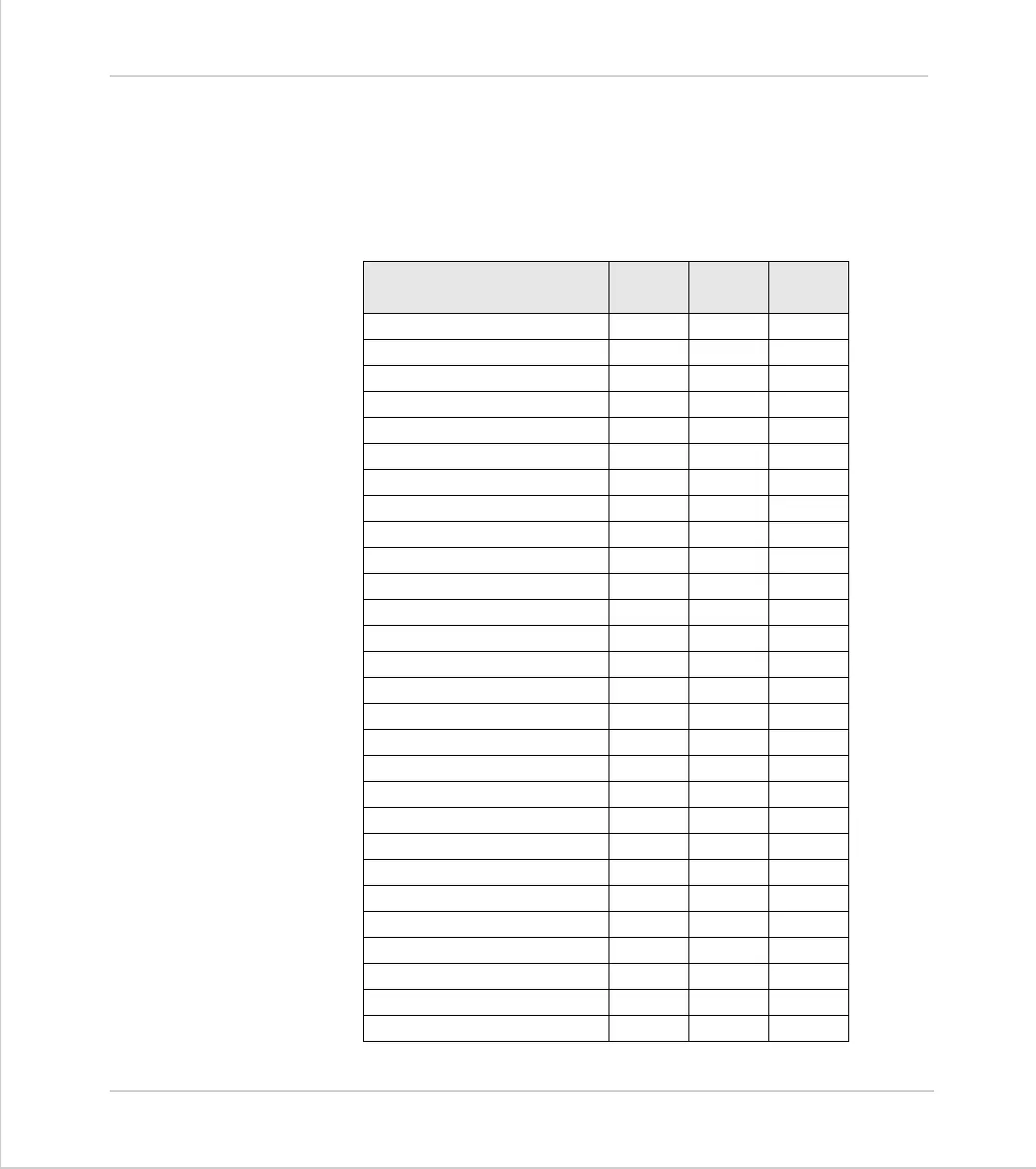
Reading from the Membrane Keypad/Mini-Membrane Keypad
Use the KEY command to test if a key has been pressed and the GET command
to read which key has been pressed. For simplicity and consistency it is rec-
ommended to use KEY and GET with the #4 channel number. It is also pos-
sible to use the #3 channel number, in which case the numbers returned can
be modified using DEFKEY.
Key
Key # Get #4
Value
Get #3
Value
Up Arrow 1 33 20
Left Arrow 2 34 22
Centre Button 3 35 24
Right Arrow 4 36 23
Down Arrow 5 37 21
*Undefined 1 (Left most) 12 44 30
*Undefined 2 13 45 31
*Undefined 3 14 46 32
*Undefined 4 15 47 33
*Undefined 5 16 48 34
*Undefined 6 17 49 35
*Undefined 7 18 50 36
*Undefined 8 (Right most) 19 51 37
7235555
8245656
9255757
Y265889
4275952
5286053
6296154
N306278
1346649
2356750
3366851
CLR 37 69 27
-387045
0397148
.407246



 To Next Page