102 • Cap Inspector Calibration User Guide Ver. 7.1.0 2100 Cap Inspector
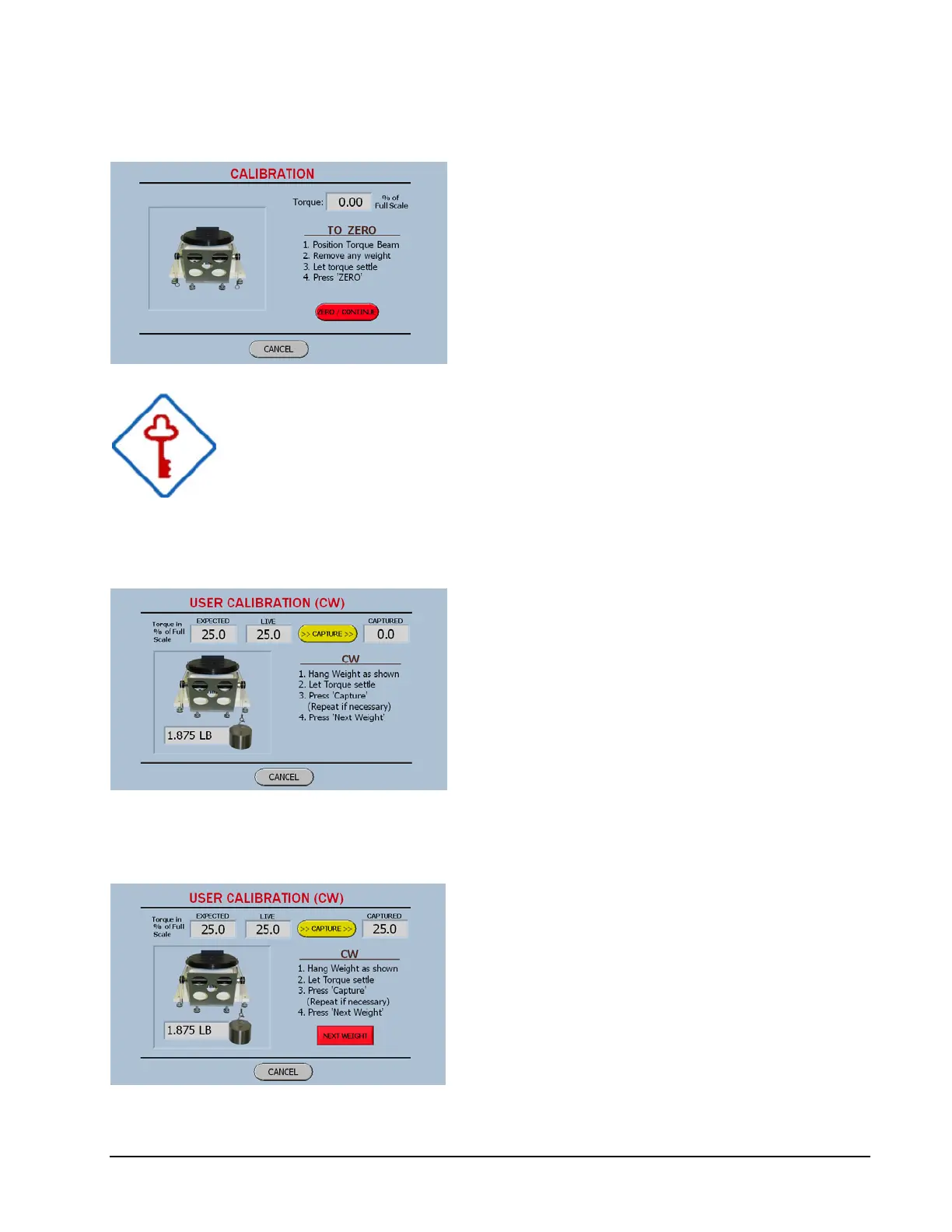
User Calibration Screen 1
The first Calibration Screen forces the user to
Zero the system.
When the Zero Button is pressed, the display
will be zeroed and then the software will
determine the torque capacity of the system in
order to show the value of the weight to be
hung.
Once again it is very important that the weights be hung
carefully and in a consistent manner.
User Calibration Screen 2
Please note the calibration screens display the
torque in Percent of Full Scale not in the
default units of measure. This is done because
the accuracy of the system is specified as a
percent of full scale and the weights are
supplied for 25%, 50%, and 75%. Then by
combining the 25% with the 75% you have
100 %.
User Calibration Screen 3
As in the User Verification process the
Capture button will except the value and then
provide the Next Weight button to advance to
the next step.
When all the weight s have been hung and
captured the software will display the
following screen.



 To Next Page