User Guide Ver. 7.1.0 2100 Cap Inspector Selecting The System Options • 73
Add and Remove Weights
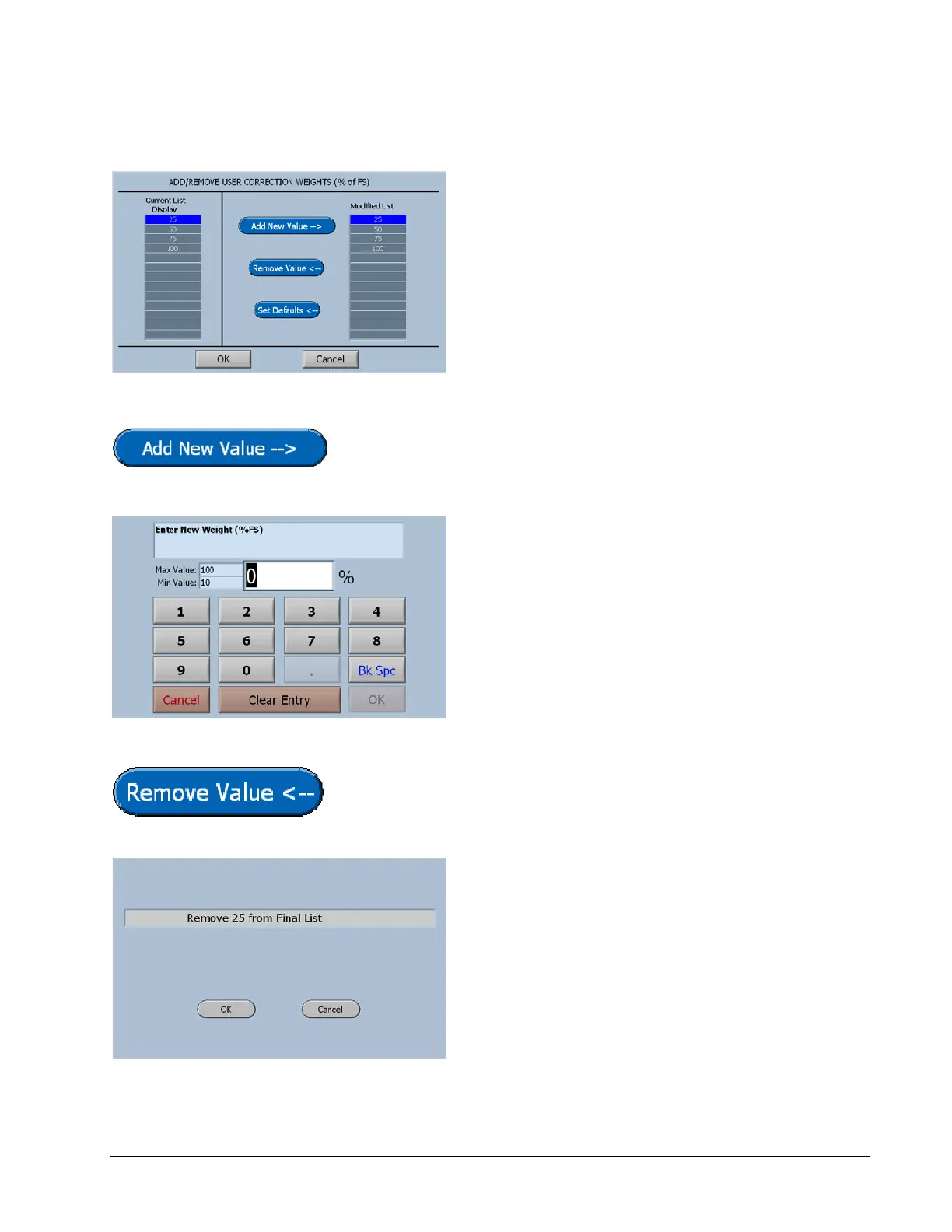
The Add / Remove Screen displays the current
list of weights on the left and the new values
as they are added or removed on the right.
When the Final list on the right is accepted by
selecting OK, the Current List will be updated.
The Add New Value Button will display the input screen for
creating a new value.
Observe the minimum and maximum
values.
To input a value, just start typing. The first key
selected will overwrite the first highlighted
value on the screen. When the desired value
has been keyed in press OK to save the new
value.
The Remove Value Button will display a confirmation
screen to insure that the right value is removed.
The value that is highlighted in the Final List
will be displayed here for confirmation.
The OK key will remove this value.



 To Next Page