User Guide Ver. 7.1.0 2100 Cap Inspector Cap Inspector Calibration • 99
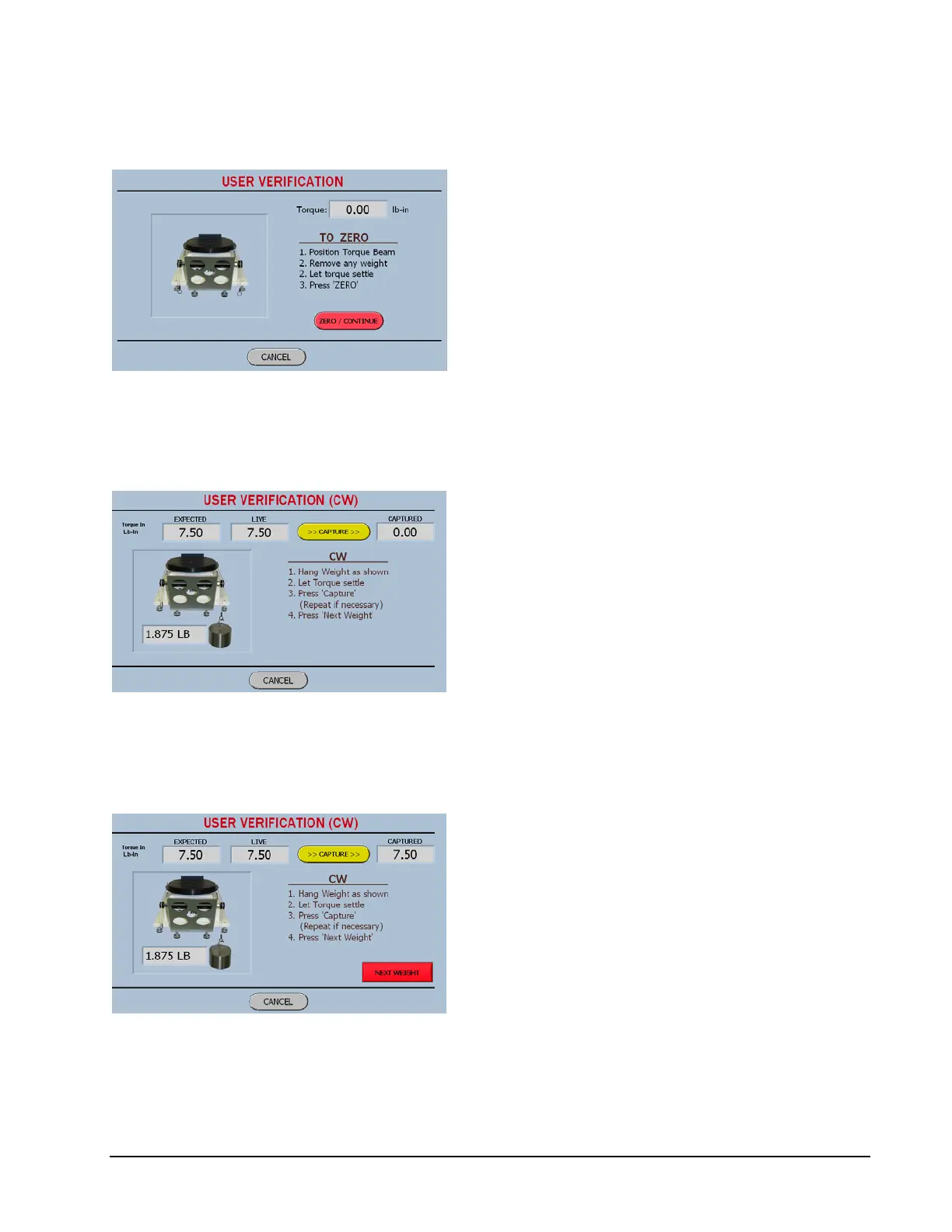
User Verification Zeroing Screen
The first screen forces the user to Zero the
system.
When the Zero Button is pressed, the display
will be zeroed and then the software will
determine the torque capacity of the system in
order to determine the value of the weight to
be hung.
User Verification Weight 1 Screen
When the weight is applied the live torque will
be displayed.
When the torque value stops changing, due to
the motion of the weight, the capture button
should be pressed and then the following
screen will be displayed.
User Verification Capture 1 Screen
The captured value is now displayed.
It should be the same as the expected value,
however if the value is slightly different due to
how the process was performed.
(Bumped the table, Bumped the weight)
The Next Weight button will display the
following screen from which this problem can
be corrected.



 To Next Page