User Guide Ver. 7.1.0 2100 Cap Inspector Test Types • 31
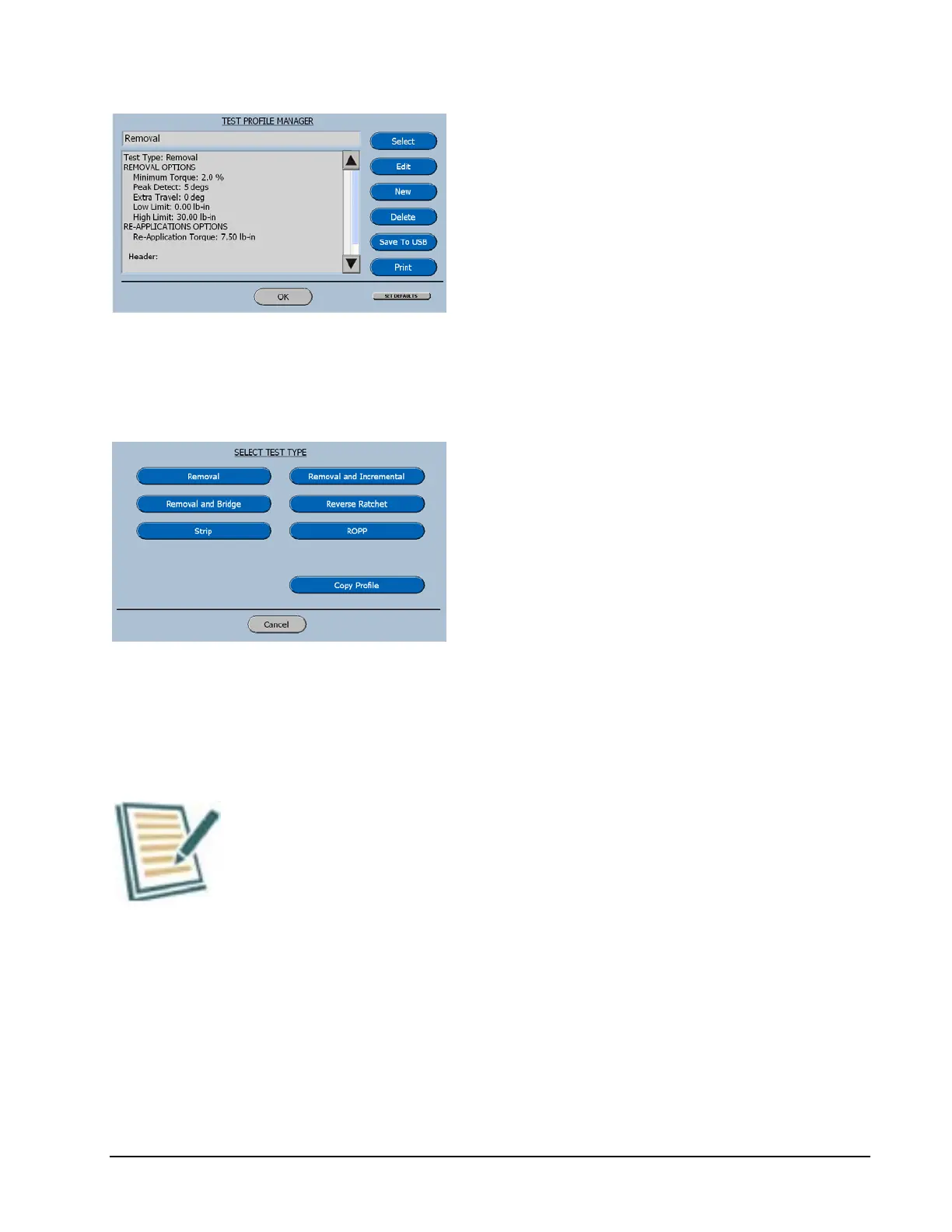
Now on the Test Profile Manager Screen
select New and the software will advance to
the Select Test Type Menu.
Select Test Type
This menu displays the six basic test types that
can be used for creating new profiles.
When a Test Type is selected the software will
advance to the Keyboard for naming the new
profile.
Each of the items displayed here will be
described in a chapter with the same name,
with the exception of Copy Profile.
Copy Profile
In many cases it will be quicker to copy a profile and then
edit a couple items rather than create a whole new profile.



 To Next Page