EasyManua.ls Logo

Advanced AF-6600 - 1.4 EFIS Display Mounting and Connections

Advanced AF-6600
267 pages
Print Icon
To Next Page IconTo Next Page
To Previous Page IconTo Previous Page
Loading...
Version 16.10 AF-6600 AF-5000 Series Install Manual 15
1.4 EFIS Display Mounting and Connections
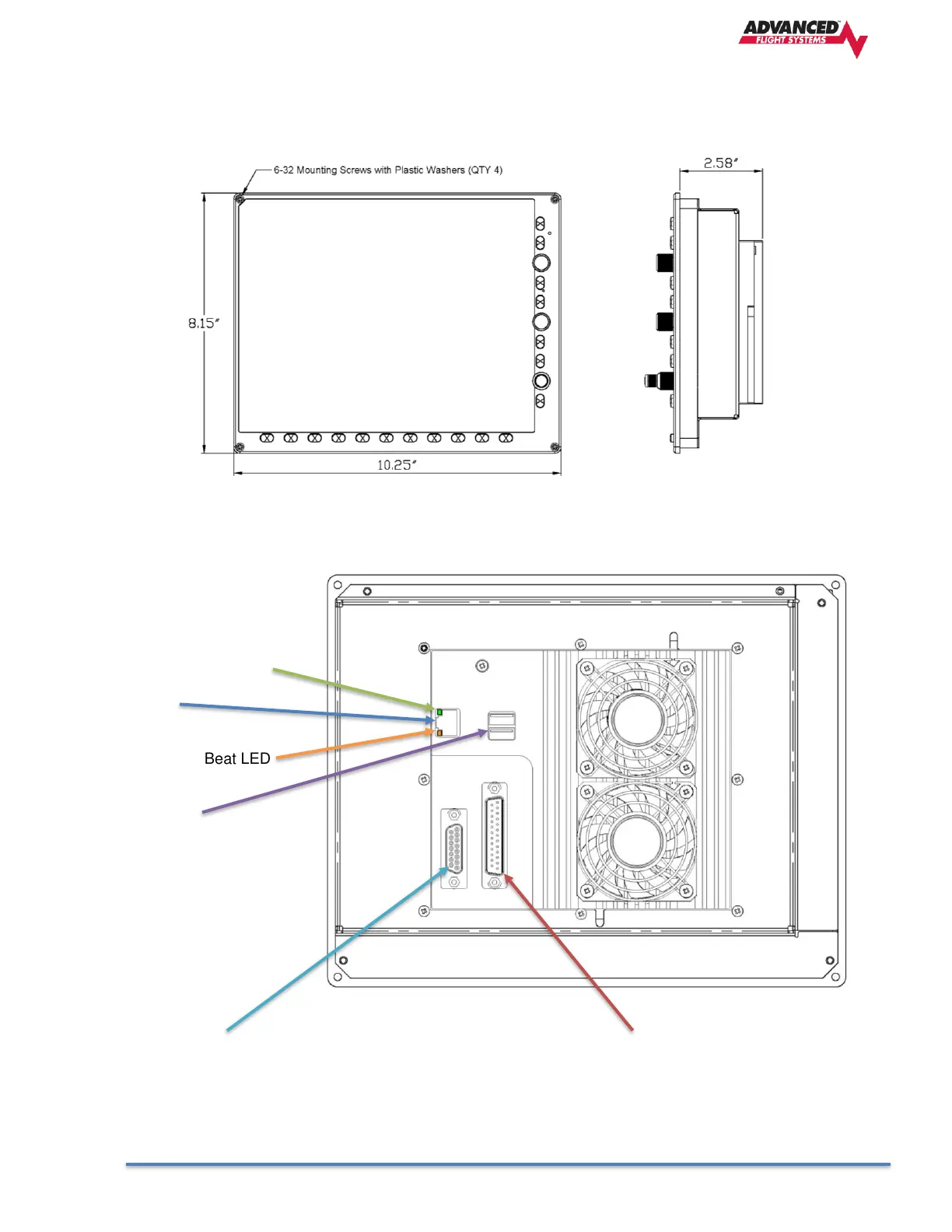
The EFIS Display should be mounted from the front of the instrument panel with four 6-32 screws in the
bezel corners. For ease of service the panel should have 6-32 PEM nuts or plate nuts installed for mounting
the EFIS screens.
EFIS Screen Rear Connections
Green Power ON LED
Ethernet
Amber Heart Beat LED
2 USB Ports
EFIS Expansion Connector
Dynon SV Network
Connections
Backup Battery Power
Serial Port 4
Voltmeter #2 Input
EFIS Main Connector
Input Power Pins (2)
Ground Power Pins (2)
Serial Ports 0,1,2,3
Digital Inputs 1,2,3
Digital Output

Table of Contents