Version 16.10 AF-6600 AF-5000 Series Install Manual 246
Pocket FMS Map Data Files
The PocketFMS Foundation provides worldwide
aeronautical data and is professionally maintained and
updated every 28 days. Pocket FMS Coverage covers Europe, North America (including Canada),
Australia, and New Zealand.
For more information on PocketFMS visit their website at www.pocketfms.com
The Terrain and Vector files are provided by Advanced Flight Systems and are rarely updated. The MAP
NAV data file is exported from the Pocket FMS program on your PC and moved to the SD card.
NOTE: If your EFIS is currently working with PocketFMS data in the region you are flying in you do not
need to update any files from the AFS web store. You only need to use the Pocket FMS program to
update the NAV data.
File Name Description Source
Only updated when changing regions or switching to PocketFMS data
AF2TERxx.AFM Terrain height information for the US AFS Web Store
AF2VECxx.AFM Vector data for US roads/rivers/lakes/cities AFS Web Store
Updated every 28 days
AF2MAPFM.AFM Navigational data (airports, obstacles, navaids, …) Pocket FMS program
xx Region Code for your area.
AF Africa
AS Asia
EU Europe
ME Middle East
NA North America
SA South America
PA Pacific
Instructions:
If your EFIS is currently working with data in the region you are flying skip to step 2
1. Using the AFS WEB site select and download the World Wide (Terrain and Vector) support files
onto your SD card.
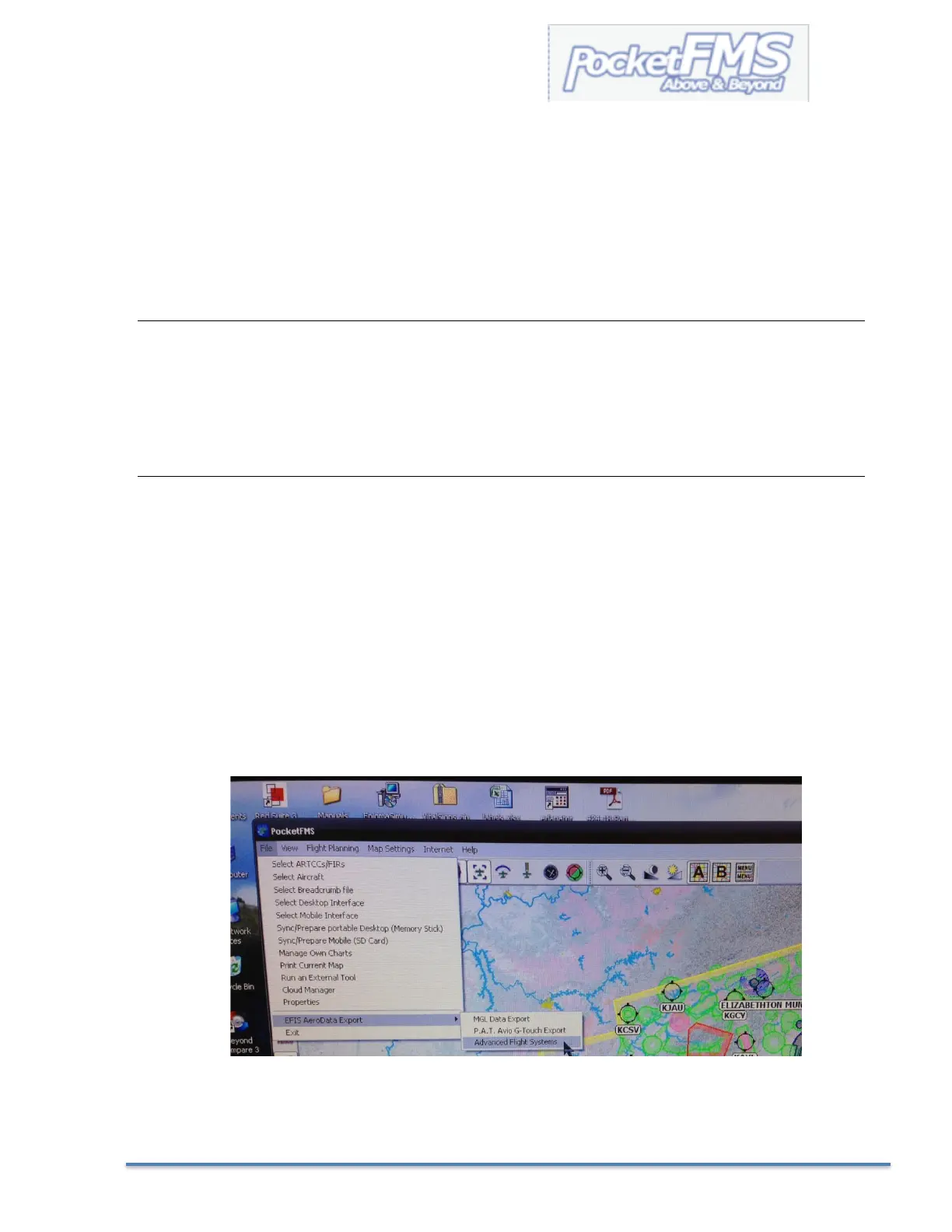
2. Using the PocketFMS software select:
FILE > EFIS AeroData Export > Advanced Flight Systems
3. See Loading Map Nav Data from the SD card into the EFIS in the next few pages.



 To Next Page