Version 16.10 AF-6600 AF-5000 Series Install Manual 157
Airplane Map Icon Image
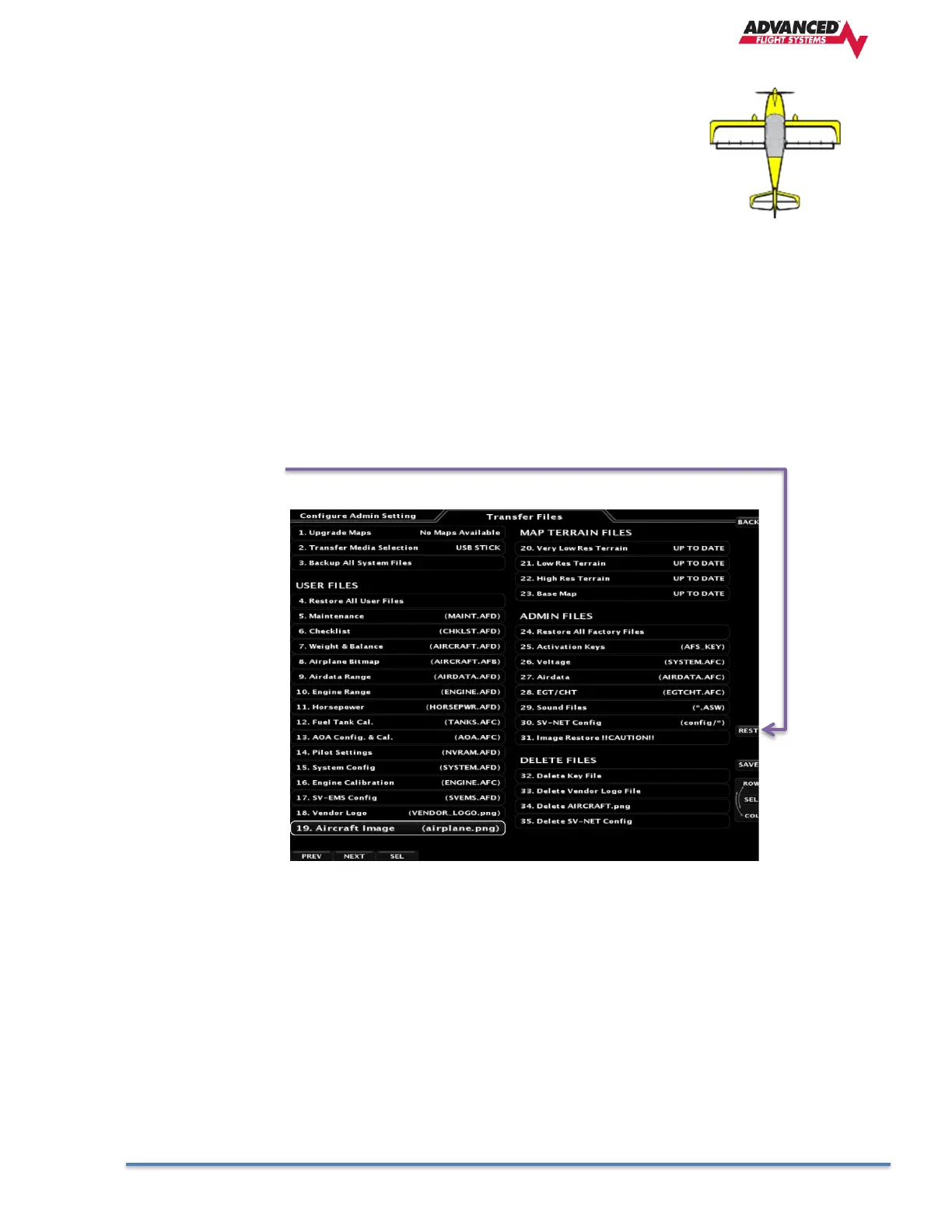
The AF-6600 / AF-5000 Map can be configured to use a custom airplane Icon.
From the Calibration -> Transfer Files menu select Aircraft Image to transfer the
new airplane Icon from the SD card to the EFIS screen.
The Airplane Icon must be a 128 x 128 pixel png file with a transparent background with the name
airplane.png
Procedure to load new airplane Icon:
1. Using a graphics program save your new 128 x 128 Icon to a SD card using the name
airplane.png
2. Place the SD card into the EFIS screen
3. Select the Aircraft Image menu from the Transfer Files menu.
4. Press the REST button to transfer the Icon to the EFIS screen.



 To Next Page