Version 16.10 AF-6600 AF-5000 Series Install Manual 186
G-Meter
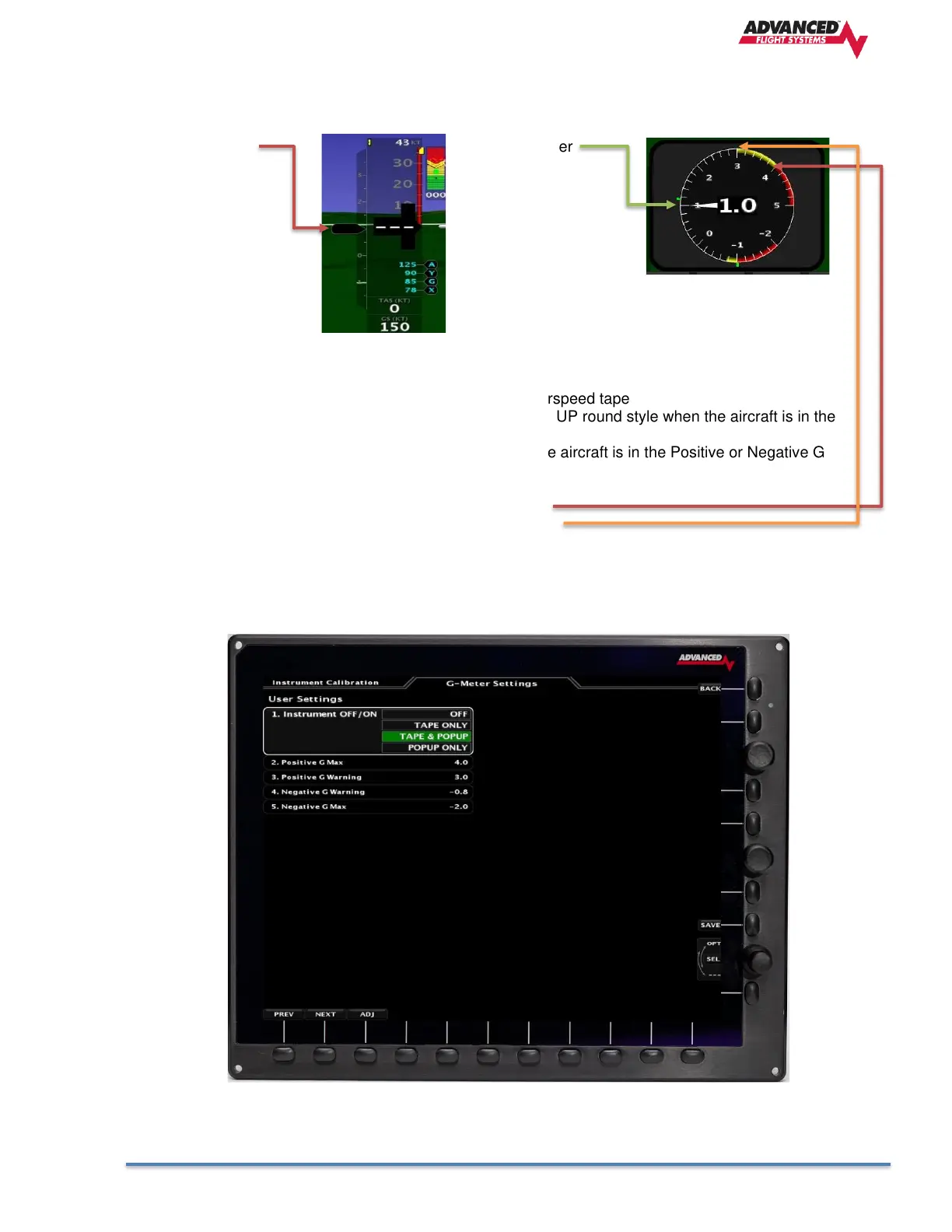
The G Meter Calibration Menu is where you configure the yellow warning and red max settings for the
aircraft. You can also select the type of G Meter to display on the EFIS screen.
Tape Style G-Meter POPUP G-Meter
1. Instrument OFF/ON
TAPE ONLY - Draws Tape Style G Meter left of the airspeed tape
TAPE & POPUP - Draws Tape Style G Meter and the POPUP round style when the aircraft is in the
Positive or Negative G Warning zone.
POPUP ONLY - Draws the POPUP round style when the aircraft is in the Positive or Negative G
Warning zone.
2. Positive G Max Start of the Red positive band
3. Positive G Warning Start of the Yellow positive band
4. Negative G Warning Start of the Yellow negative band
5. Negative G Max Start of the Red negative band



 To Next Page