Version 16.10 AF-6600 AF-5000 Series Install Manual 94
Garmin SL-30
The AF-5000 will send/receive data from a SL30 on any configured EFIS Serial Port. The EFIS can get
VOR/LOC/GS data from the SL30 and can set the OBS setting on the SL30. The EFIS can remote tune the
radio frequencies on a SL30. If the EFIS is also connected to a Garmin 396/496 it will pass through any radio
frequency tuning commands to the SL30.
EFIS Serial Port #3 Example
EFIS Main Cable SL30 37 Pin Connector
Pin 4 TXD --------------- Pin 4 RX
Pin 5 RXD --------------- Pin 5 TX
Pin 21 GND --------------- Pin 3 GND
The Indicator Head Type setting should be set to SERIAL in the SL30. This will enable the OBS to be set
from the SL30 buttons and from the EFIS. Hold the <-> and SYS button at power up.
Garmin SL-40
The AF-5000 will send/receive data from a SL40 on any configured EFIS Serial Port. The EFIS can remote
tune the radio frequencies on a SL40.
EFIS Serial Port #3 Example
EFIS Main Cable SL40 15 Pin Connector
Pin 4 TXD --------------- Pin 10 RX
Pin 5 RXD --------------- Pin 3 TX
Pin 21 GND --------------- Pin 11 GND
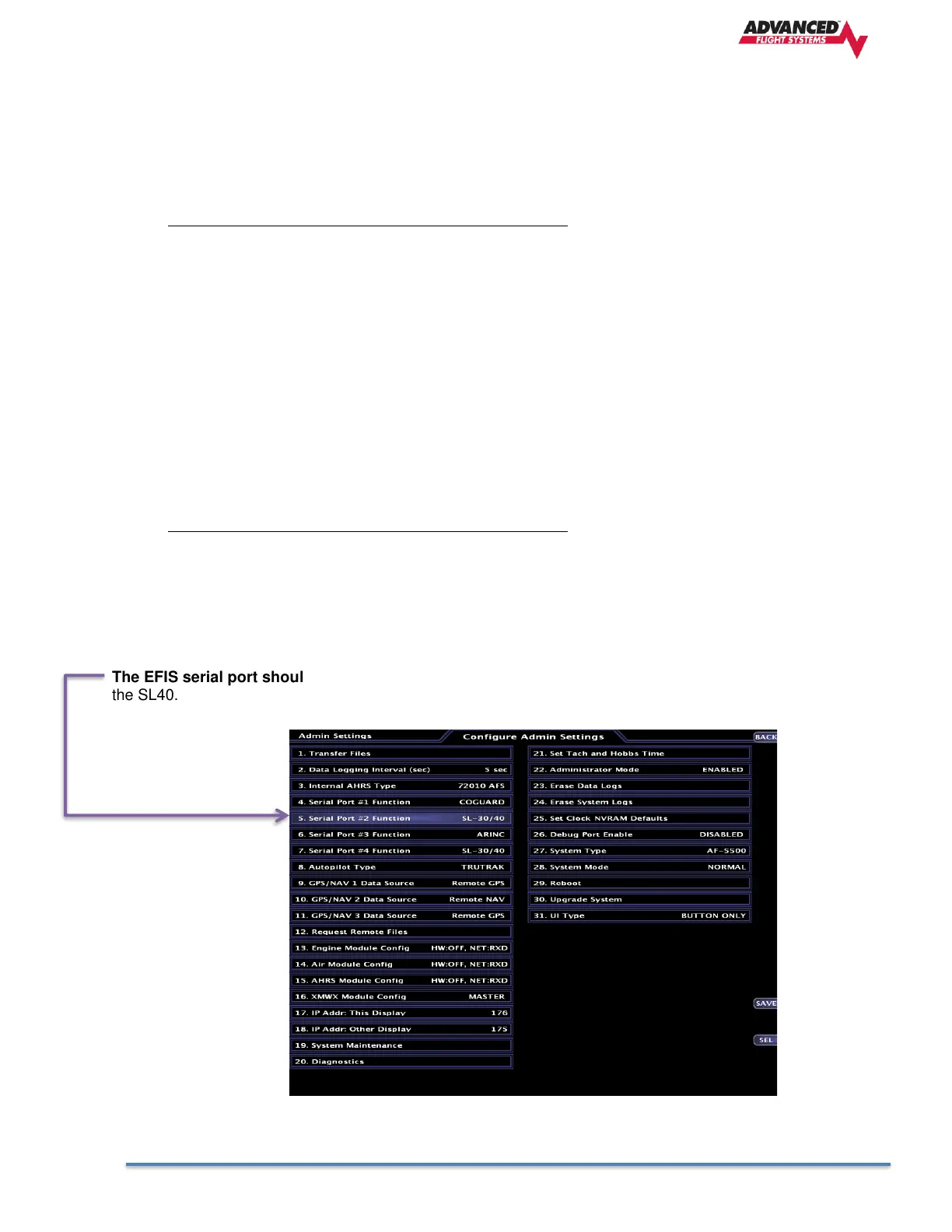
No setup is required in the SL40 Radio,
The EFIS serial port should be configured as SL30 / SL40. You should not select a NAV/GPS source for
the SL40.



 To Next Page