Version 16.10 AF-6600 AF-5000 Series Install Manual 98
Garmin 396/496
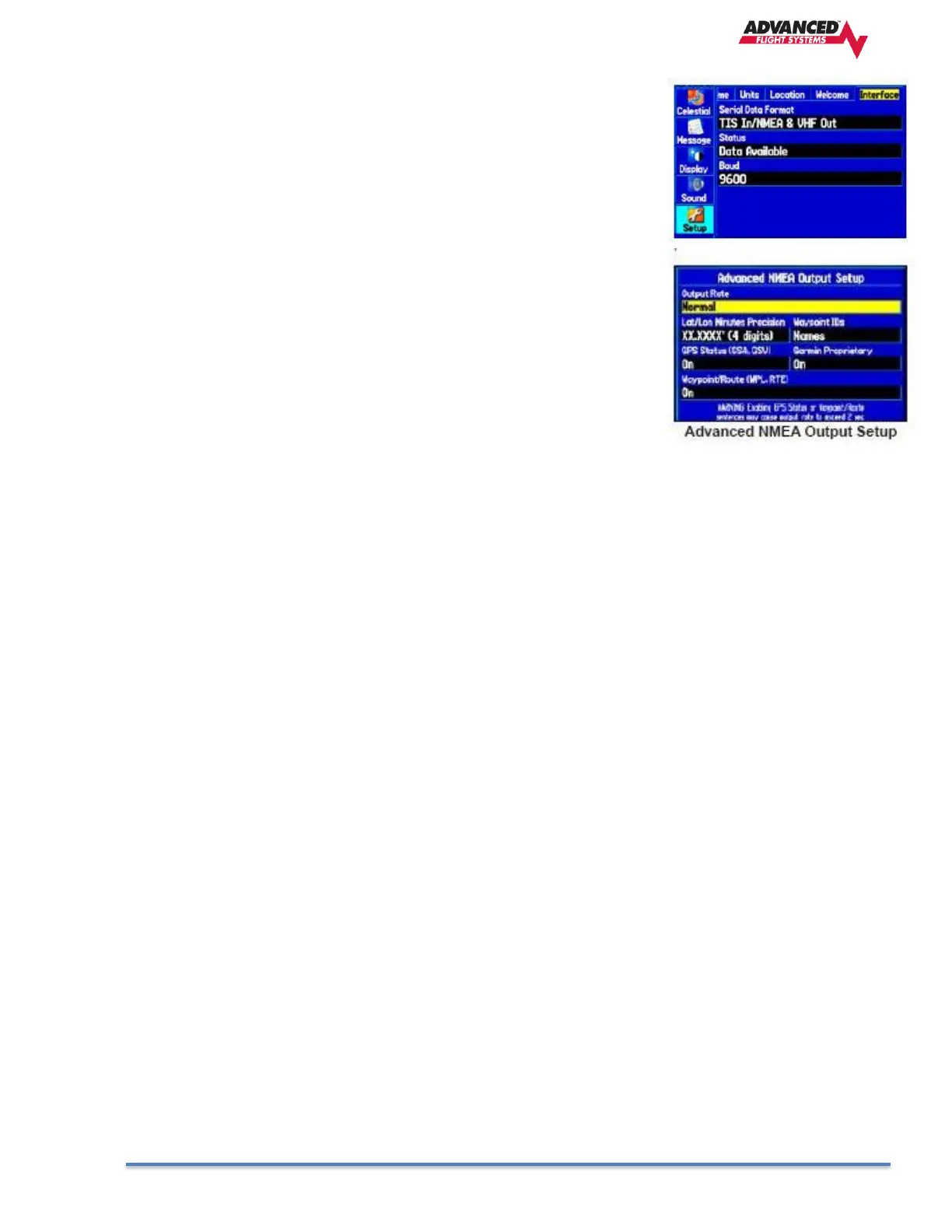
1. The 396/496 can send RS-232 data in NMEA 4800 Baud format or NMEA
& VHF 9600 Baud. If you also have a SL30/SL40 connected you should
use the NMEA & VHF 9600 Baud setting in the GPS. This will enable you
to set the standby radio frequency on the SL30 from the GPS. Make sure
that you use the same baud rate setting in the GPS and EFIS Admin
setup.
2. The NMEA output rate on the 396/496 must be set to normal.
To access the Advanced NMEA Output Setup:
a. Press MENU twice to open the Main Menu.
b. Use the ROCKER to select Setup from the vertical tab list.
c. Select Interface from the row of tabs along the top.
d. Highlight the field below Serial Data Format. Press ENTER
e. Select NMEA In/NMEA Out. Press ENTER
f. Press MENU to open the options menu. Select Advanced NMEA
Setup and press ENTER.



 To Next Page