Version 16.10 AF-6600 AF-5000 Series Install Manual 240
Loading AFS Provided USA Map/Nav Data
The AF-6600 / AF-5000 series EFIS map data for the United States is provided free of charge on the AFS
website. The data should be updated using a USB memory stick plugged into the back of the screen.
If you are using the Seattle Avionics Data Manager, it will automatically update the USB stick with the
AFS Map Data.
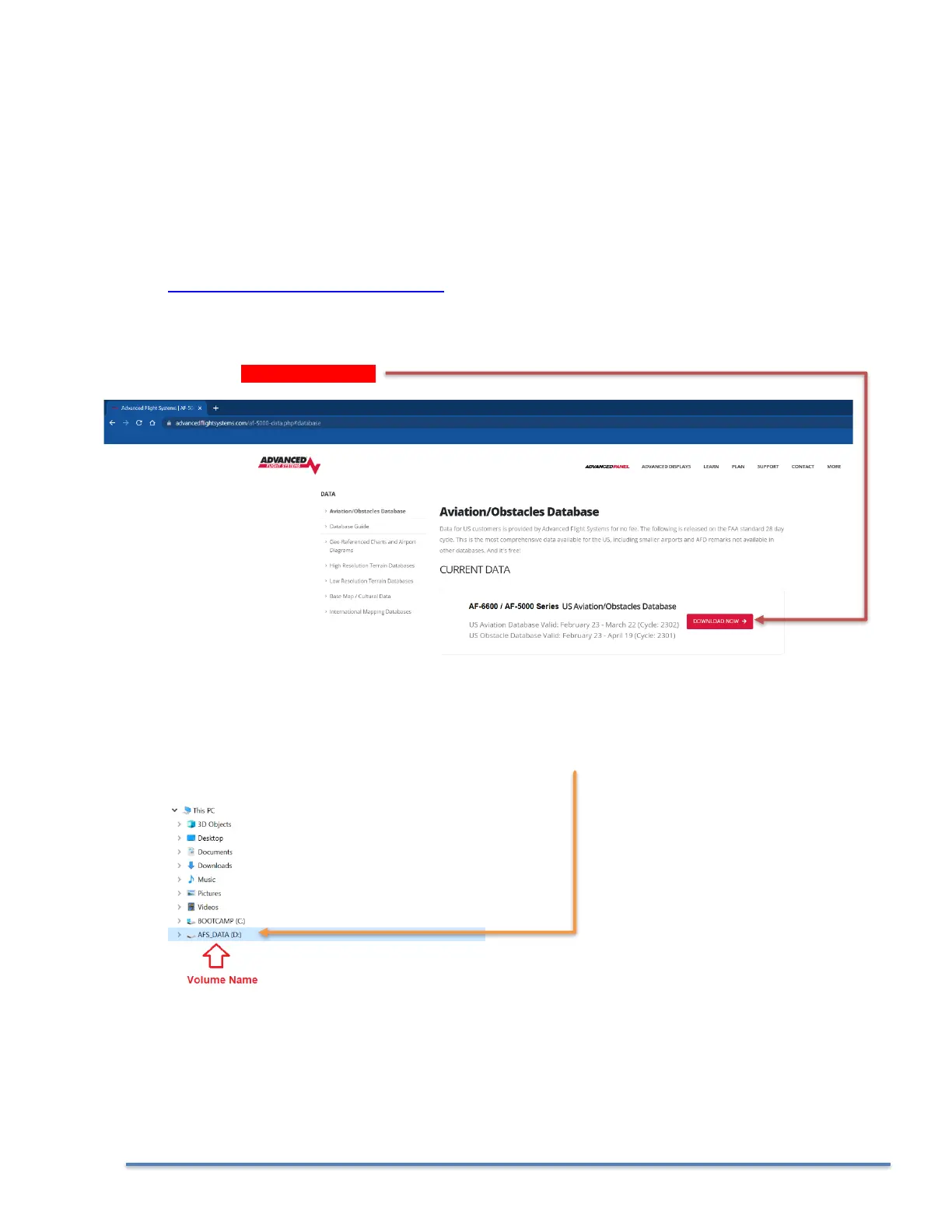
The USB Memory stick must have a volume name or the EFIS will not install the data.
PROCEDURE
1. Download the latest Map Data file from:
https://www.advancedflightsystems.com
Select SUPPORT > CHARTS AND DATABASES > Aviation/Obstacles Database
CLICK on DOWNLOAD NOW
2. Plug the USB memory stick into your computer and verify that the USB memory stick has a volume
name. In this example the volume name is “AFS_DATA”, the name does not matter it just must have
one.



 To Next Page