Version 16.10 AF-6600 AF-5000 Series Install Manual 46
74152 SV-Autopilot Panel
This chapter contains pre-installation considerations,
installation instructions, and details to install the SV-
AP-PANEL/H (Horizontal orientation) and SV-AP-
PANEL/V (Vertical orientation). Physically,
electronically, and operationally, the two versions are
identical, and hereafter referred to SV-AP-PANEL.
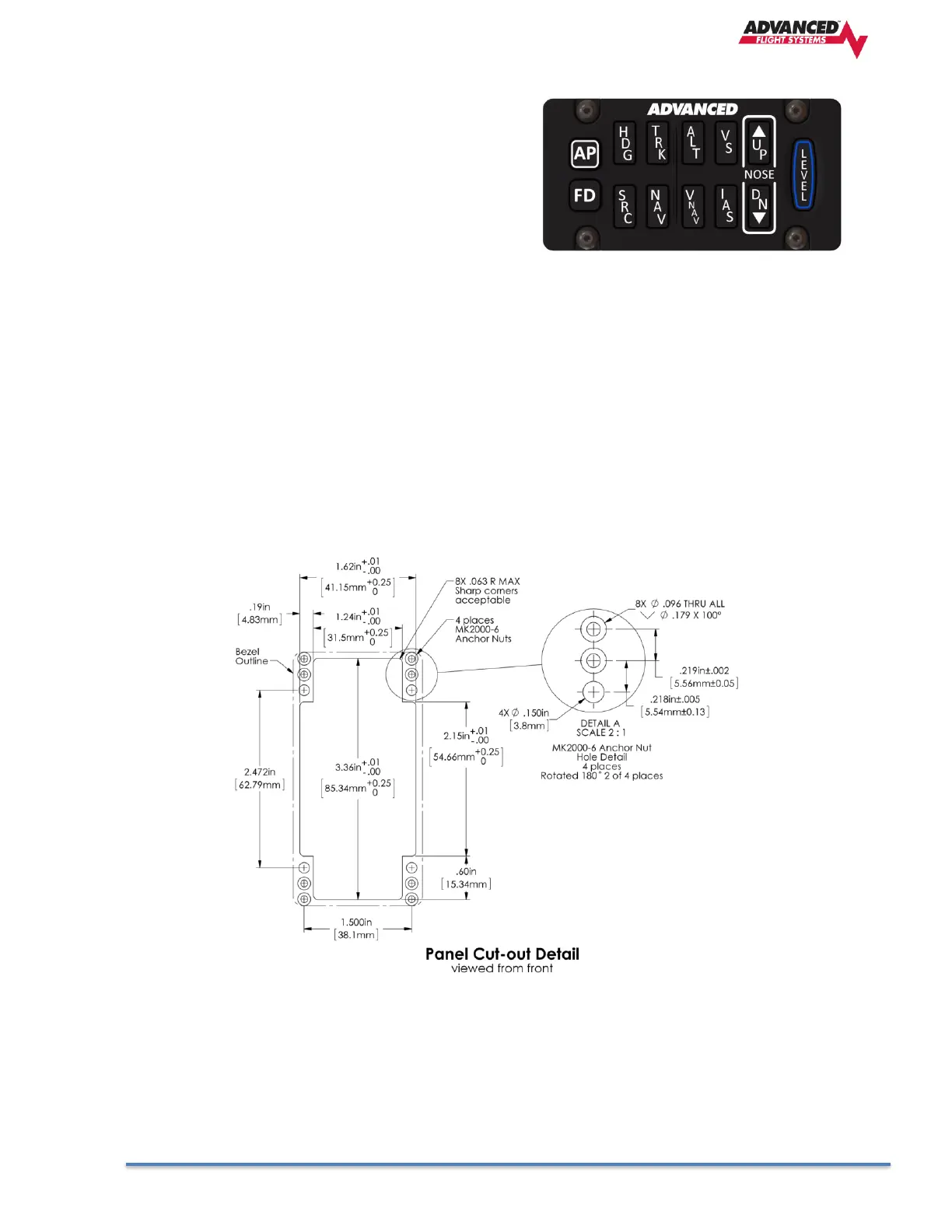
The SV-AP-PANEL is an optional control panel for a AF-5000 system that provides one-button controls
for the SV Autopilot that are otherwise operated from the AF-5000 display menu buttons (which are
still accessible after the installation of an SV-AP-PANEL).
SV-AP-PANEL NOSE UP and NOSE DN BUTTONS
The NOSE UP button on the SV-AP-PANEL commands the AP System, if engaged, to incrementally pitch
the AP “Nose Up” via IAS or VS adjustments depending on what mode the AP is in.
Similarly, the NOSE DN button on the SV-AP-PANEL commands the AP system, if engaged, to
incrementally pitch the AP “Nose Down” via IAS or VS adjustments depending on what mode the AP is
in.. The SV-AP-PANEL NOSE UP and NOSE DN buttons command the AP; these buttons do not command
trim controls (via the 15-pin DSUB connector). The only controls for trim are button inputs to the 15-pin
DSUB connector – see details below).



 To Next Page