Version 16.10 AF-6600 AF-5000 Series Install Manual 172
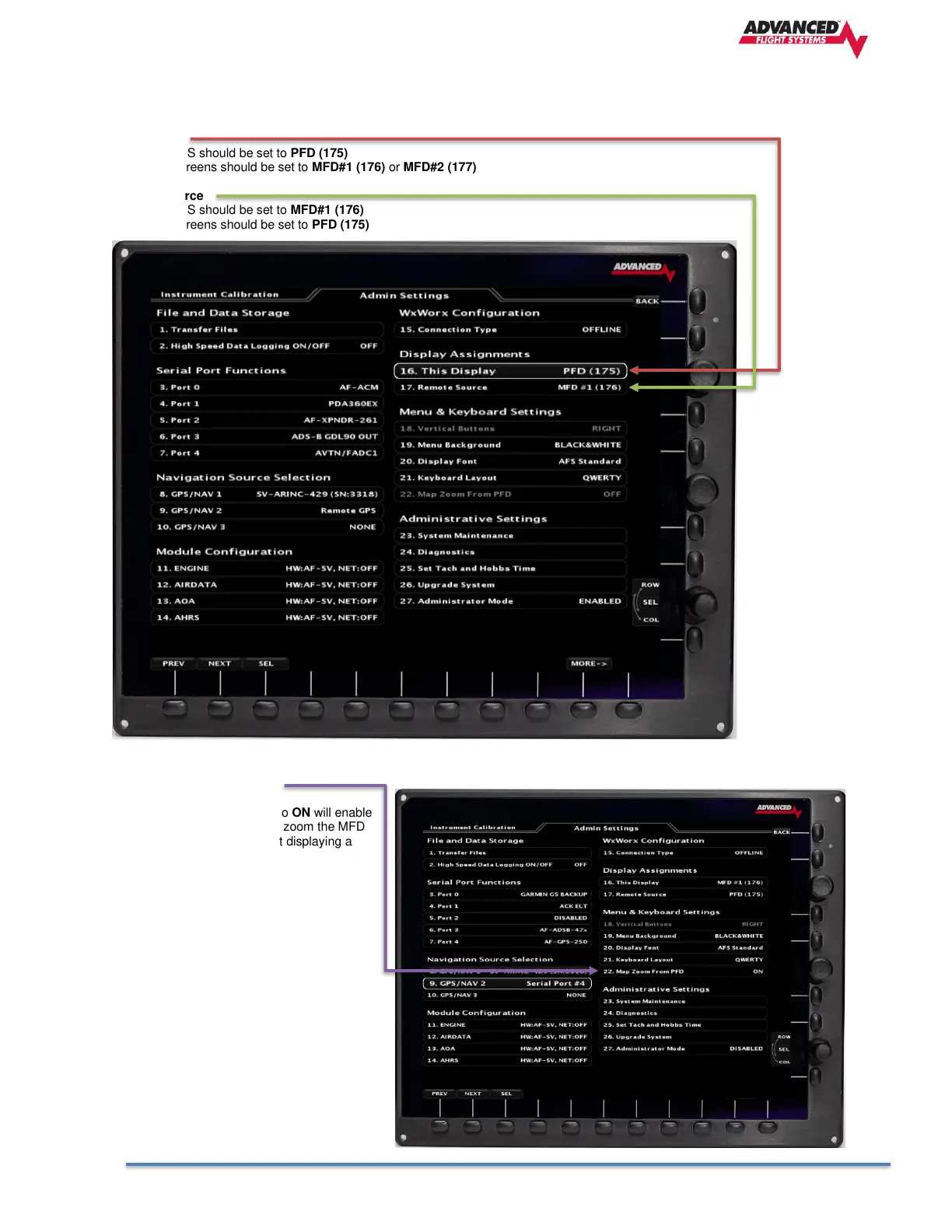
Display Assignments
Each AF-6600 / AF-5000 EFIS in the aircraft must have a unique Display Address (Ethernet IP Address).
This Display
Pilot PFD EFIS should be set to PFD (175)
MFD EFIS screens should be set to MFD#1 (176) or MFD#2 (177)
Remote Source
Pilot PFD EFIS should be set to MFD#1 (176)
MFD EFIS screens should be set to PFD (175)
Map Zoom From PFD
Setting Map Zoom From PFD to ON will enable
the pilot PFD EFIS to remotely zoom the MFD
EFIS map when the PFD is not displaying a
map.



 To Next Page