Version 16.10 AF-6600 AF-5000 Series Install Manual 235
APPENDIX E: AF-6600 / AF-5000 Software Updates
The AF-6600 / AF-5000 series EFIS software can be updated using a USB memory stick plugged into the
back of the screen. The USB Memory stick must have a volume name or the EFIS will not install the
software.
PROCEDURE
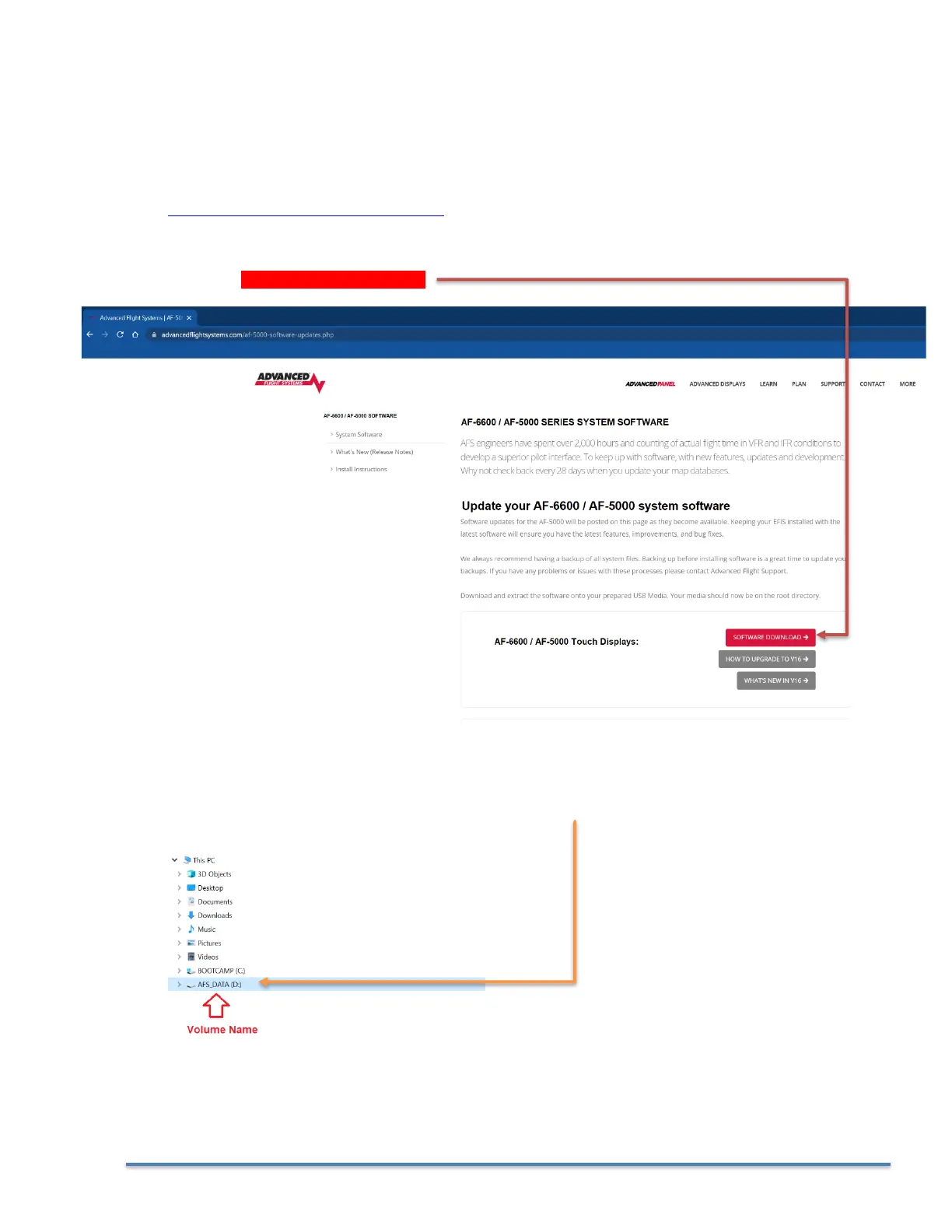
1. Download the software file with the latest version of software from:
https://www.advancedflightsystems.com
Select SUPPORT > SOFTWARE UPDATES > AF-6600 / AF-5000 Series
CLICK on SOFTWARE DOWNLOAD
2. Plug the USB memory stick into your computer and verify that the USB memory stick has a volume
name. In this example the volume name is “AFS_DATA”, the name does not matter it just must have
one.



 To Next Page