Version 16.10 AF-6600 AF-5000 Series Install Manual 189
COM Radio
The EFIS can display and tune the primary and standby frequencies for up to two connected COM Radios.
The following radios support remote frequency control: Dynon SV-COM, Trig TY91 Remote COM, Avidyne
IFD, Garmin GTR-200, GTR-225, GNC-255, SL30, SL40, VAL 2KR. The Garmin GTN series do not support
remote radio tuning. The Dynon SV-COM interfaces with the EFIS on the SV-NETWORK, the other COM
radios will need to be connected to an EFIS RS-232 serial port.
Some of the setting options will change based on the selected radio type.
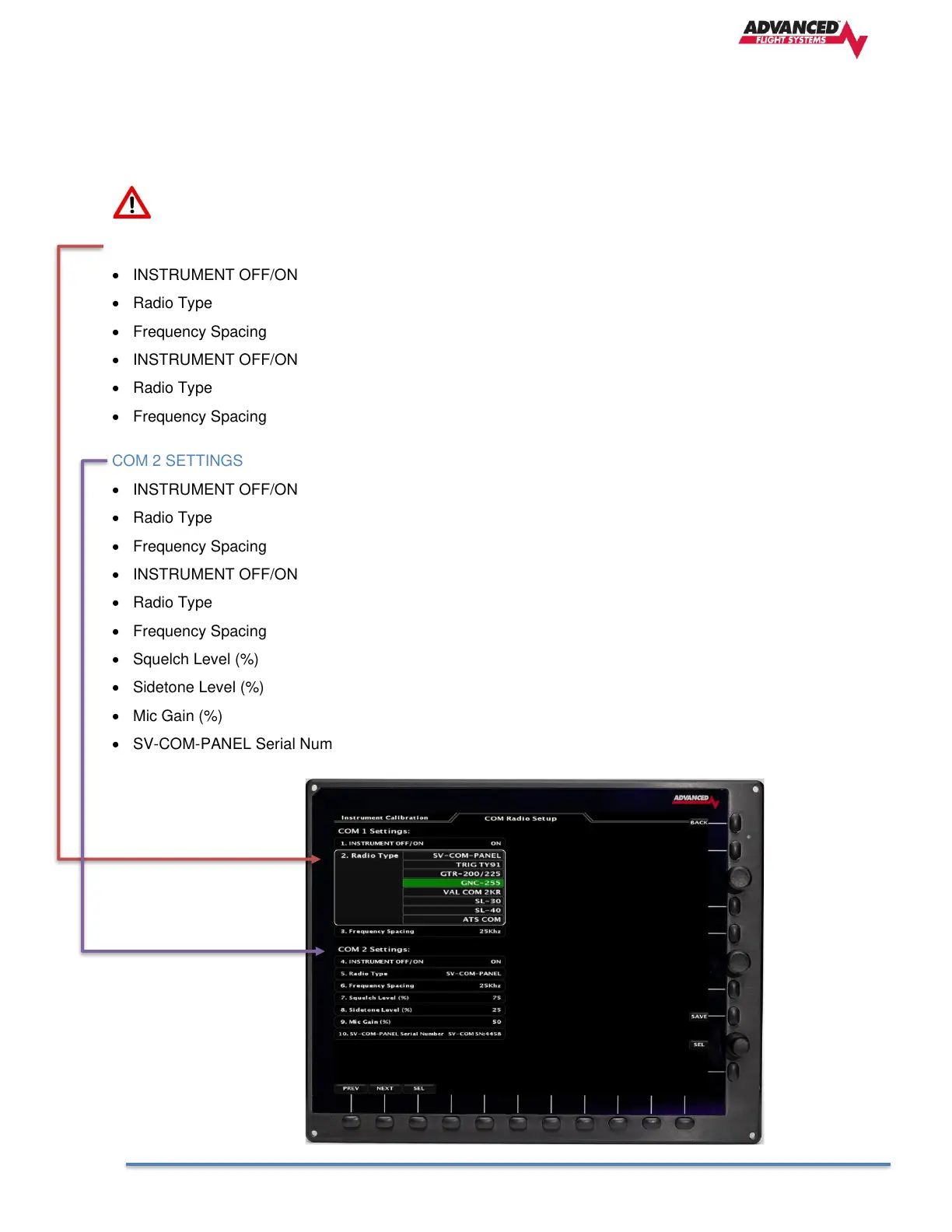
COM 1 SETTINGS
• INSTRUMENT OFF/ON Turns ON or OFF the EFIS COM Radio 1 display tab
• Radio Type Select the Radio to tune as COM 1
• Frequency Spacing North America 25khz, Europe 8.33khz
• INSTRUMENT OFF/ON Turns ON or OFF the EFIS COM Radio 2 display tab
• Radio Type Select the Radio to tune as COM 2
• Frequency Spacing North America 25khz, Europe 8.33khz
COM 2 SETTINGS
• INSTRUMENT OFF/ON Turns ON or OFF the EFIS COM Radio 2 display tab
• Radio Type Select the Radio to tune as COM 2
• Frequency Spacing North America 25khz, Europe 8.33khz
• INSTRUMENT OFF/ON Turns ON or OFF the EFIS COM Radio 2 display tab
• Radio Type Select the Radio to tune as COM 2
• Frequency Spacing North America 25khz, Europe 8.33khz
• Squelch Level (%) Radio Squelch Setting
• Sidetone Level (%) Radio Sidetone Setting
• Mic Gain (%) Radio Mic Gain
• SV-COM-PANEL Serial Number SV-COM Panel display serial number to control



 To Next Page