Version 16.10 AF-6600 AF-5000 Series Install Manual 217
Elevator Trim
The Elevator Trim display is designed to read trim servo position data from a trim position sensor wired to an
SV-EMS input or from an ACM/VPX unit. The EFIS Trim display can be configured to be always on the
EFIS or to only display when the trim servo is moving or 5 seconds after it has moved. When the EFIS is
wired to a Dynon SV-AP-PANEL the EFIS has the ability to control the Trim motor speed based on airspeed.
The SV-AP-PANEL can also automatically run the elevator trim motor when the autopilot is engaged to keep
the elevator in trim.
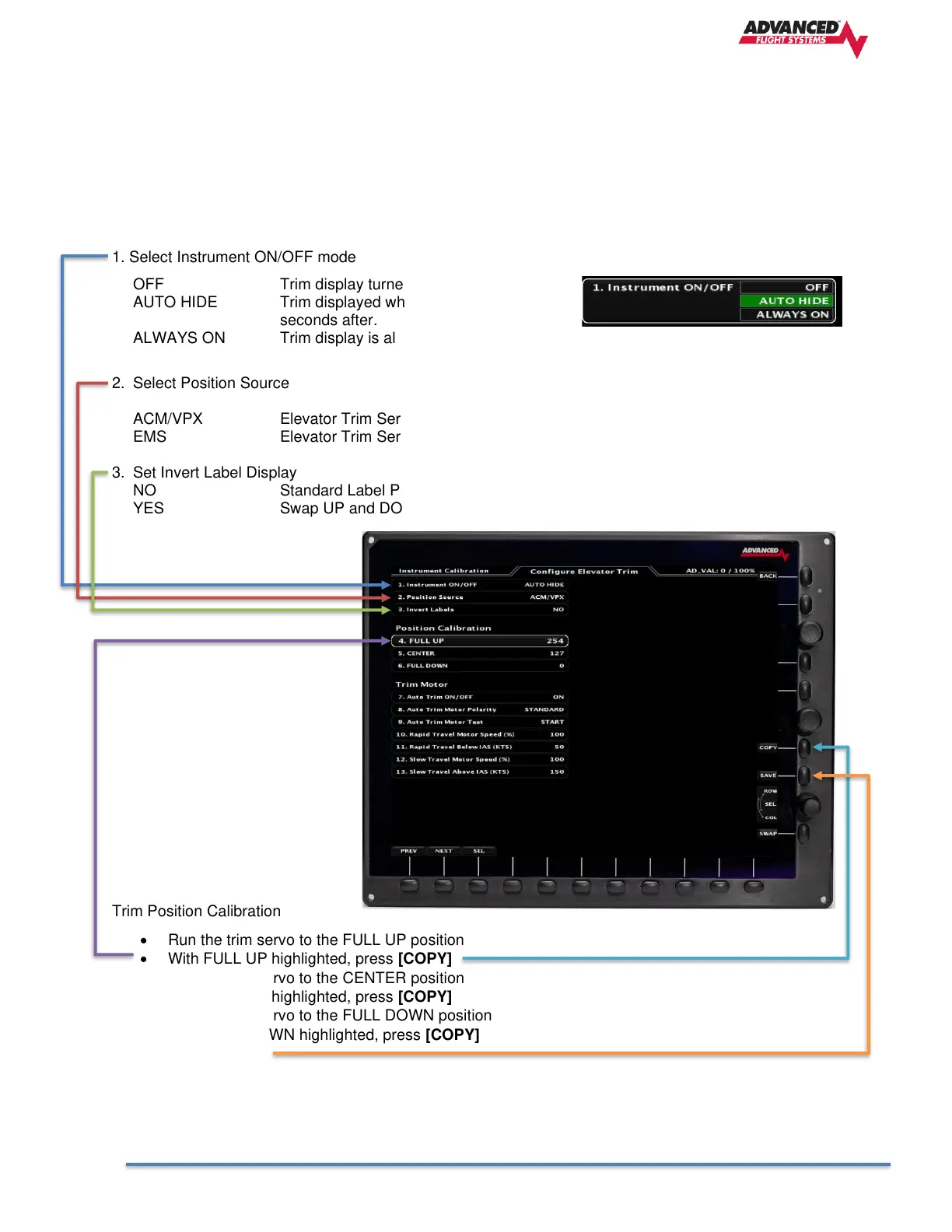
1. Select Instrument ON/OFF mode
OFF Trim display turned OFF
AUTO HIDE Trim displayed when moving and for 5
seconds after.
ALWAYS ON Trim display is always ON
2. Select Position Source
ACM/VPX Elevator Trim Servo Sensor wired ACM
EMS Elevator Trim Servo Sensor wired to EMS Pin input.
3. Set Invert Label Display
NO Standard Label Position
YES Swap UP and DOWN Labels
Trim Position Calibration
• Run the trim servo to the FULL UP position
• With FULL UP highlighted, press [COPY]
• Run the trim servo to the CENTER position
• With CENTER highlighted, press [COPY]
• Run the trim servo to the FULL DOWN position
• With FULL DOWN highlighted, press [COPY]
• Press [SAVE]



 To Next Page