Version 16.10 AF-6600 AF-5000 Series Install Manual 218
Auto Trim Configuration
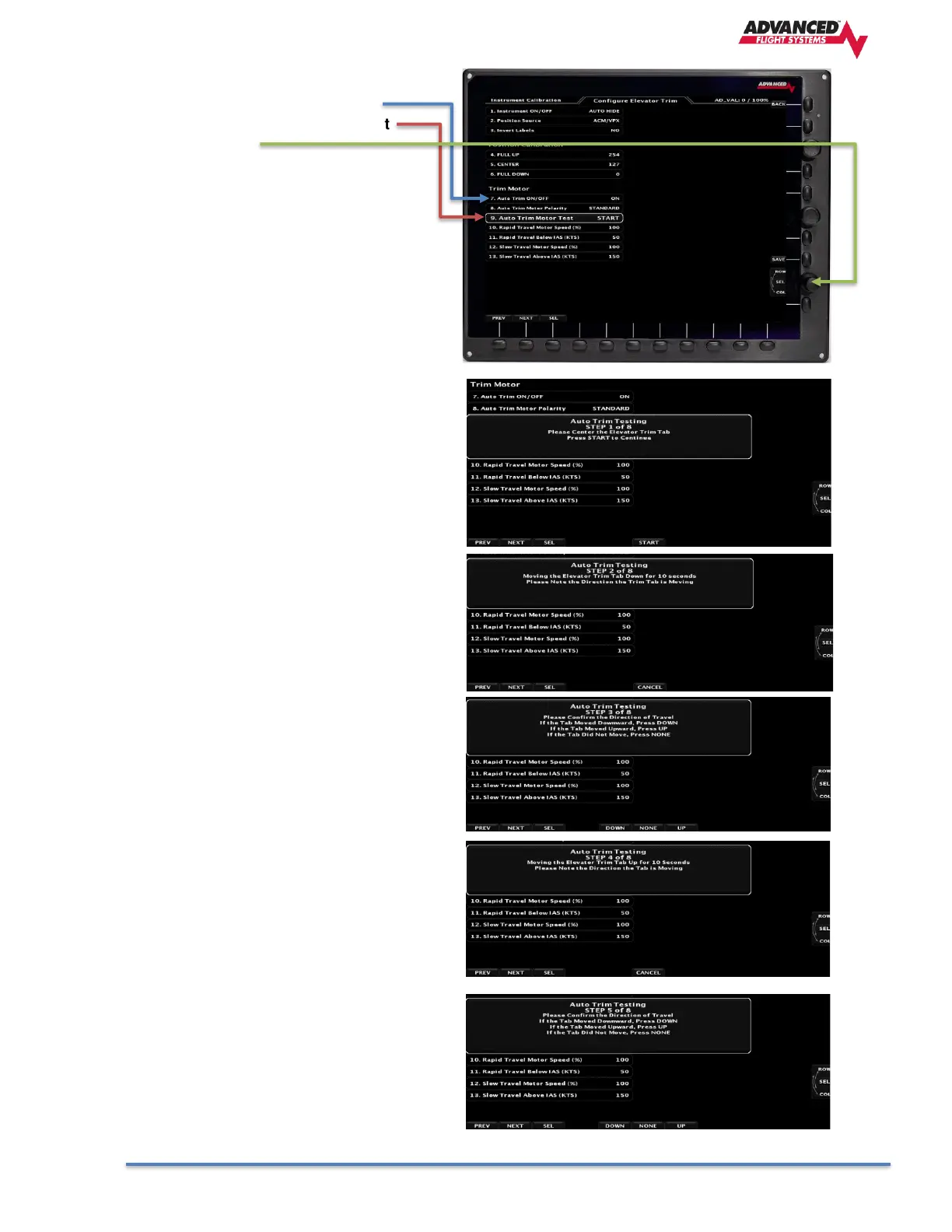
• Set Auto Trim ON/OFF to ON
• Select 9. Auto Trim Motor Test
• Press [SEL]
STEP 1 of 8
• Center the Elevator Trim tab
• Press [START]
STEP 2 of 8
Trim Tab should move down for 10 seconds
STEP 3 of 8
• Press DOWN if the Trim Tab moved
down
• Press UP if the Trim Tab moved up
STEP 4 of 8
Trim Tab should move up for 10 seconds
STEP 5 of 8
• Press DOWN if the Trim Tab moved
down
• Press UP if the Trim Tab moved up



 To Next Page