Version 16.10 AF-6600 AF-5000 Series Install Manual 193
Electrical System
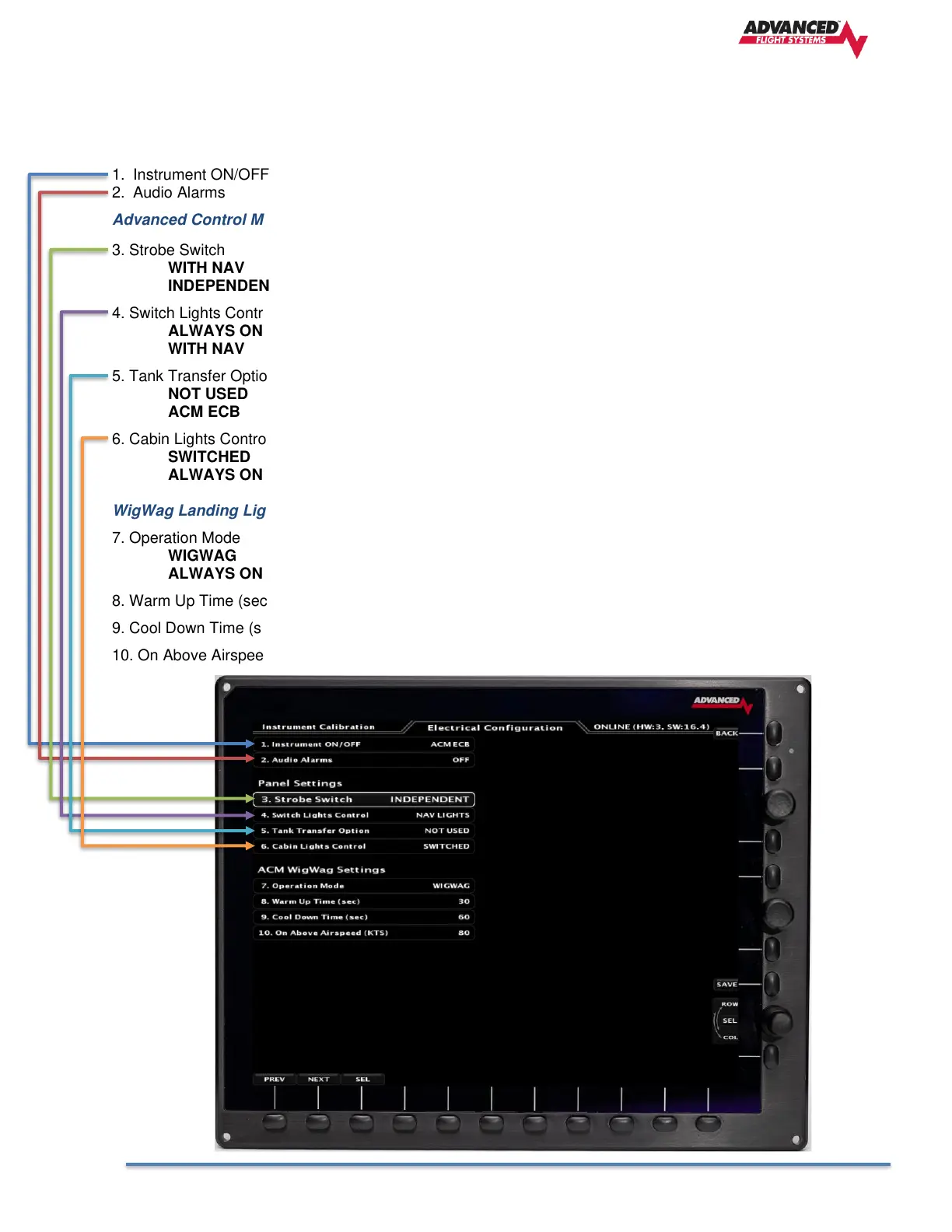
Electrical Configuration
The Electrical Configuration Menu is used to configure the interface between the EFIS and an Advanced
Control Module (ACM) or Vertical Power VPX.
1. Instrument ON/OFF Select ACM ECB or VPX , set to OFF is you are not using either unit.
2. Audio Alarms Turns ON or OFF the Electrical Warning Audio Alerts
Advanced Control Module Settings
3. Strobe Switch
WITH NAV Nav lights turn on with Strobe Switch or Nav Switch (3 Posn Switch)
INDEPENDENT Nav lights only turn on with Nav Switch
4. Switch Lights Control
ALWAYS ON Switch Backlight PWM power always on
WITH NAV Switch Backlight PWM power turns on with NAV Lights
5. Tank Transfer Option Used for Glasair tip tank transfer pumps
NOT USED Not used
ACM ECB Tip tank pumps use ALT 2 and Defrost Circuits
6. Cabin Lights Control
SWITCHED Cabin Light Circuit controlled by Cabin Switch input
ALWAYS ON Cabin Light Circuit is always ON
WigWag Landing Light Settings
7. Operation Mode
WIGWAG Landing Lights use WIGWAG mode
ALWAYS ON Non WIGWAG mode
8. Warm Up Time (sec) Time before starting to flash
9. Cool Down Time (sec) Time after shutdown until the lights can be turned back on
10. On Above Airspeed (kts) Airspeed when the landing lights will start to flash



 To Next Page