Version 16.10 AF-6600 AF-5000 Series Install Manual 192
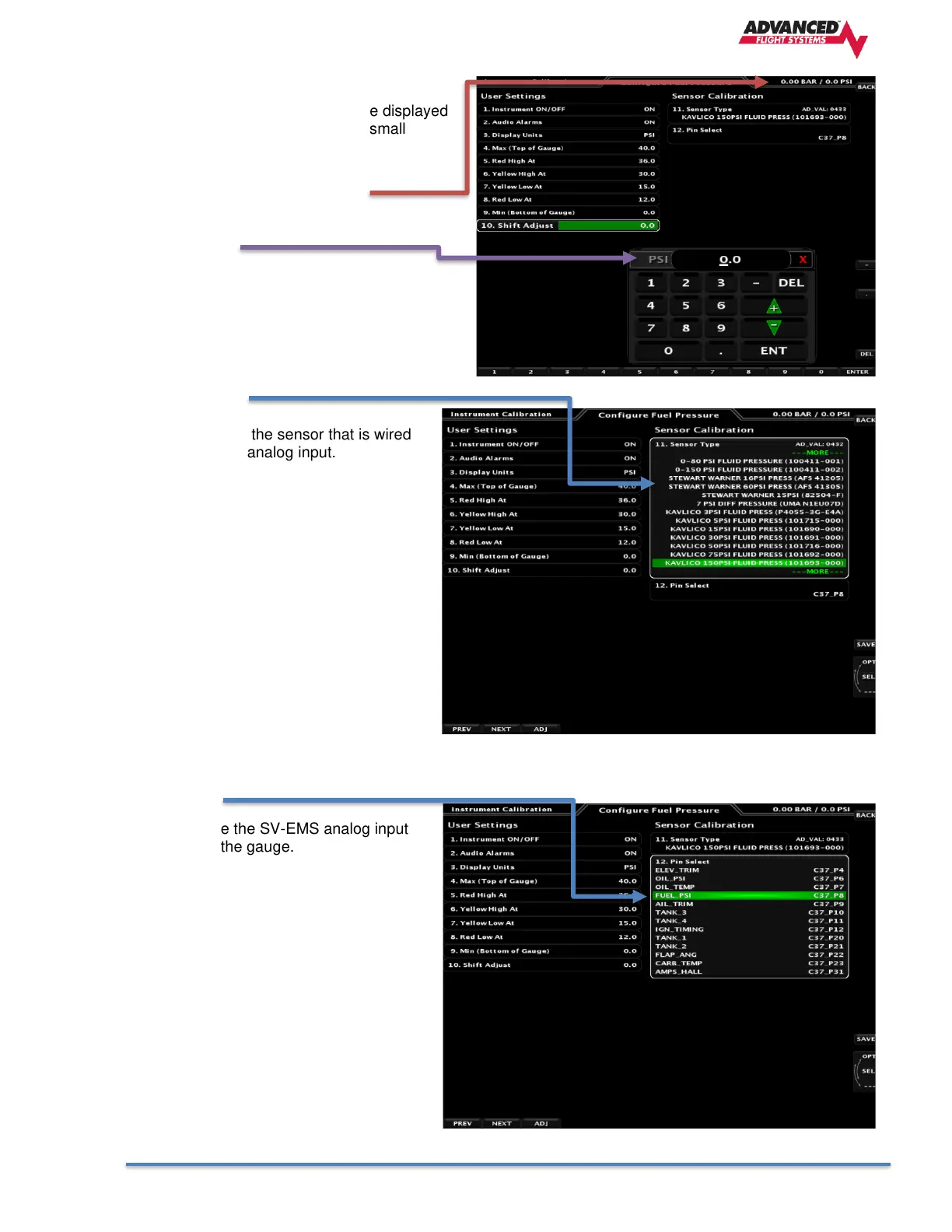
10. Shift Adjust
Lets you enter a value to offset the displayed
gauge value. Used to correct for small
calibration errors in transducers.
Current Gauge Displayed Value
Offset Value
11. Sensor Type
Let’s you select the sensor that is wired
to the SV-EMS analog input.
12. Pin Select
Let’s you change the SV-EMS analog input
pin assigned to the gauge.



 To Next Page