Version 16.10 AF-6600 AF-5000 Series Install Manual 241
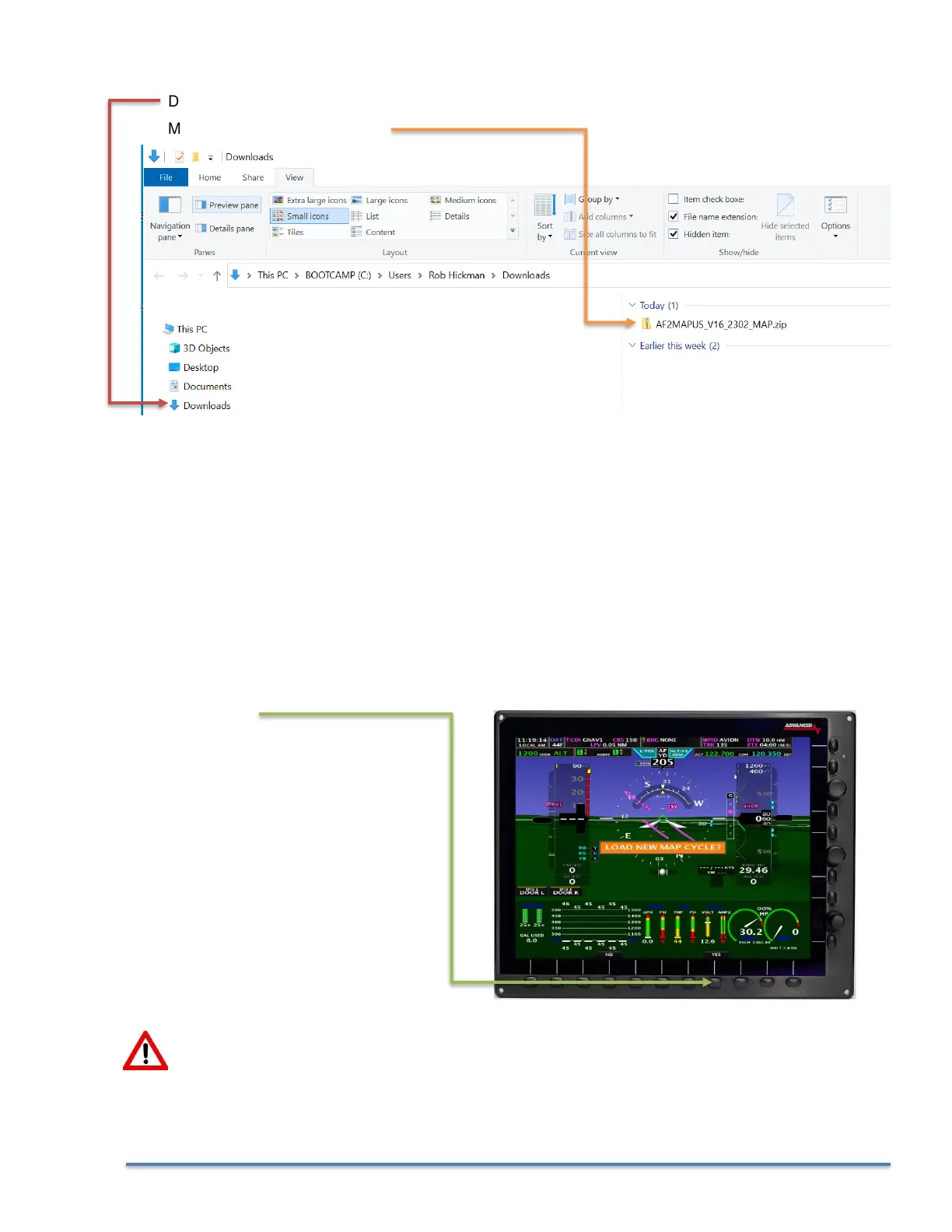
3. Locate the downloaded Map Database file on your computer, most likely in your Downloads folder.
Downloads Folder
Map Database File in the folder
4. Move the Map Database file from your computer to the USB Memory stick.
• Right Click on the EFIS software file in your downloads folder and select Copy
• Click on the USB Memory stick icon on your computer, Right Click and then select Paste
5. Eject the USB Memory stick from your computer.
6. Place the USB Memory stick in the PFD EFIS USB Socket (back of EFIS or extension cord on the
panel). Make sure you only have a single USB Memory stick plugged into the EFIS.
7. Power the PFD EFIS screen using Master Power
8. When the EFIS boots you should get a prompt to LOAD NEW MAP CYCLE ?
Select YES
If you did not get the LOAD NEW MAP CYCLE? prompt you can manually load from the SET >
CAL > ADMIN Settings > Transfer Files > Upgrade Maps menu



 To Next Page