Version 16.10 AF-6600 AF-5000 Series Install Manual 247
Loading Map Nav Data from the SD card into the EFIS
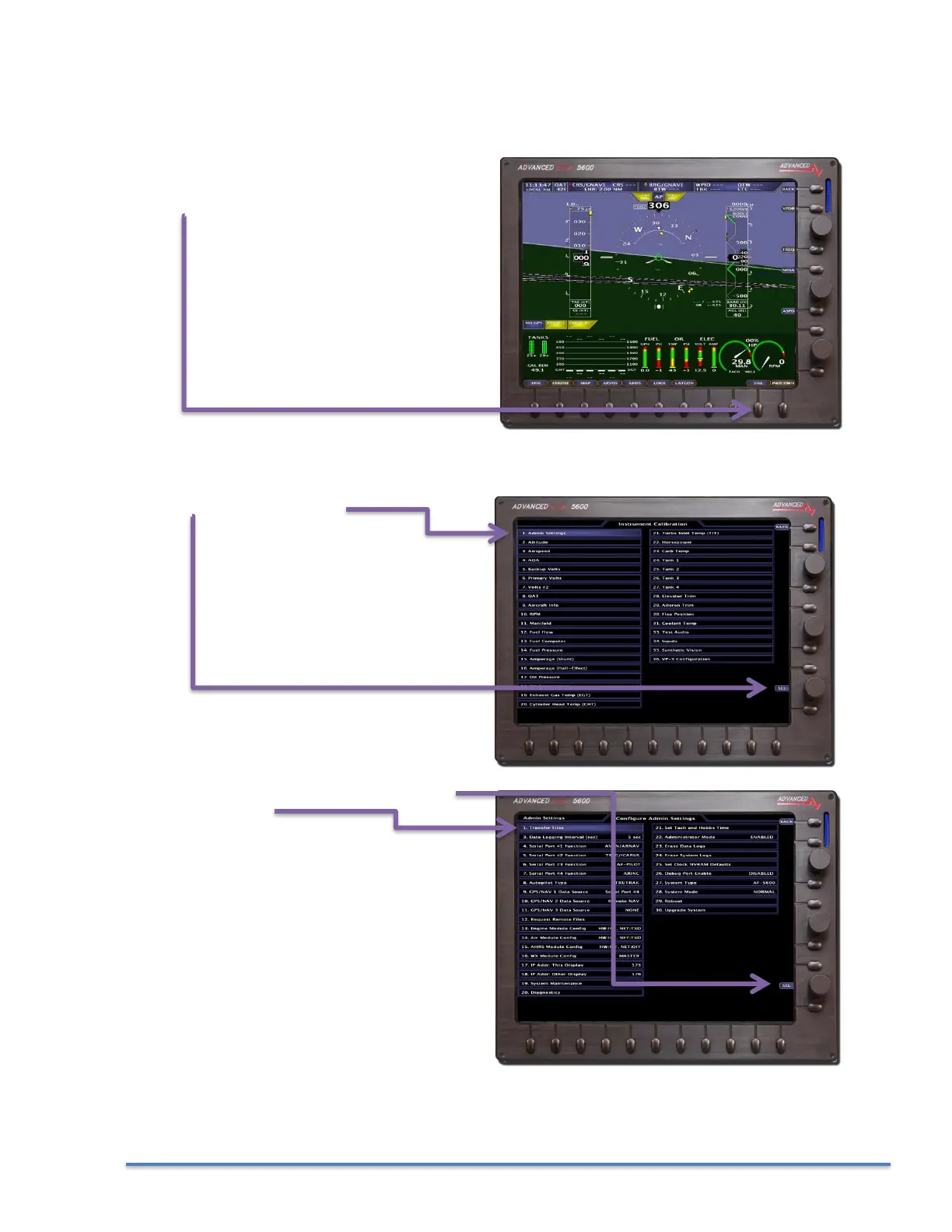
1. Insert the SD card into the EFIS screen and Power the EFIS screen using Master Power.
2. Select Instrument Calibration mode by
pressing the SET button and then holding the
CAL button for 3 seconds.
3. SELect Admin Settings
4. Use the bottom Joystick knob to SELect
Transfer Files



 To Next Page