Version 16.10 AF-6600 AF-5000 Series Install Manual 175
Autopilot Servo Calibration Procedure
• With the EFIS screens shut down center the Aileron and Elevator control surfaces.
• Make sure the panel mounted AUTO PILOT power switch is in the ON position.
• Turn on the aircraft Master Switch and Avionics Switch.
• Select SET > CAL > 11. Autopilot
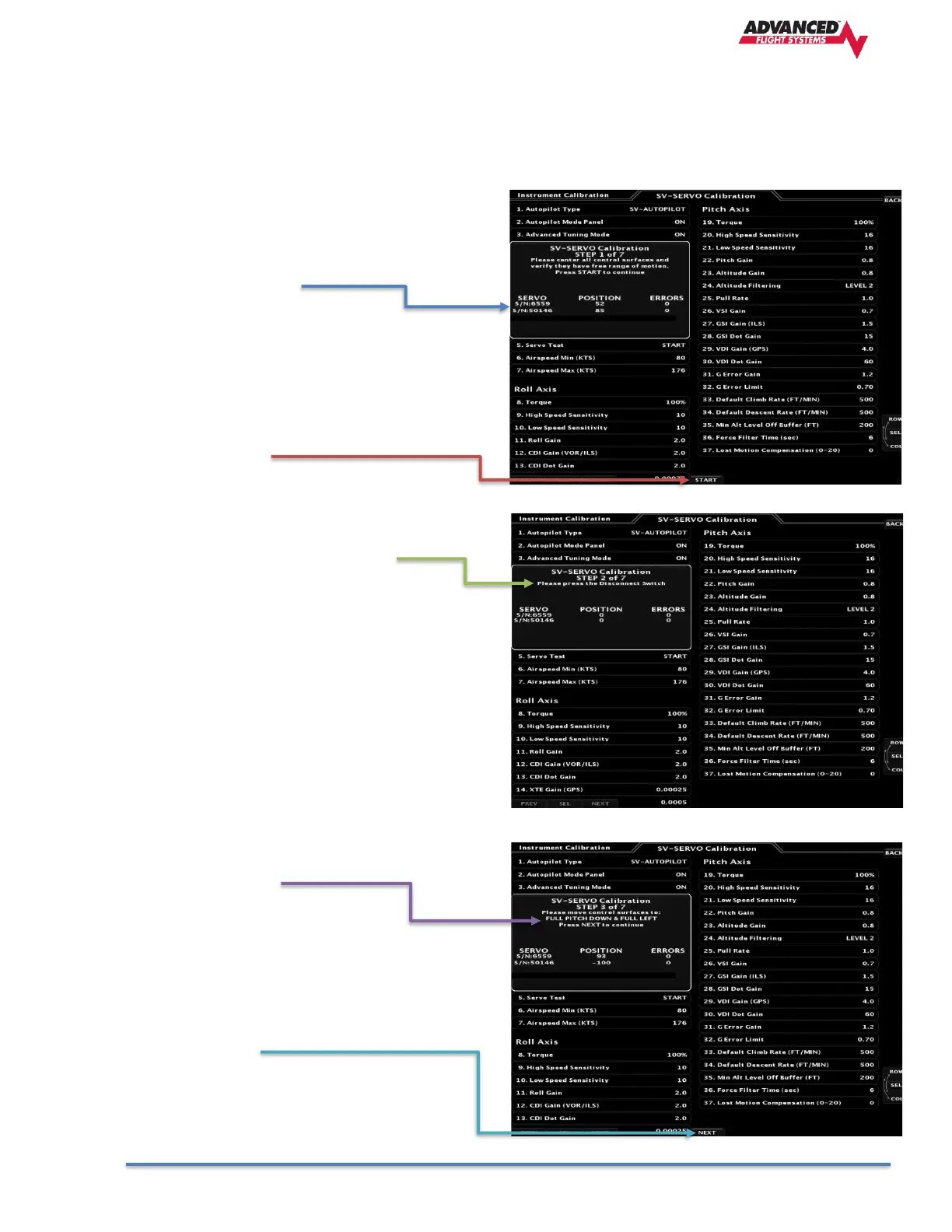
STEP 1 of 7
• Select 4. Servo Calibration and verify that the
SERVO POSITION values change when you
move the controls.
• Press START
STEP 2 of 7
• Press the Autopilot Disconnect Switch (CWS)
Normally a button on the stick.
STEP 3 of 7
• Move the control stick to the full pitch down and
full left position.
• Press NEXT



 To Next Page