Version 16.10 AF-6600 AF-5000 Series Install Manual 244
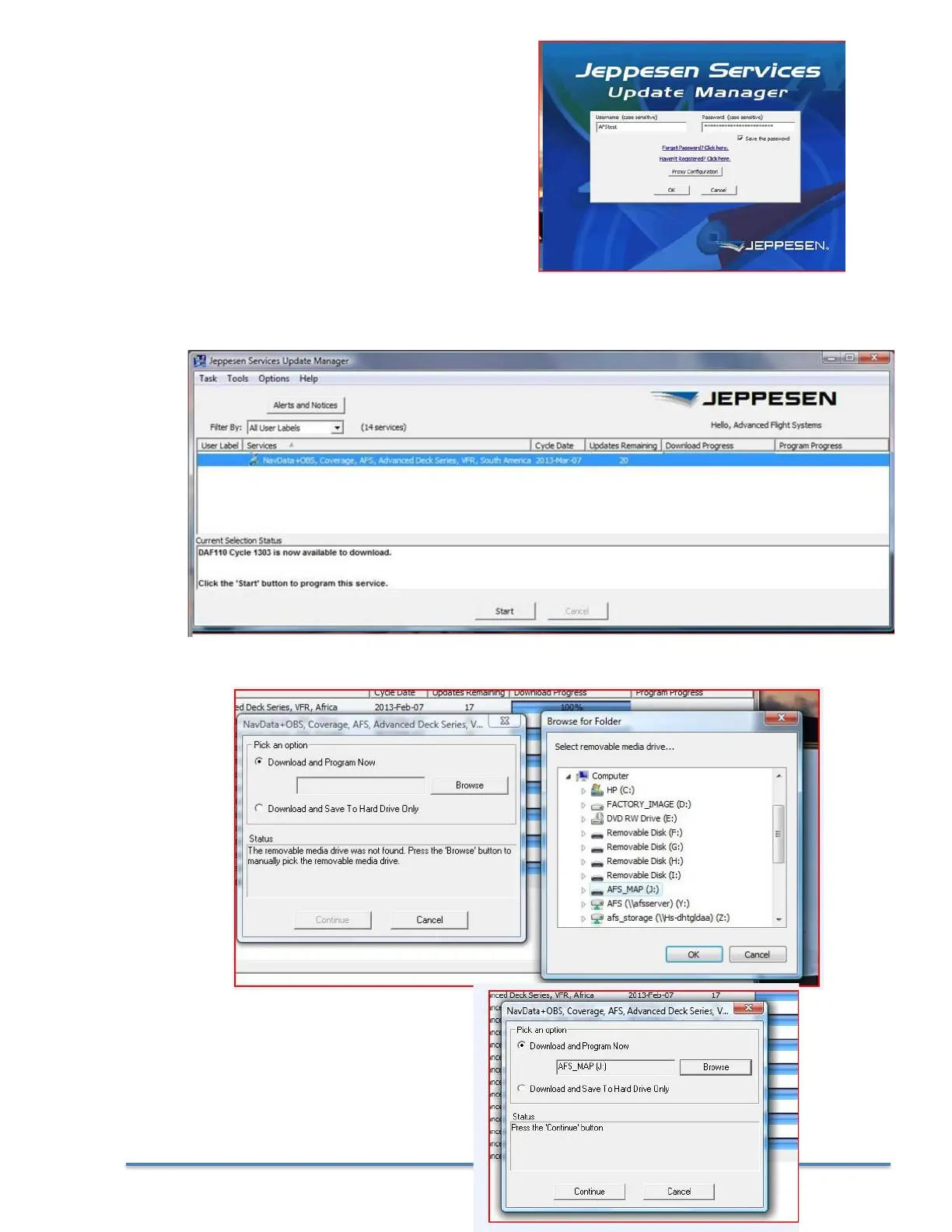
2a. Start the JSUM program on your PC and
login using YOUR Username and Password
2b. Select your data region and press Start. If you do not have any Services you will need to
contact Jeppesen to purchase the Map Data
2c. Select your Map SD card location
2d. Press Continue



 To Next Page