Chapter 4: Running Samples 111
• Make sure the sheath pressure and drop drive frequency are
appropriate.
Tip If the amplitude is <10 volts, turn on Attenuation in the Side Stream
window.
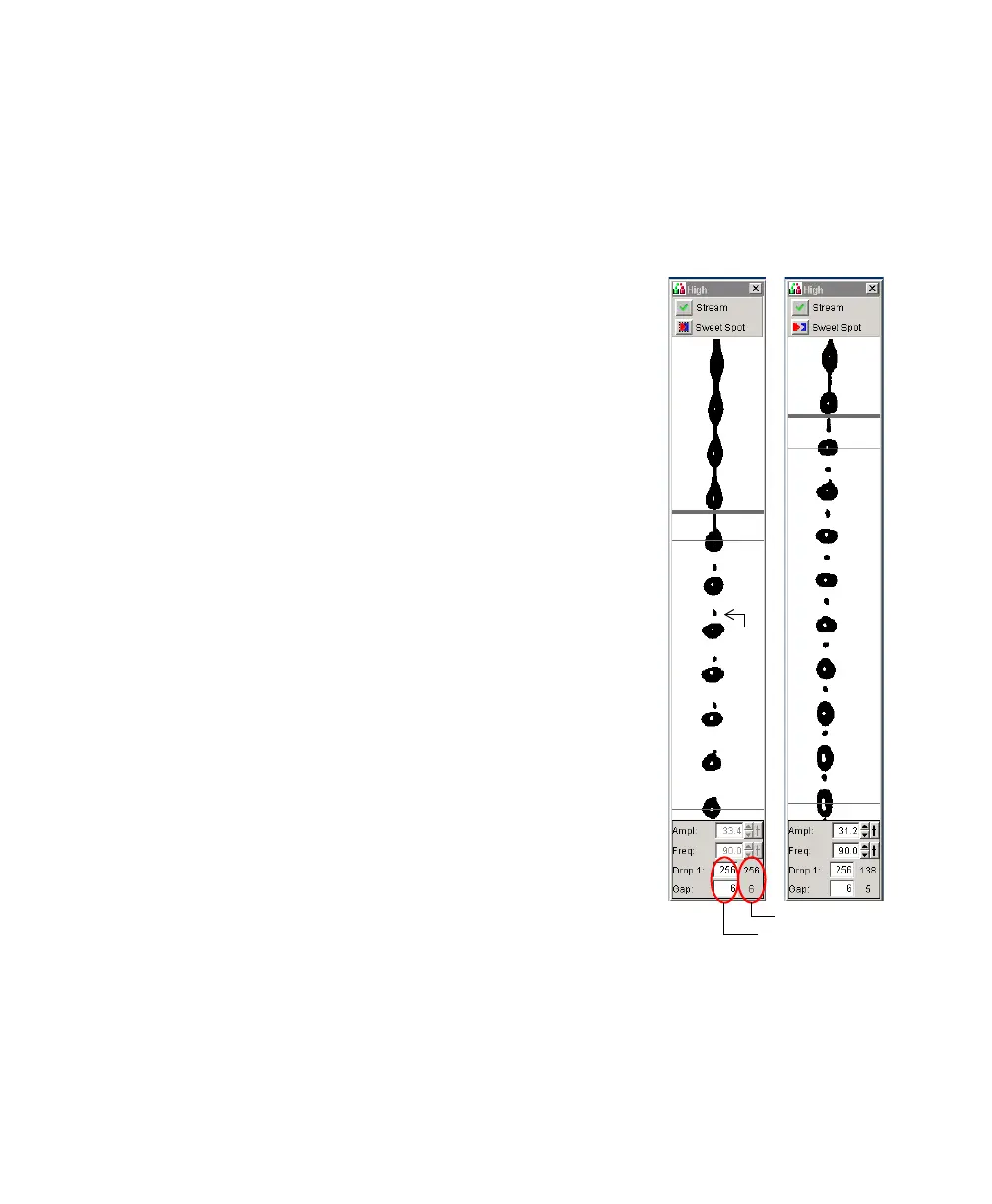
2 Verify that the small satellite droplets are
merging with the large droplets.
Satellite-merging is largely dependent on nozzle
position. If the satellites are not merging, you
might need to remove and reinstall the nozzle,
making sure that the nozzle is pushed fully
forward before turning the locking lever.
The satellite drops should merge into the drops
in 6 satellites or fewer.
3 Enter the actual Drop 1 value as the target in
the Drop 1 field.
The actual value appears in the gray
background next to the Drop 1 field. Once a
valid target has been established, you do not
usually need to reset it unless you change the
nozzle or your Sort Setup option.
Tip If the target value causes the Ampl. to
exceed 70 volts, perform the recommendations
under step 1 and re-enter the Drop 1 target
value.
4 Turn on the Sweet Spot when the drop pattern
is stable.
The Sweet Spot is designed to automatically
adjust the drop drive amplitude to maintain the stability of the breakoff
point. When the Sweet Spot is on, the Amplitude and Frequency fields are
disabled; the values are automatically adjusted by the software. For more
information, see Breakoff Window on page 64.
satellite
drop
Good Poor
target value
actual value



 To Next Page