Chapter 2: Theory of Operation 65
Pre-programmed values can be downloaded to the Breakoff window by selecting
one of the nozzle sizes (70, 85, 100, 130 micron) from the Sort > Sort Setup menu.
Note that changes to values in the Sort Setup windows (Breakoff and Side
Stream) are automatically saved. At startup, the last settings used on the
cytometer are restored, except the Stream and Sweet Spot controls which always
default to off. Default values can be restored by selecting Sort > Sort Setup >
Restore Defaults. For more information, see Sort Setup on page 94.
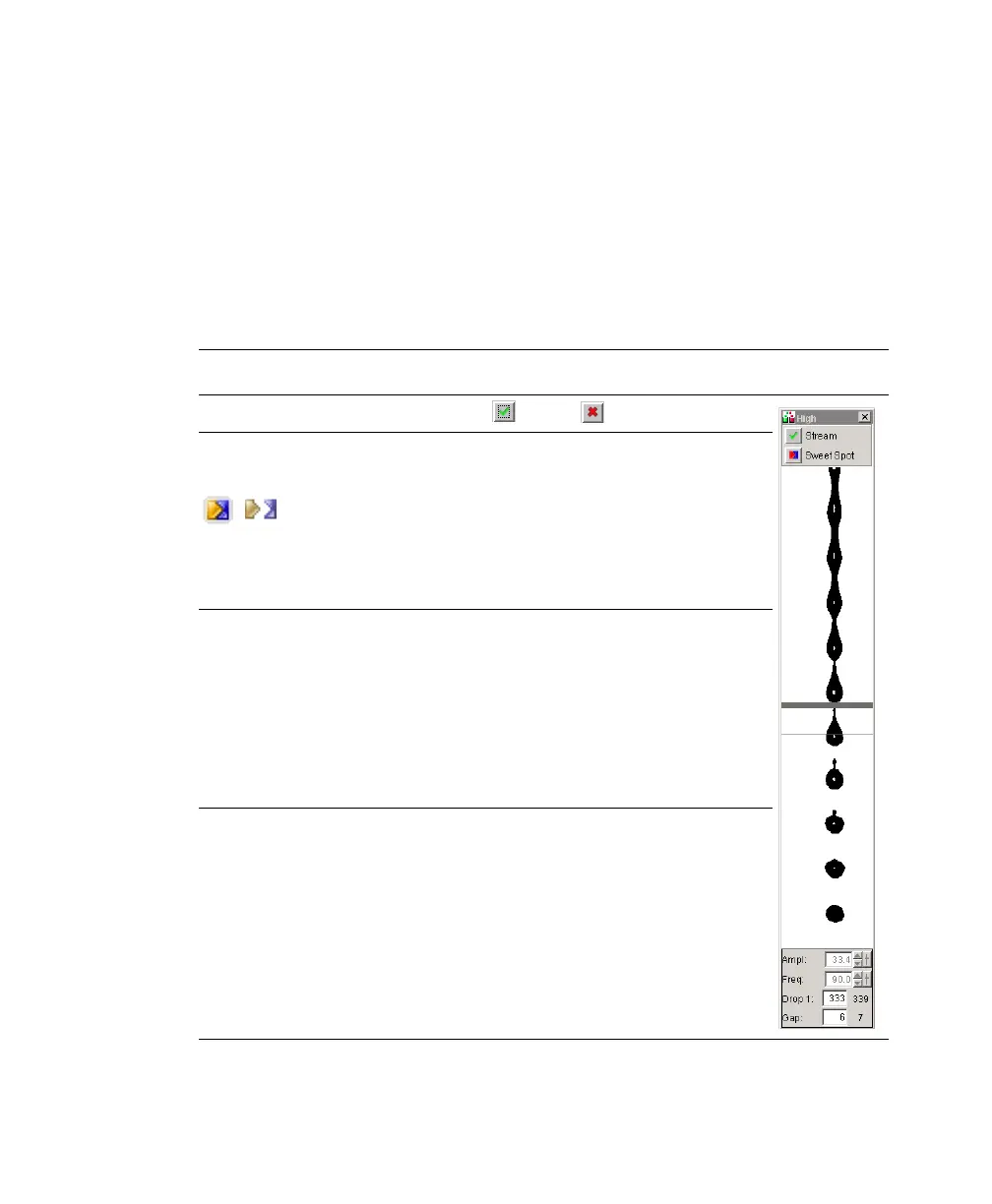
Table 2-1 Breakoff window controls
Control Description
Stream button Turns the stream on and off .
Sweet Spot
button
Enables automatic adjustment of the drop drive
amplitude to maintain the stability of the breakoff
point.
When the Sweet Spot is on, the Amplitude and
Frequency fields are disabled; the amplitude is
automatically adjusted by the software. To enable the
fields, turn off the Sweet Spot.
Amplitude field Adjusts the amplitude or intensity of the drop drive,
from 1.0–80.0 volts.
The drop drive amplitude determines the breakoff point.
A higher amplitude value results in a shorter stream
breakoff; a lower amplitude results in a longer stream
breakoff. Typically, the amplitude is set once, at the
beginning of a sorting experiment, and then maintained
via the Sweet Spot.
Frequency field Determines the number of drops formed per second and
the size of the drops. (Drop size is also influenced by
the nozzle size.)
The drop drive frequency can be adjusted from 1.0–
102.0 kHz. The higher the frequency, the more drops
are generated per second and the smaller the drops. The
lower the frequency, the fewer drops generated per
second and the larger the drops.
on off



 To Next Page