Honeywell Bendix/King AV8OR Handheld User’s Guide
D200803000008 Flight Plan Function
Rev 5 Mar 2012 Page 2-63
© Honeywell International Inc. Do not copy without express permission of Honeywell
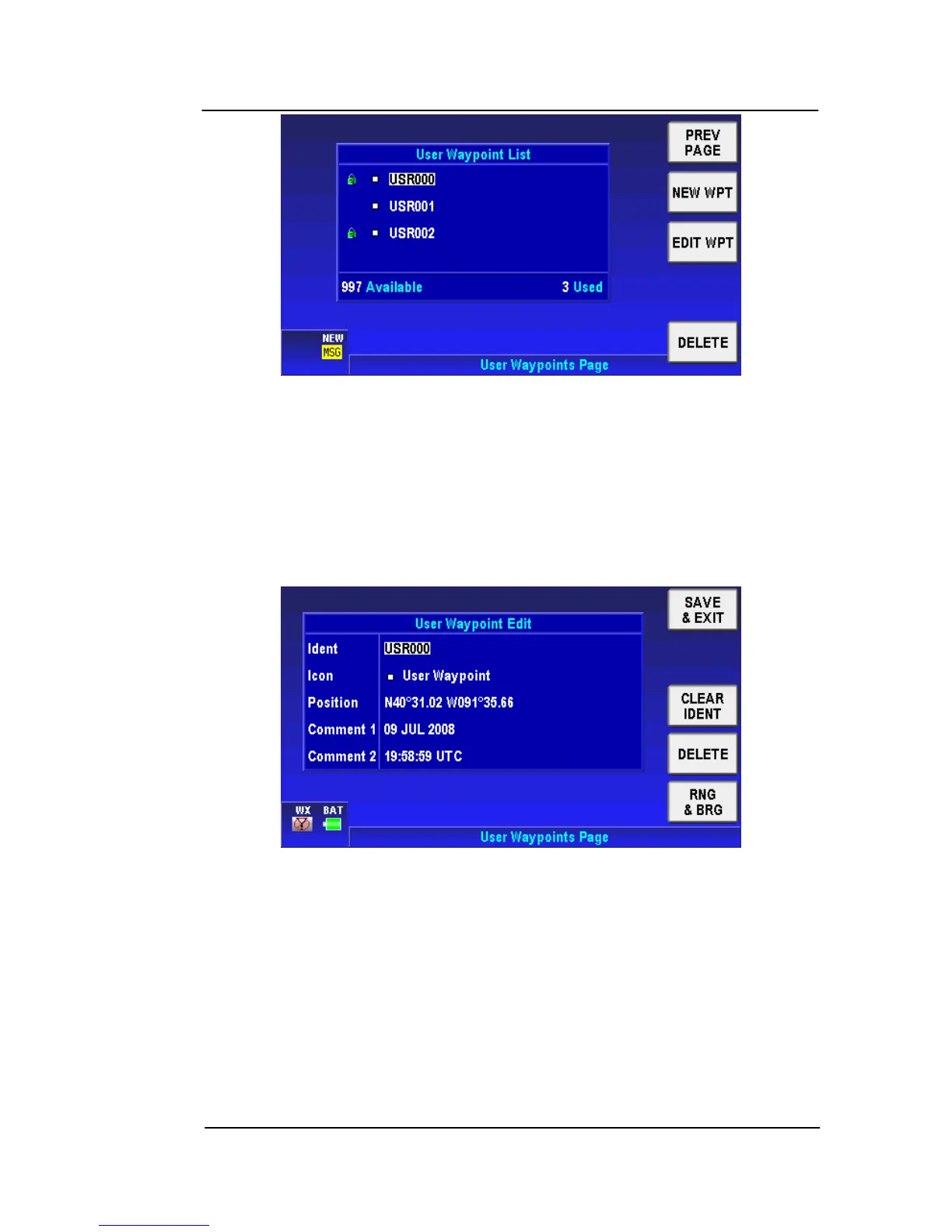
Figure 2-80: Flight Plan – User Waypoint List
The user can tap the NEW WPT soft key to define a new WPT. A
maximum of 1000 user WPTs can be created.
The user can also tap the EDIT WPT soft key to edit the selected
WPT’s parameters. When the user creates a new WPT or edits an
existing WPT, the User Waypoint Edit page is displayed as shown in
the figure below.
Figure 2-81: Flight Plan – New/Edit User Waypoint
The AV8OR system creates a default: Ident name, Icon, Position,
Comment 1 and Comment 2 parameters for the new WPT. The
default Ident name is in the format USRXXX and the default position
is the current aircraft’s position.
In the User Waypoint Edit page the user can edit all these
parameters. Highlight the Ident item, and the CLEAR IDENT soft key
becomes available to clear the current Ident name. Highlight the
Comment 1 / Comment 2 items and the CLEAR TEXT soft key
becomes available to clear the comment text.



 To Next Page