Honeywell Bendix/King AV8OR Handheld User’s Guide
Appendix D200803000008
Page 5-2 Rev 5 Mar 2012
© Honeywell International Inc. Do not copy without express permission of Honeywell
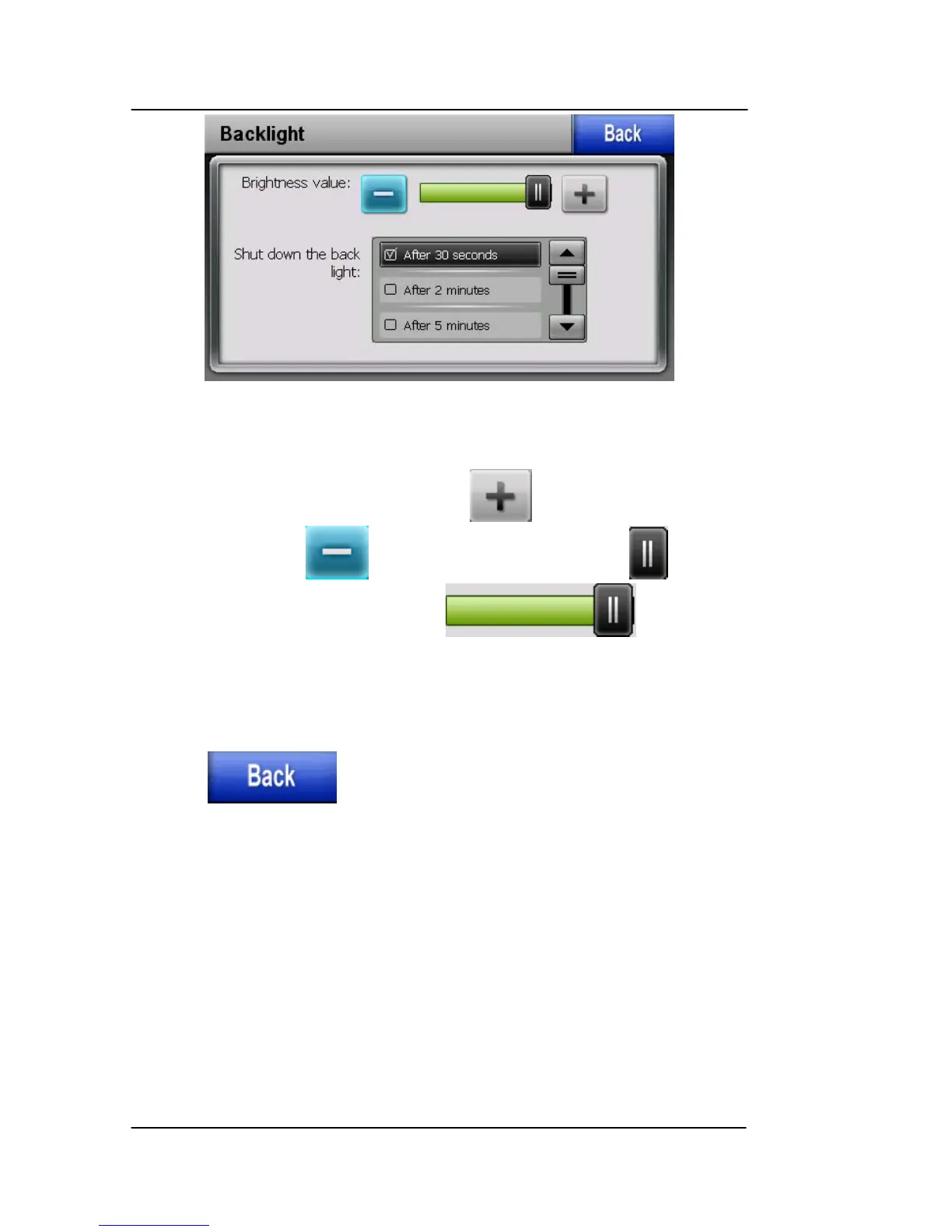
Figure 5-2: Backlight Page
Backlight control bar
To increase the brightness, tap the icon. To decrease the
brightness, tap the icon. You can also drag the soft key
left or right or tap either side of the bar.
Backlight shutdown setting
Select the wait time to turn off the backlight from the “Shut down the
backlight” list.
Tap the icon to return to the Settings page.
VOLUME
Tap the “Volume” soft key on the Settings page to enter the Volume
page.
The settings on the Volume page control the volume of the touch-
screen operation and the Menu soft key tapping
This page allows the user to set the maximum volume for the unit.
The volume control knob on the left side of the unit can adjust the
volume from Zero up to the level set on the volume page. To set the



 To Next Page